

Claude Code time tracker Claude Code time tracking, turned into hours per client.
TimeUno watches your Claude Code sessions as they run, tells working from waiting, and turns that into hours you can put on a timesheet, project by project.
Start your 14-day free trial 14-day free trial
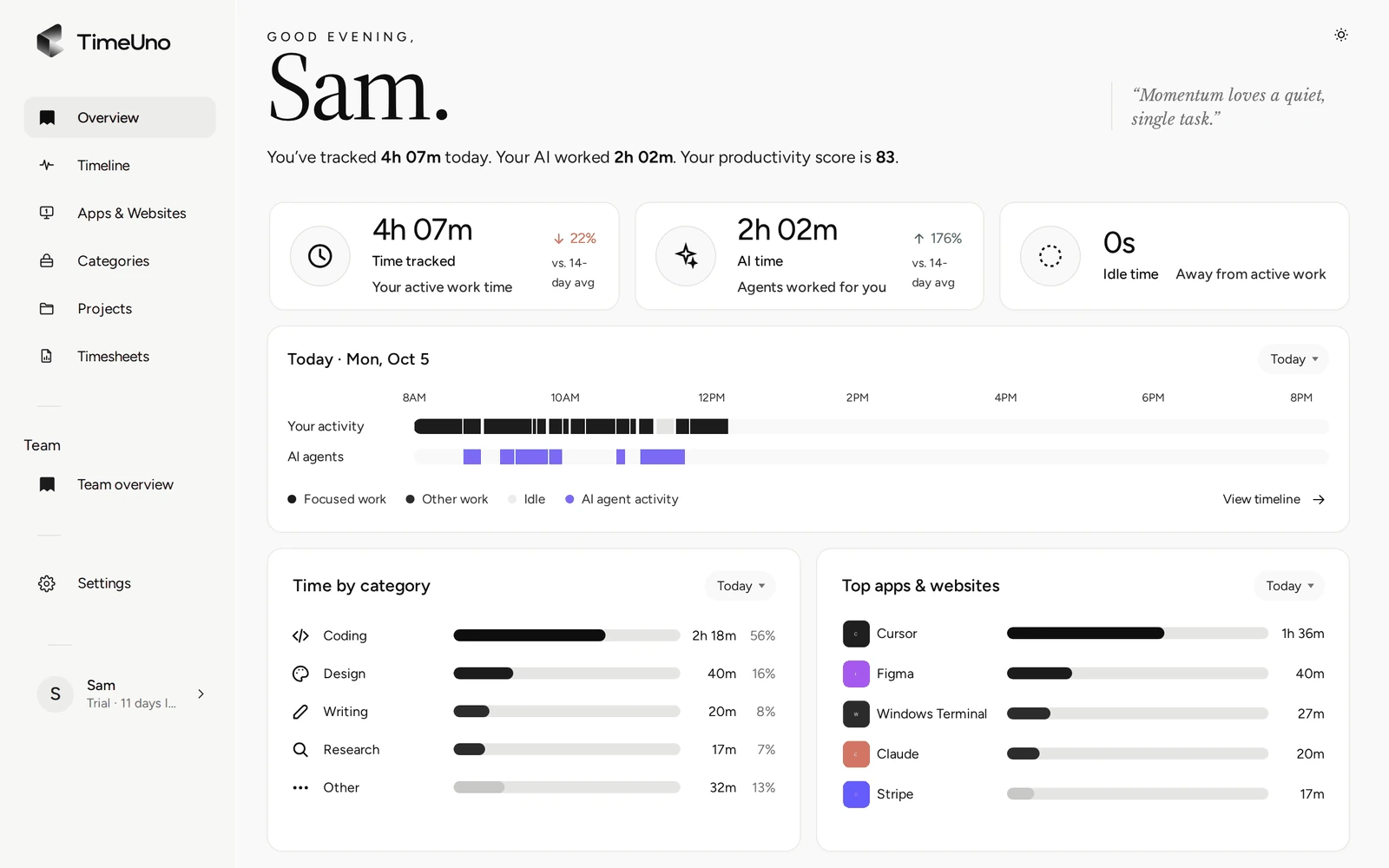
Where Claude Code keeps its sessions, and what TimeUno sends
Claude Code writes one JSONL file per session, under ~/.claude/projects/<project-folder>/<session>.jsonl. TimeUno watches that folder and reads the file as it grows.
| Sends | Never leaves your device |
|---|---|
| When a session starts and ends | Your prompts |
| Whether Claude is working or waiting for you | Claude’s answers |
| The model, token count and cost Claude Code records | Your code |
| The working folder and the conversation title |
Existing history is not back-counted: when TimeUno sees a session file for the first time, only activity from that point on is tracked.
Working or waiting on you
A Claude Code session that is still writing to its file is working. Once the last entry is an assistant turn, TimeUno marks it as waiting for you, usually after a few minutes without further activity. You see both states on the same timeline as your own work, so a stretch where you review a pull request while Claude refactors a module shows up as exactly that, not as one blurred block.
From agent time to billable hours per client
TimeUno picks the project from the session’s working folder, the same way it does for your own work: package.json, Cargo.toml, go.mod, pyproject.toml or the folder name. The Projects page then splits each project into your time and Claude Code time for the week.
Projects do not carry a client or rate field on their own, so timesheets are where the client shows up: pick a period and a project, add an optional client name, and TimeUno shows your total hours next to Claude Code’s time and an AI-contribution percentage before you export. The CSV you download blends both into one number per day, since that is what you bill a client for.
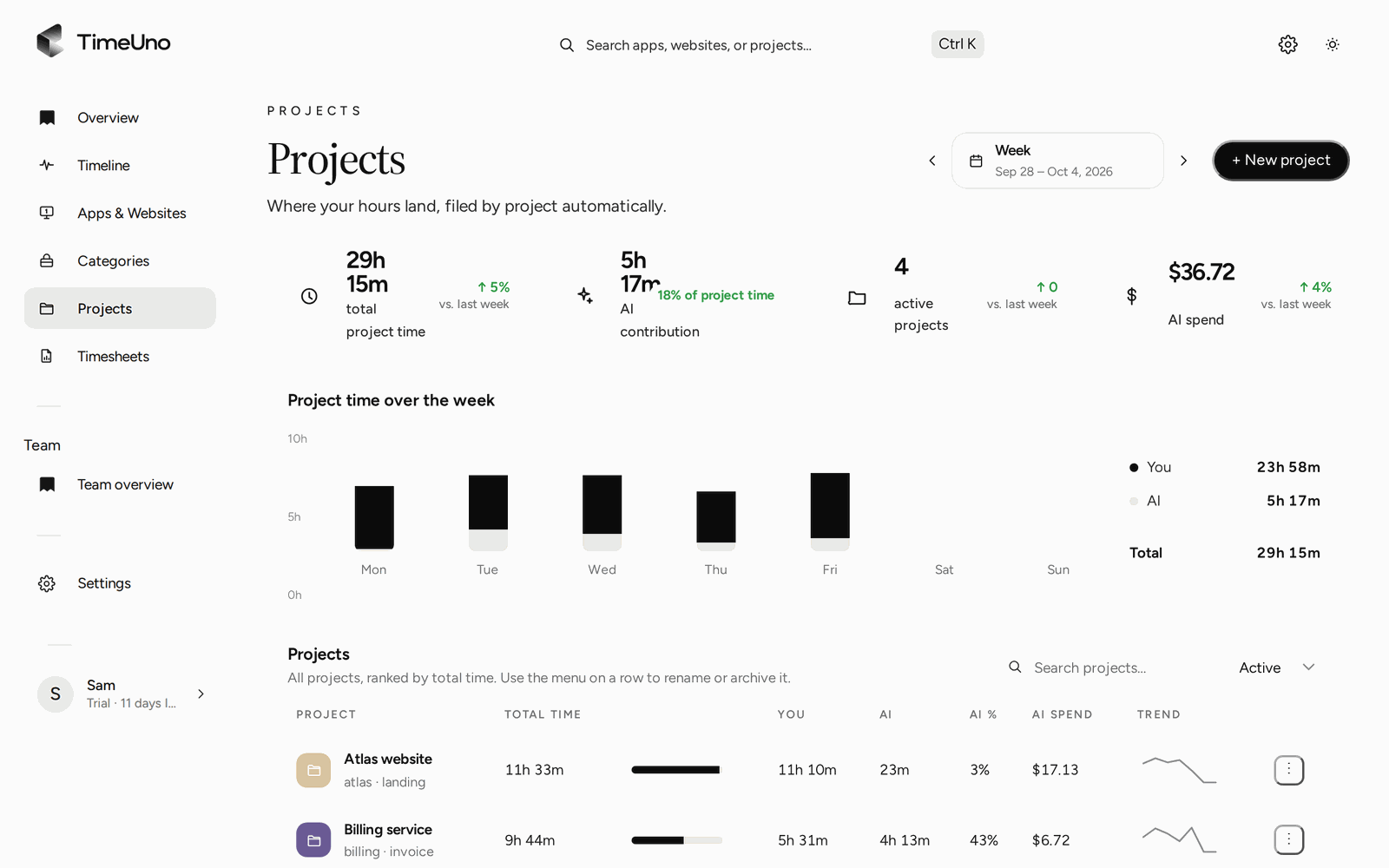
Parallel sessions stay apart
Each Claude Code session file is its own row with its own project. Run two terminals on two different client repos at the same time, and TimeUno keeps their time apart on the timeline and on your timesheets, instead of folding both into one “Claude Code” total.
Claude Code on a remote server
If you run Claude Code over SSH on a Linux server, the desktop app on your laptop cannot see that session. The headless agent can: install it on the server with one command, and it reads the same session files there, on the same timeline as your laptop.
See it next to every other AI tool
This page covers Claude Code on its own. For the full picture across Claude Code, Cursor, Codex CLI and the rest, and how TimeUno compares with WakaTime, see the AI time tracker overview.
Updated 19 October 2026
Questions people ask
Do my Claude Code prompts or code leave my device?
No. TimeUno sends session metadata from the JSONL file: when the session started, whether Claude is working or waiting, the model, token counts and the cost Claude Code records, the working folder and the conversation title. Your prompts, Claude's answers and your code never leave your device.
How does it tell Claude working from waiting on me?
A growing session file means Claude is working. Once the last entry is an assistant turn and the file stops growing, TimeUno marks the session as waiting for you. There is no timer to start or stop.
Can I track two Claude Code sessions at once?
Yes. Each session file is its own row with its own working folder, so two terminals on two different repos stay apart on the timeline and on your timesheets.
Does Claude Code time count toward my own hours?
No. The Projects page and your timesheet list both show Claude Code time as its own number, next to your hours and an AI-contribution percentage, so it is never folded into your total by surprise. A session that runs for an hour while you are in a meeting does not turn that hour into two. The CSV you export for a client blends it into one number per day, since that is what you bill for.
Does it work when Claude Code runs over SSH?
Yes, with the headless agent. Install it on the Linux server you SSH into, and it reads the same session files there, on the same timeline as your laptop.