

Jira time tracker See your time in Jira without logging work by hand.
TimeUno records the time you spend in Jira, Trello or Asana from your computer and browser, with nothing to install in Jira. It does not write worklogs back to Jira, so if your reports run on Jira worklogs, a Jira plugin is the better fit.
Try automatic time tracking 14-day trial, then $14.99 a month
How Jira time tracking usually works
Jira has built-in time tracking: an admin turns it on, and you log work on each issue by typing in the hours. For timesheets and reports, most teams add a plugin from the Atlassian Marketplace. Either way, someone has to enter the time, and time that never gets logged never shows up.
TimeUno takes the other route. It is a time tracker for your computer, not for Jira, so it sees the time you spend in Jira the same way it sees time in any other tool.
What TimeUno tracks in Jira, Trello and Asana
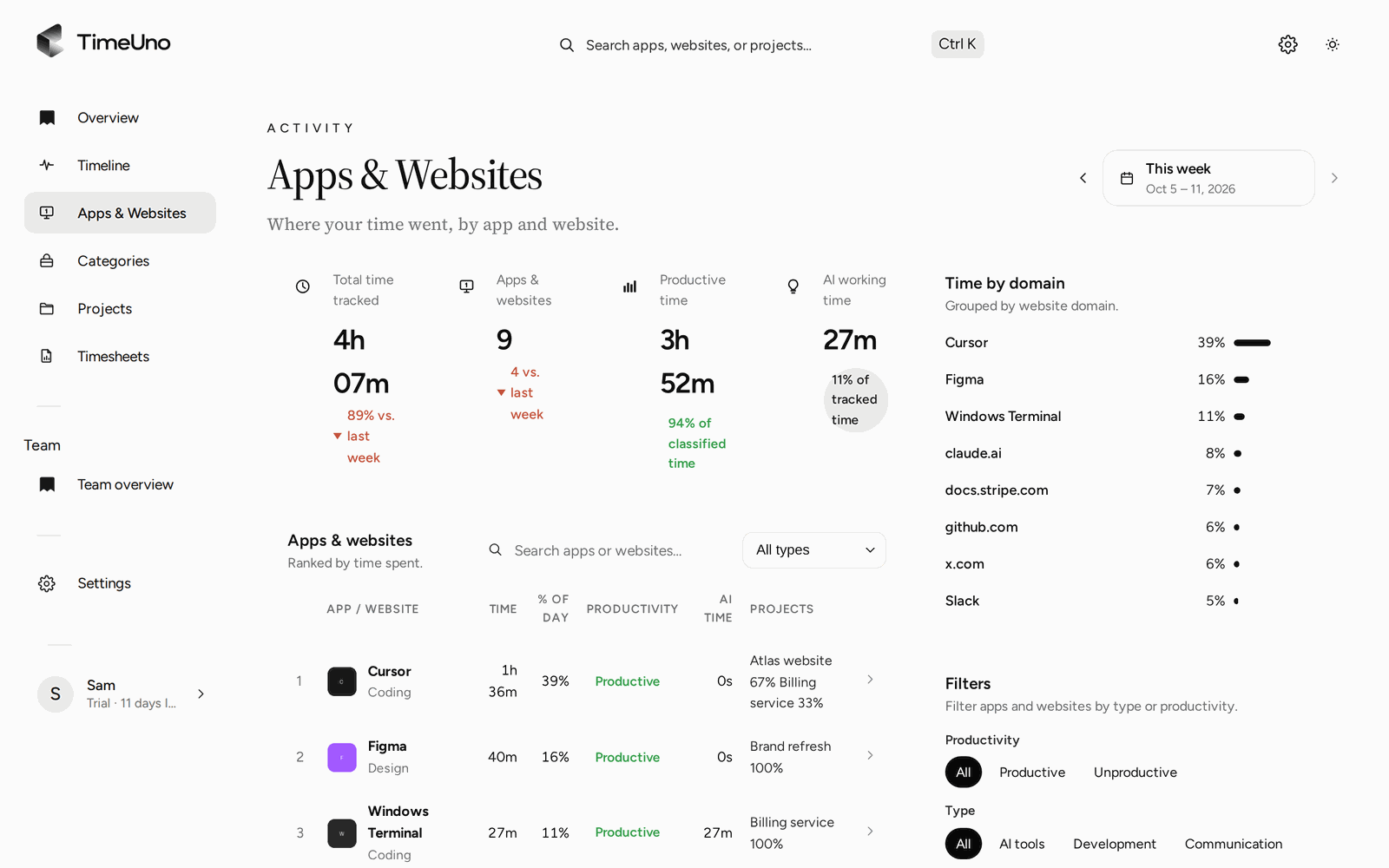
With the browser extension, TimeUno records the site you are on, the page title and the time you spent there, minus idle time. Jira, Trello and Asana show up on the Apps & Websites page next to everything else you used that week.
- Install the desktop app, and the browser extension if you use Jira in a browser.
- Add a project with keywords from your Jira project or client name.
- Work in Jira as usual. Time on matching pages is filed under that project.
- Build a timesheet for the project and export it as CSV.
The time you spend outside Jira on the same work, in your editor, in Figma or in a doc, lands under the project too. A worklog only ever shows what someone typed in.
Automatic tracking or a Jira worklog plugin?
Pick by where your reports live. If your team plans sprints and bills clients from Jira worklogs, you need the time inside Jira, and a worklog plugin is the right tool. TimeUno will not put it there.
| You need | Better fit |
|---|---|
| Hours logged on each Jira issue | Jira’s own time tracking or a worklog plugin |
| Reports and billing built on Jira worklogs | A Jira worklog plugin |
| Your real time across Jira and every other app | TimeUno |
| No plugin, nothing for the Jira admin to approve | TimeUno |
| Time for Trello, Asana and other tools the same way | TimeUno |
Some people use both: TimeUno to see the real week, then a few minutes on Friday to copy the totals into Jira.
What your team sees
On a Team plan, admins see worked time, the productivity score and AI usage per person. They never see which issues, sites or apps anyone opened. Each person’s detailed day, including their time in Jira, stays visible only to them.
Updated 13 October 2026
Questions people ask
Does TimeUno log work in Jira?
No. TimeUno does not connect to Jira or write worklogs. It records the time you spend in Jira from your computer and browser, and shows it in its own dashboard and timesheets.
Do I need to install a Jira app or plugin?
No. TimeUno works from the desktop app and the browser extension on your own computer. Your Jira admin does not have to install anything.
Does it work with Trello and Asana?
Yes, the same way. Time in Trello, Asana or any other tool in your browser or on your desktop is recorded as the site or app you worked in, with no integration needed.
Can I get time per Jira issue?
Not as a Jira worklog. You can add a TimeUno project with keywords that appear in the page title, such as a project or client name, and time on matching pages is filed under it.