

Mac time tracking app Time tracking that runs in your Mac's menu bar.
TimeUno is a time tracking app for macOS 11 and newer. It sits in the menu bar, records the app and window in front of you, and files the time under your projects. There is no timer to start.
Download for Mac 14-day trial, then $14.99 a month
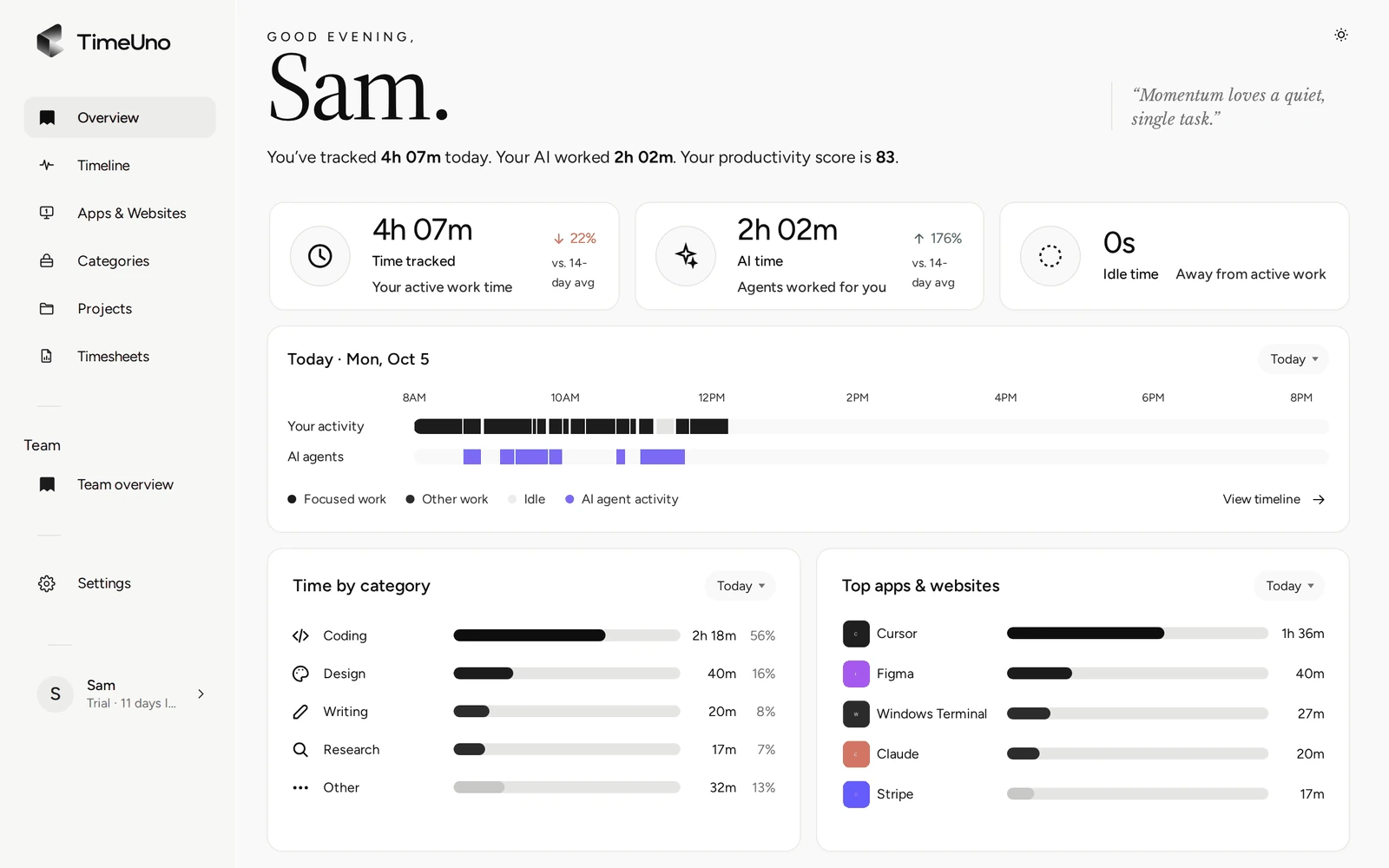
What the TimeUno Mac app tracks
The TimeUno Mac app records which app is in front of you, its window title, and when you were idle. It counts how many seconds had keyboard or mouse input, never what you typed or clicked. In an editor it reads the project name, so time lands under the right project on its own.
It also tracks AI tools on your Mac, such as Claude Code, Cursor, Codex CLI and the Claude desktop app, even while they work in a background terminal. You see your time and your AI tools’ time side by side, as the AI time tracker page explains.
How to install TimeUno on macOS
Installing takes about a minute on macOS 11 (Big Sur) or newer.
- Download the app from the download page and open the
.dmg. - Drag TimeUno into Applications and open it.
- Click Sign in with your browser and sign in. The app connects itself.
- Allow Screen Recording when TimeUno asks, then quit and reopen the app.
The app updates itself. The macOS install guide covers the permission step in detail.
Menu bar app and floating widget
TimeUno has no Dock icon. It lives in the menu bar, where one click shows today’s tracked time and lets you pause, open the dashboard or hide the widget.
The widget floats above your windows in three sizes. A dot shows when an AI tool is working, a pill shows what you are doing and your productivity score, and the panel shows the session or the whole day. Drag it anywhere; it remembers the spot.
Mac time tracking without timers
Most Mac time tracking apps are timers: you start one when a task begins and stop it when you switch. That gives clean entries if you remember, and gaps when you don’t.
| Timer app | TimeUno | |
|---|---|---|
| Starting work | Start a timer | Nothing to do |
| Switching tasks | Stop and start | Recorded as it happens |
| Forgotten time | Lost | Still on the timeline |
| Time per project | Picked by hand | Filed from your editor project or keywords |
| Timesheets | From timer entries | From tracked project time, as CSV |
A timer app suits you if you want to log only the work you choose, or if you need a free plan. TimeUno suits you if you want the record to exist without thinking about it.
Privacy on your Mac
Screenshots of the active window and on-screen text are on by default, to see AI tools working inside terminals. Turn either off in the app’s Settings under Privacy. Pause stops all recording for 15 minutes, 30 minutes, an hour or until you resume.
TimeUno runs on servers at Hetzner in Germany, and your data is never sold or used for advertising. TimeUno also runs on Windows and Linux (in beta), if you switch computers.
Updated 13 October 2026
Questions people ask
Which macOS versions does TimeUno support?
macOS 11 (Big Sur) and newer. Download the .dmg, drag TimeUno into Applications and sign in with your browser.
Why does TimeUno ask for Screen Recording permission?
macOS only shows window titles to apps you allow, and screenshots and on-screen text need the same permission. Nothing is recorded as video. Without it, TimeUno sees app names only, plus your AI tools and the sites the browser extension reports.
Does TimeUno have a Dock icon?
No. It lives in the menu bar, with a small widget that stays on top of your windows. You can hide the widget from the menu bar menu.
Is there an iPhone app?
No. TimeUno has desktop apps for macOS, Windows and Linux, and a browser extension. There is no iPhone or Android app.