

Time tracking for freelancers Billable hours per client, without a timer.
TimeUno records the time you spend on each client's work and files it under the right project on its own. At the end of the week you build a timesheet per client, export it as CSV and invoice from the tool you already use.
Start tracking billable hours 14-day trial, then $14.99 a month
Why freelancers lose billable hours
Most time tracking software for freelancers is a timer you start and stop. It works until you forget it: a quick client call, an email reply, twenty minutes of fixes after dinner. That time never reaches the invoice, and you only notice when the month looks short.
Rebuilding a week from memory on Friday is slower and less accurate than it feels. TimeUno removes the timer. It records what you work on as you work, so the record exists even when you forgot about it.
How TimeUno tracks billable hours per client
TimeUno runs on your computer and records the app or site in front of you, minus idle time. Time is filed under a project for each client: from the code project open in your editor, or from a project you add by hand with keywords such as the client’s name or their product’s name.
- Install the desktop app on your Mac, Windows or Linux computer.
- Add one project per client, with a few keywords that show up in your window titles or URLs.
- Work as usual. The first time TimeUno sees a new editor project, it asks whether to track it.
- Check the Projects page once a week and move any unassigned time to the right client.
The browser extension adds the site you are on, so time in Google Docs, Figma or a client’s admin panel lands under the right project.
From tracked time to an invoice
TimeUno does not send invoices. It builds the timesheet; your invoicing tool does the rest.
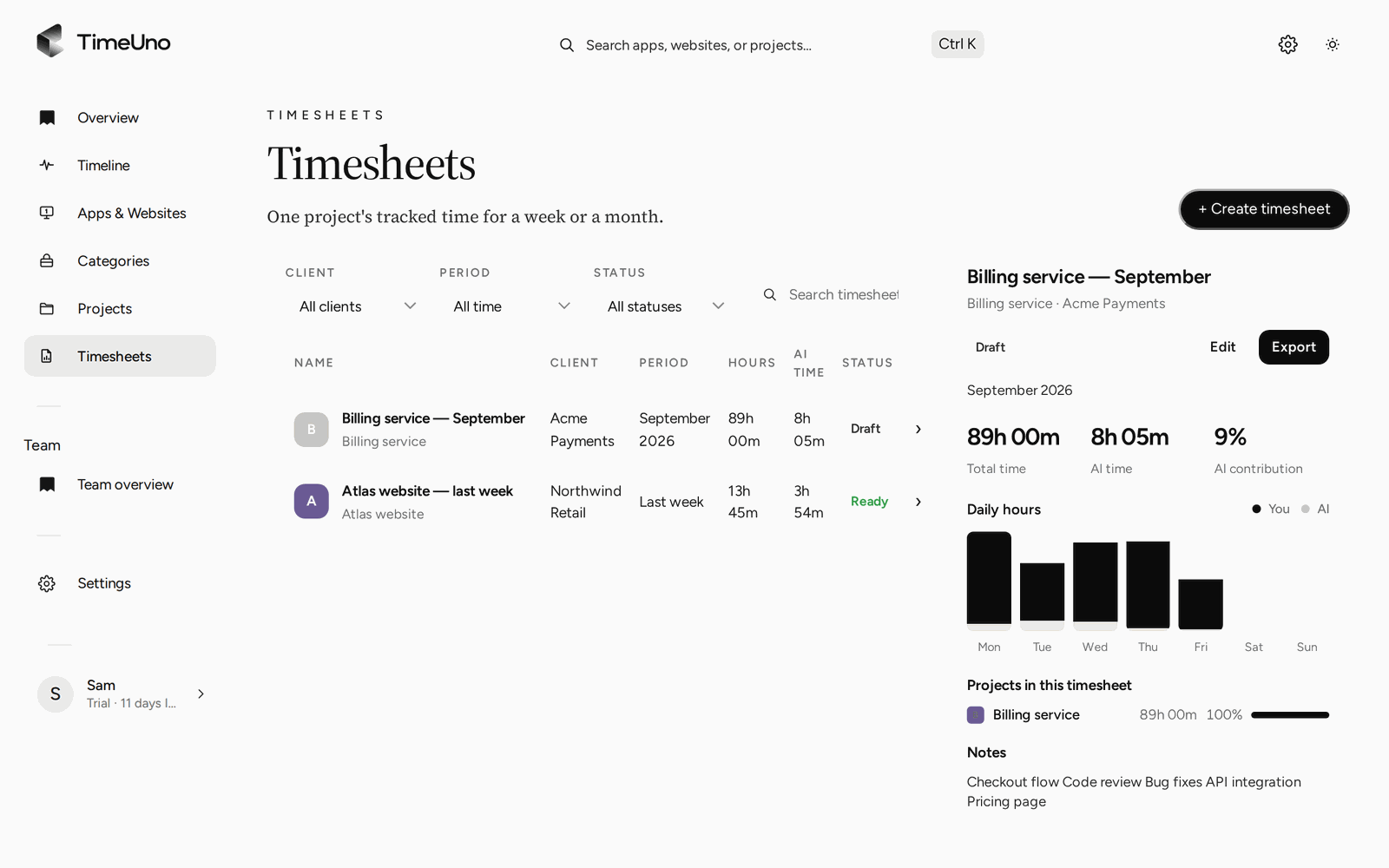
- Open Timesheets and click + Create timesheet.
- Choose This week, Last week or This month, the project and the client name.
- TimeUno fills in a line per day from your tracked time. Edit the descriptions, untick any line you won’t bill, and click Mark ready.
- Click Download CSV and use the hours in Stripe, QuickBooks, FreshBooks or whatever you invoice with.
A worked example
Say you bill Client A at $80 an hour and Client B at $65. Your week in TimeUno shows 14.5 hours on Client A and 9 hours on Client B. Two timesheets, two CSV files:
| Client | Hours | Rate | Invoice |
|---|---|---|---|
| Client A | 14.5 | $80 | $1,160.00 |
| Client B | 9 | $65 | $585.00 |
If the extra 45 minutes of calls you would have forgotten were on Client A, that is another $60 on one invoice.
Time with AI tools on client work
If you use Claude Code, Cursor, ChatGPT or other AI tools for client work, TimeUno records that time too, per project. You see your own time and your AI tools’ time side by side, plus AI spend per project.
That helps when a client asks how a job was done, or when you price fixed-fee work and want to know what the AI part really took.
What to know before you pick it
TimeUno has no free plan. It tracks computer work only, so on-site days need a separate note, and it has no mobile app or invoicing: timesheets export as CSV, not PDF or Excel.
If you want invoices and time tracking in one app, an invoicing tool with a built-in timer may suit you better. If you want the hours to add up without thinking about them, try TimeUno for 14 days.
Updated 13 October 2026
Questions people ask
Does TimeUno send invoices?
No. TimeUno builds the timesheet and exports it as CSV. You create the invoice in your accounting or invoicing tool, using the hours from the CSV.
Is TimeUno free for freelancers?
No. The Individual plan is $14.99 a month, or $10.49 a month billed yearly, after a 14-day trial. If you only need a free option, our timesheet templates and timesheet calculator cost nothing.
Can I track hourly rates in TimeUno?
No. TimeUno tracks hours, not money. Multiply the hours on the timesheet by your rate in your invoicing tool, or use the timesheet calculator on this site.
What if TimeUno files time under the wrong client?
Move it to the right project from the Timeline. TimeUno remembers the correction, and repeated corrections become rules. You can also edit or leave out lines on the timesheet before you export it.