

Productivity tracker Know where your time actually goes.
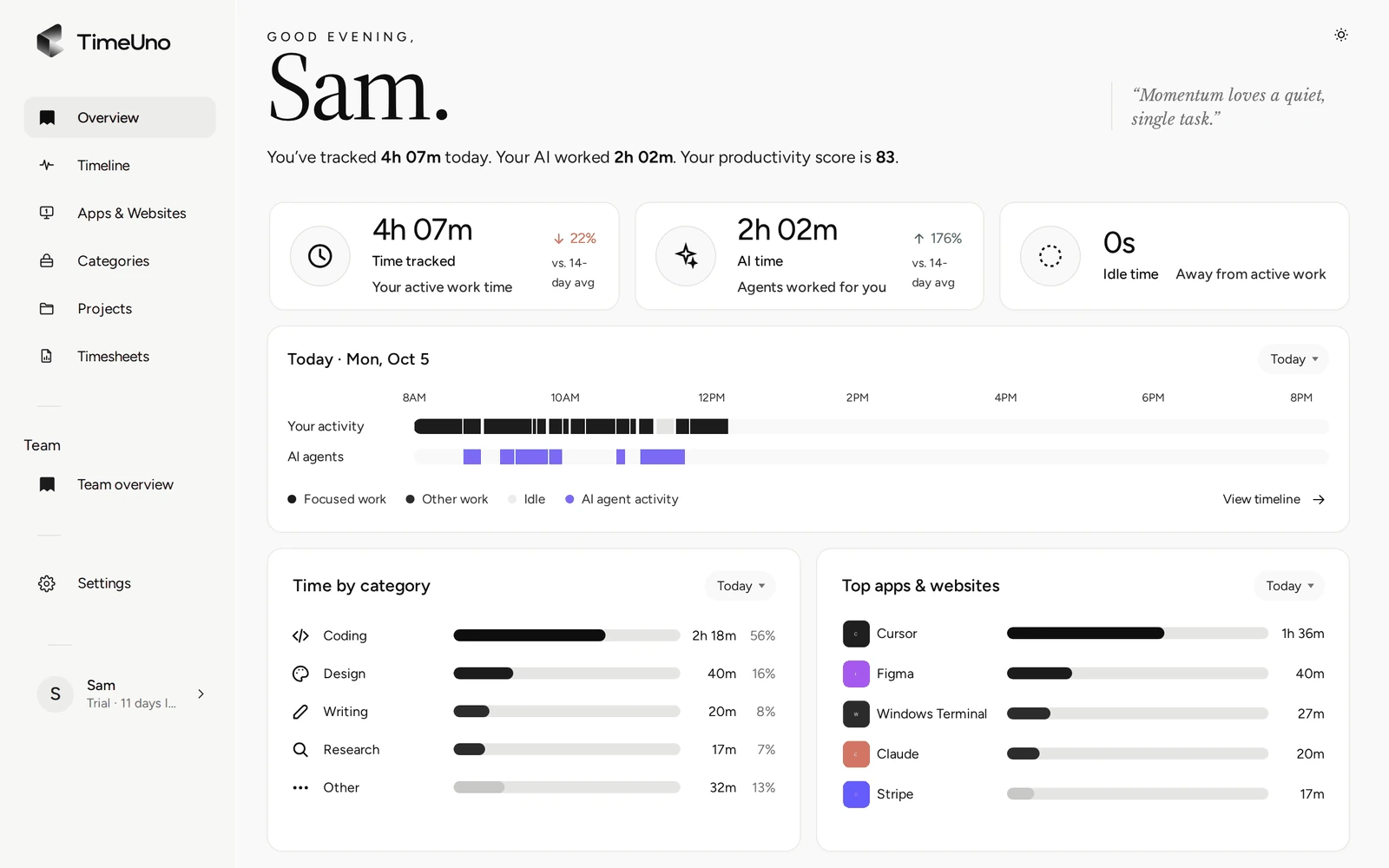
TimeUno records the apps and sites you use, sorts the time into categories and marks each stretch productive or unproductive. You get a productivity score from 0 to 100 for the day, without starting a timer.
Start your 14-day trial 14-day trial, then $14.99 a month
What a productivity tracker records
A productivity tracker records how you spend your working time and tells you how much of it went to real work. TimeUno does this on your computer: it notes the app in front of you, the window title, the site in your browser and when you were idle. Then it sorts that time for you.
It counts how many seconds had keyboard or mouse input, never what you typed or clicked. You can pause it for 15 minutes, an hour, or until you resume.
How TimeUno decides what is productive
Every stretch of time gets a category and a verdict: productive or unproductive. There is no third option. Built-in rules place most time (an editor is coding, a calendar is admin). Apps that go either way, like Slack or YouTube, are judged from the window title and the site.
The 15 categories:
| Work | Talk | Other |
|---|---|---|
| Coding, design, writing, research, learning | Email, communication, meetings | Browsing, social, entertainment |
| Marketing, sales, admin | Other |
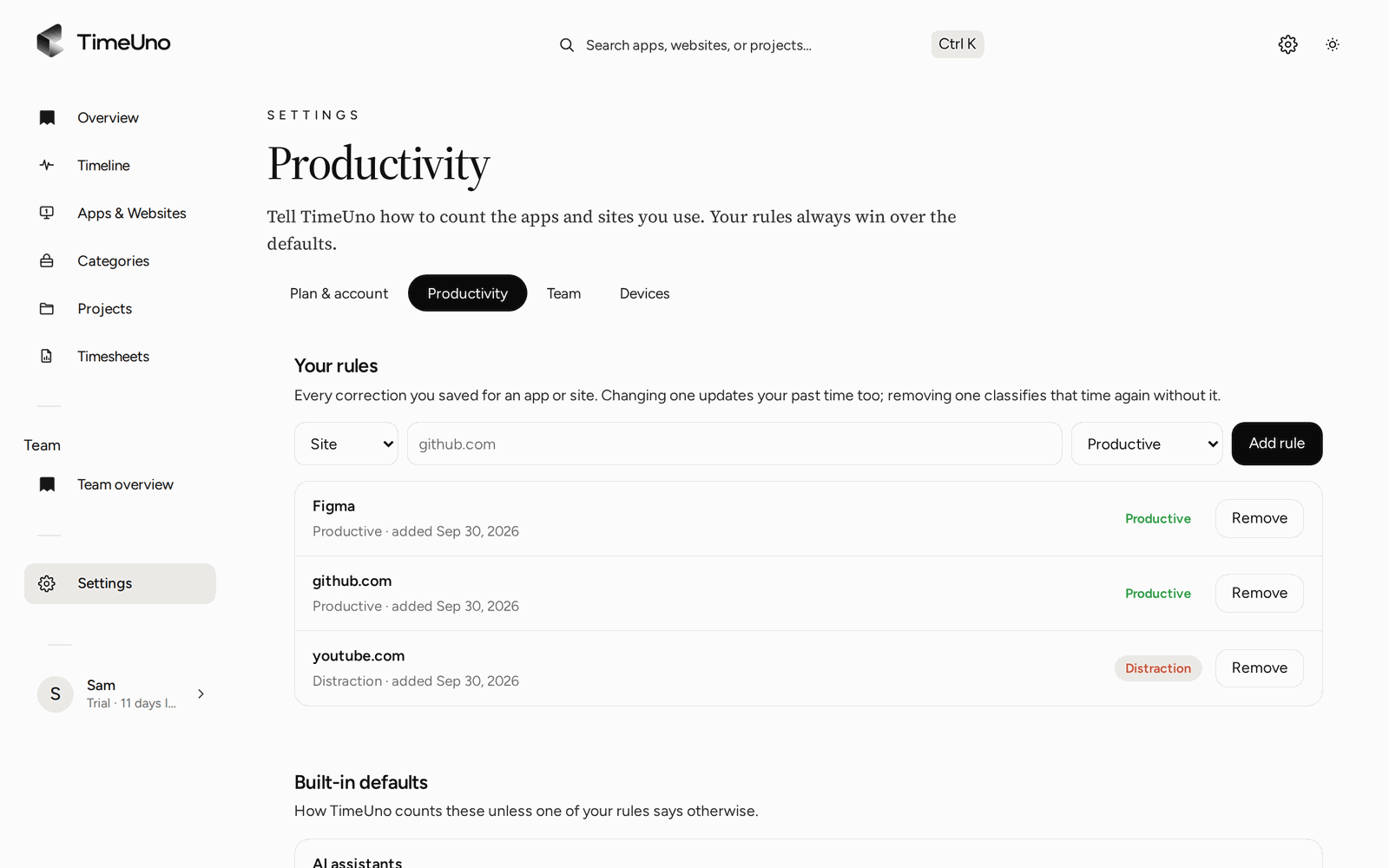
If TimeUno gets something wrong, change it once. Repeated corrections become rules, and your rules always win.
Your productivity score, from 0 to 100
The productivity score is a single number for your day or session. It weighs each stretch of time by how long it lasted: deep work counts most, engaged work a little less and distractions least. Idle time is left out, so a coffee break does not lower it.
| Score | Label |
|---|---|
| 80 to 100 | In flow |
| 60 to 79 | Productive |
| 40 to 59 | Mixed |
| 0 to 39 | Distracted |
The desktop widget shows the score all day, with an arrow that compares it to your average over the last 14 days.
A focus tracker without timers
Most focus trackers ask you to start a session or a Pomodoro. TimeUno records the whole day as it happens, so you see focus you did not plan as well. The Timeline shows your day as sessions, each with its verdict and a short reason.
That makes the honest question easy to answer: did the afternoon go to the report, or to email and chat?
Productivity tracker or habit tracker?
A habit tracker counts whether you did something each day, like a workout or reading. A productivity tracker measures how your working hours were spent. TimeUno is the second kind, and only for computer time.
If you keep a habit tracker in a spreadsheet or a notebook, the two work well side by side.
Time from your AI tools, counted separately
If you work with Claude Code, Cursor or other AI tools, TimeUno tracks them on a second timeline: when they are working, waiting for you or done, even in a background terminal. You see your own focus and your AI’s work apart, so waiting on an agent does not hide in your numbers.
For teams
On the Team plan, owners and admins see each person’s worked time, productivity score and AI usage. They never see anyone’s apps, sites, window titles or screenshots. TimeUno is a tracker for people to understand their own time, not a monitoring tool.
Updated 13 October 2026
Questions people ask
How is the productivity score calculated?
It is the grade of your classified time, weighted by how long each stretch lasted. Deep work counts most, engaged work a little less, distractions least, and idle time is left out. 80 and up is In flow, 60 and up Productive, 40 and up Mixed, below that Distracted.
Can I decide what counts as productive?
Yes. Correct any stretch of time from the Timeline or the desktop widget, and add rules under Settings, Productivity, such as youtube.com as productive. Your rules win over the built-in defaults.
Is TimeUno a habit tracker?
No. It does not track habits like exercise or sleep. It tracks the time you spend at your computer. For daily habits, a paper or spreadsheet habit tracker works well next to it.
Does it work on my phone?
No. TimeUno has no mobile app. It runs on macOS, Windows and Linux, with a browser extension for the sites you visit.
Is there a free version?
No. TimeUno has a 14-day trial, then costs $14.99 a month, or $10.49 a month billed yearly.