

Employee time tracker Team hours that add up on their own, without watching anyone.
TimeUno is an employee time tracker that records worked time on each person's computer, with no timers to start. Admins see worked time, a productivity score and AI usage per person. They never see anyone's apps, sites, window titles or screenshots.
Start a team trial 14-day trial, then $19.99 per seat a month
What an employee time tracker should do
An employee time tracker records how many hours each person on your staff works, ideally without anyone filling in a form. TimeUno runs on each person’s computer and records worked time on its own. Idle time is kept apart, so a laptop left open over lunch does not count as work.
Most employee time tracking software asks people to press start and stop, or records screenshots that managers browse. Timers get forgotten, and screenshot feeds make people feel watched. TimeUno takes a third route: tracking is automatic, and the detail stays with the person it belongs to.
What admins see, and what they don’t
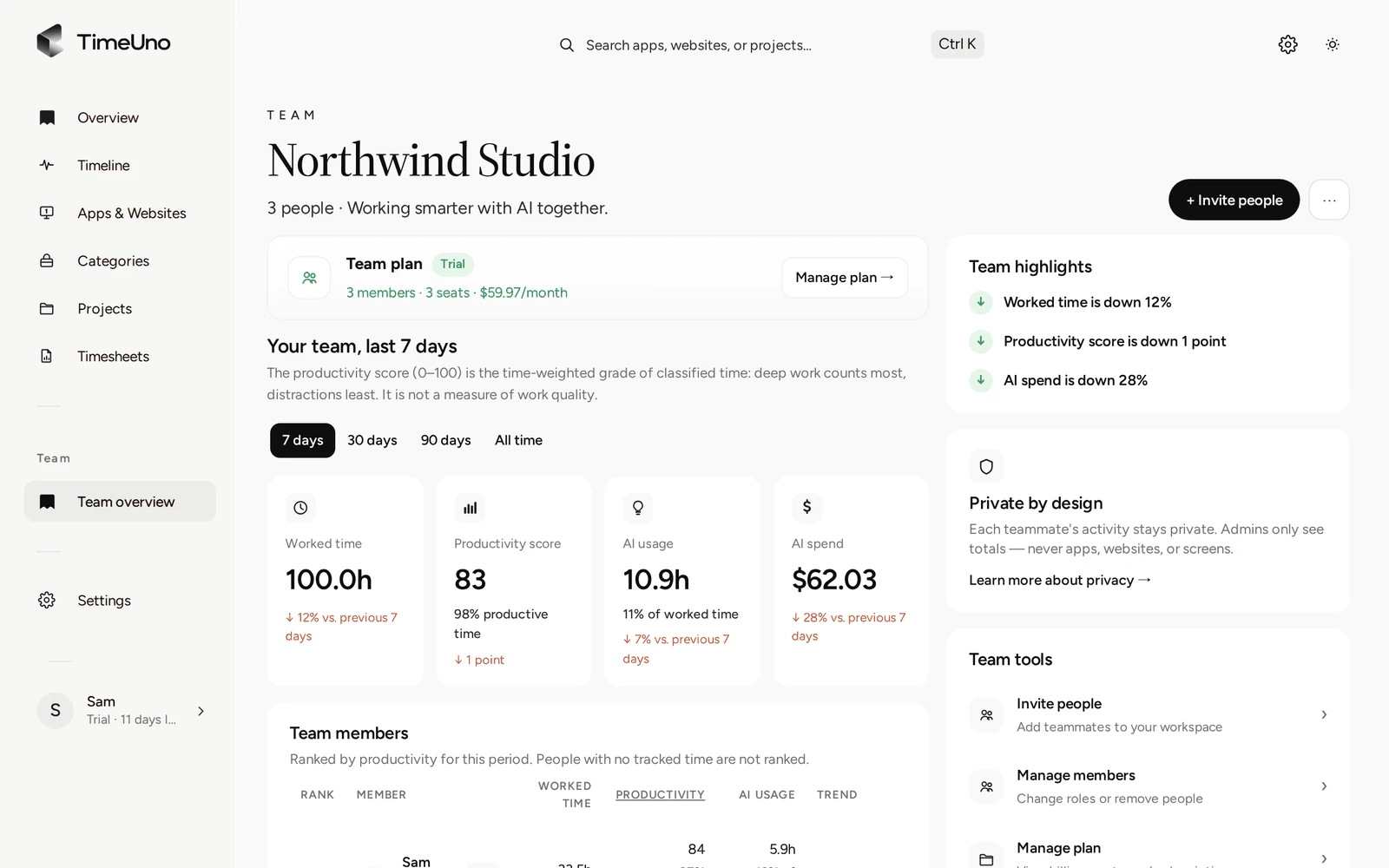
Owners and admins see four numbers per person for the last 7, 30 or 90 days, or all time. They never see the activity behind them.
| Admins see | Admins never see |
|---|---|
| Worked time | Apps and websites |
| Productivity score (0 to 100) | Window titles |
| AI usage | Screenshots or on-screen text |
| Trend against the previous period | Anyone’s detailed day |
The overview also shows the team’s AI spend and the hours spent on shared projects. Each person sees their own timeline, categories and projects in full, and can correct anything TimeUno got wrong.
How to set up time tracking for employees
Setup takes about a minute per person, and nobody has to remember to track anything after that.
- Start a Team plan and open Team overview.
- Click + Invite people, enter an email address and choose Member or Admin. Invitations expire after 7 days.
- Each person creates or signs in to their account and installs the desktop app on their own computer.
- Optionally, each person adds the browser extension, so time in a browser shows the site instead of just “Chrome” or “Firefox”.
Billing follows membership: each member is one seat, and the seat count changes when someone joins or leaves.
A time tracking app for small business teams
Small teams usually want two answers: how many hours went into each client or project, and whether the week was spent on real work. TimeUno files time under projects on its own, from the code project open in an editor or from keywords you set. Each person can then build a timesheet from tracked time for a client and export it as CSV.
AI tools are counted too. If your team uses Claude Code, Cursor or ChatGPT, TimeUno shows AI usage per person, and AI time and spend per project.
Where TimeUno is the wrong fit
Be honest about the job first. TimeUno tracks work done on a computer. It has no mobile app, no GPS, no clock-in kiosk, no shift scheduling and no payroll export.
If your staff work shifts in a shop, on a site or on the road, a time clock app or a printable timesheet template suits you better. If you need a record of working hours to meet a legal duty, check what your local rules require; TimeUno is not a certified time recording system. This is not legal advice.
Privacy your team can check
Everything an admin can see is listed above, and the docs on teams say the same. The desktop app takes a screenshot of the active window about once a minute and reads on-screen text to classify work, but both are stored privately and never shown in the dashboard. Either can be turned off per computer, or for the whole workspace by an admin.
TimeUno runs on servers at Hetzner in Germany, and data is never sold or used for advertising.
Updated 20 October 2026
Questions people ask
Can I see what apps or websites my employees use?
No. The Team overview shows worked time, the productivity score, AI usage and the trend per person. Each person's apps, sites, window titles and screenshots stay visible only to them.
Does TimeUno work as a time clock for payroll?
No. It has no clock-in button, shift schedules or payroll export, and it is not a certified time clock. It records computer work automatically. If you pay by the shift, use a time clock app.
How much does TimeUno cost for a team?
The Team plan is $19.99 per seat a month, or $13.99 per seat a month billed yearly. Each member is one seat. It starts with a 14-day trial; there is no free plan.
Is there a mobile app for employees?
No. TimeUno has a desktop app for macOS, Windows and Linux, a browser extension and an agent for remote servers. Work done away from a computer is not tracked.
Can screenshots be turned off for the whole team?
Yes. The owner or an admin can turn screenshots and on-screen text off for everyone under Settings, Privacy and capture. Screenshots are never shown in the dashboard, not even to admins.