

Blog Productivity Time management that works: measure, then plan
Productivity · Oct 19, 2026
Time management that works: measure, then plan
Time management that works starts with one honest week of data. Then pick fewer priorities, block your calendar and review on Friday. A 5-step method.
Time management that works is less about new apps and more about order: first find out where your hours really go, then decide what deserves them, then protect that time. Most advice starts at step two. This guide starts at step one, because a plan built on a guess about your week tends to fall apart by Wednesday.
Below is a 5-step method, a worked example of one week, and the mistakes that make good systems quietly stop working.
What is time management?
Time management is deciding in advance which work gets your hours, and then checking whether it did. It has two halves: planning (priorities, calendar, focus blocks) and feedback (what actually happened). Most people only do the first half, which is why their plans keep drifting from reality.
The feedback half matters because memory is a poor clock. Ask yourself how long you spent in email yesterday and you will give a number. Measure it and the number is usually different.
Good time management is not about squeezing more tasks into a day. It is about spending the hours you have on the work you would choose if you were looking at the whole week at once.
Step 1: Find out where your time actually goes
Before you change anything, record one normal work week as it is. Don't plan it, don't improve it, just capture it. At the end you want a simple answer: hours per type of work, and how much of the day went to focused work versus switching, messages and meetings.
You can do this three ways:
- Paper log. Write down what you're doing every 30 minutes. Cheap, but you will forget, and you'll round off the small switches.
- Manual timer. Start and stop a timer per task. Accurate for the tasks you remember to time, blind to everything else.
- Automatic tracker. An app records which program or site is in front of you, so the switches and the "just checking" minutes show up too.
The last option is what we built TimeUno for. Its productivity tracker records the app or site you're using, sorts each stretch of time into a category such as coding, writing, email or meetings, and marks it productive or unproductive. You correct the verdicts that are wrong once, and it remembers.
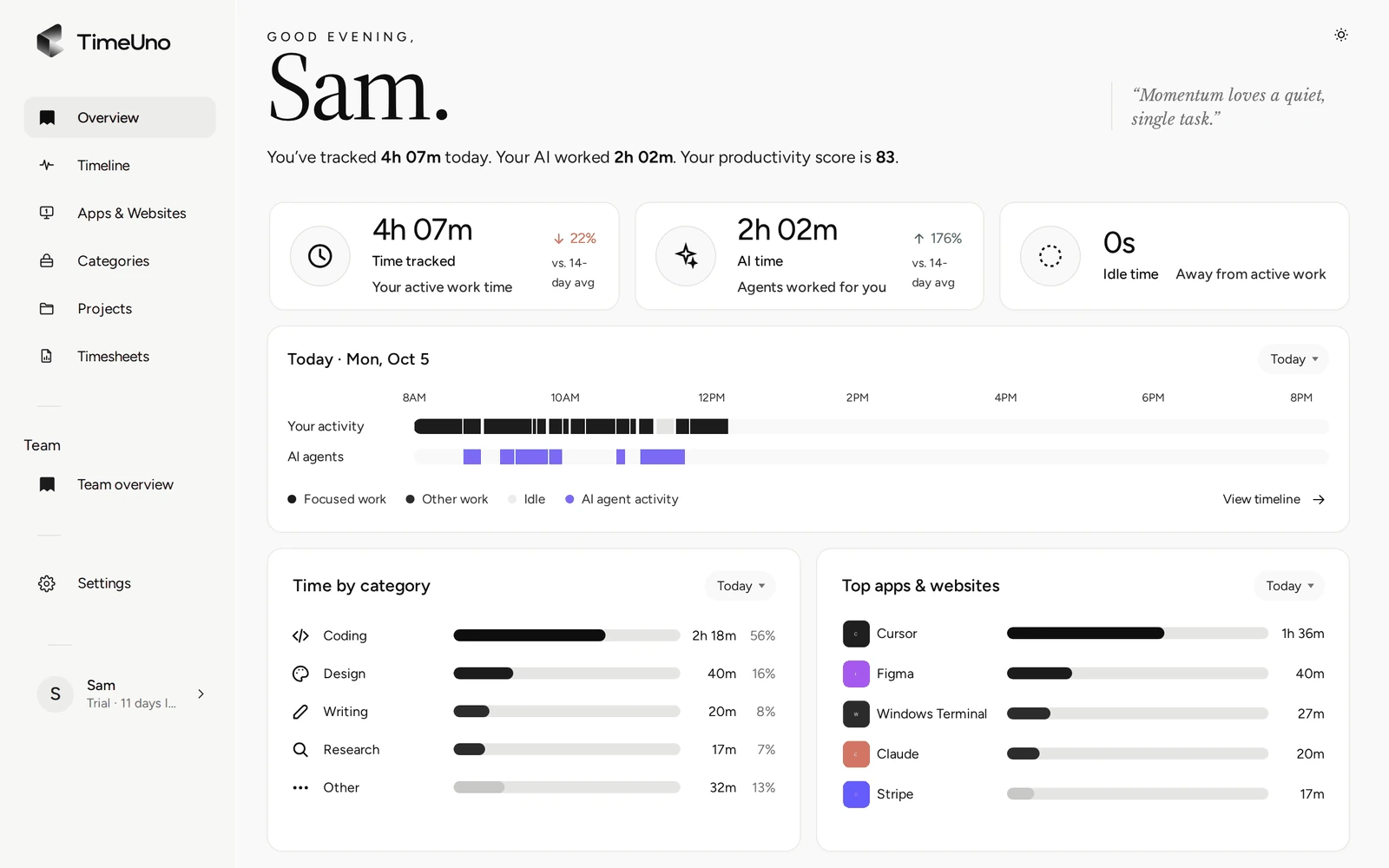
Whatever method you choose, keep it running for five working days before drawing conclusions. One day is noise.
Step 2: Choose fewer priorities
Once you can see your week, pick one to three outcomes per day that matter most and write them down before you open email. A short list is a list you can finish, and finishing is what keeps you using the system.
A quick way to sort the rest is the Eisenhower matrix: urgent and important, important but not urgent, urgent but not important, and neither.
| Urgent | Not urgent | |
|---|---|---|
| Important | Do it today | Schedule it (this is where most real progress lives) |
| Not important | Batch it, or hand it off | Drop it |
Your week of data helps here. If the log shows six hours in the "urgent but not important" corner (mostly messages and small requests), that is the first place to take time back.
Step 3: Time blocking: give each priority a slot
Time blocking means putting your priorities in the calendar as appointments, not on a to-do list. A task with a start time gets done far more often than a task that waits for a free moment, because free moments rarely arrive.
How to set it up:
- Block your hardest work for the hours your week of data shows you are most focused. For many people that is the morning, but check your own numbers.
- Make blocks 60 to 90 minutes long. Shorter blocks get eaten by the time it takes to start.
- Put messages and email in two or three fixed windows a day.
- Leave about a quarter of the day unblocked. Things will run over, and a plan with no slack breaks on day one.
Treat a block like a meeting with someone you respect. If you must move it, move it to a new time instead of deleting it.
Step 4: Protect your focus
Focus is protected by removing the triggers that pull you out, not by willpower. Close the chat app during a focus block, turn off desktop notifications, and keep one window or tab for the task at hand. Small switches add up, and they rarely feel like lost time while they happen.
Things that help:
- Batch similar tasks. Answer all your messages in one window instead of one at a time all day.
- Use a visible timer. A 25 or 50 minute timer makes starting easier on work you've been avoiding.
- Decide your "done" before you start. "Draft the intro and three section headings" is easier to finish than "work on the report".
If you work with AI coding tools or assistants, there is a new kind of switch: you send a prompt, the tool works for a few minutes, and you drift to another tab while you wait. TimeUno records the time your AI tools spend working next to your own time, so you can see whether that waiting time turns into useful work or into scrolling.
Step 5: Review your week every Friday
A weekly review compares what you planned with what happened, and changes next week's plan to match. It takes 20 minutes, and it is the step that turns a one-off burst of discipline into a habit. Without it, your blocks slowly drift back to where they started.
Answer four questions:
- How many hours went to my top priorities, compared with what I planned?
- Which category grew without my choosing it (email, meetings, browsing)?
- Which block kept getting moved, and why?
- What one change will I make next week?
Keep it to one change. Five changes at once is how systems collapse.
A worked example: one week, before and after
Here is a hypothetical example (not a real customer) of how the steps fit together. Picture a freelance developer who felt busy all week and still missed a client deadline.
Step 1, one week measured. They expected about 25 hours of coding out of a 40 hour week. The tracked week looked like this:
| Category | Their guess | Tracked |
|---|---|---|
| Coding | 25 h | 15 h |
| Email and chat | 5 h | 10 h |
| Meetings | 5 h | 6 h |
| Browsing and social | 2 h | 5 h |
| Admin and invoicing | 3 h | 4 h |
The big gaps were chat (spread across the whole day in short bursts) and browsing while an AI tool was generating code.
Steps 2 to 4, the change. They picked one change: two 90 minute coding blocks every morning with chat closed, and chat answered at 11:30, 14:00 and 16:30. During AI tool runs, they keep a short list of small tasks to do instead of opening a news site.
Step 5, the review. The next Friday, they compare the tracked categories with the week before and keep or adjust the schedule. The point of the example is the order: measure, choose one change, measure again.
Time management tools: what you actually need
You need three things: a place to write priorities, a calendar for time blocks, and a way to see where the time went. A notebook and a calendar cover the first two. For the third, a manual timer works if you're disciplined, and an automatic tracker works if you're not, or if you want to see the small switches too.
A few practical notes on choosing:
- For planning: whatever calendar you already use. A new tool is one more thing to check.
- For timers: many free apps exist; see our list of time tracking apps, including the free ones.
- For automatic tracking: TimeUno runs as a desktop app on macOS, Windows and Linux plus a browser extension. It has no free plan and no mobile app. It starts with a 14-day trial, then costs $14.99 a month. See pricing.
If you bill clients, the same tracked time can become a timesheet without a timer. TimeUno builds timesheets from your project time and exports them as CSV.
Common time management mistakes
The most common mistake is planning a day for the person you wish you were instead of the one your data shows. Other frequent ones: too many priorities, blocks with no slack, and skipping the weekly review once things go well.
- Planning without measuring. You end up fixing the problem you imagine, not the one you have.
- A to-do list with 15 items. Nothing on it feels urgent, so the easiest items get done.
- Blocks back to back. One overrun pushes everything, and the whole plan gets abandoned by lunch.
- Changing everything at once. Pick one habit per week.
- Judging yourself by hours. Eight busy hours can still miss the one thing that mattered. Check your top priorities first, totals second.
Start with one honest week
Time management that works is a loop: measure a week, choose fewer priorities, block them, protect the blocks, review on Friday. You can run the whole loop with paper and a calendar. If you'd rather not log your time by hand, try TimeUno for 14 days and let the first step run in the background while you work.