

Work time tracker A work time tracker that counts the hours for you.
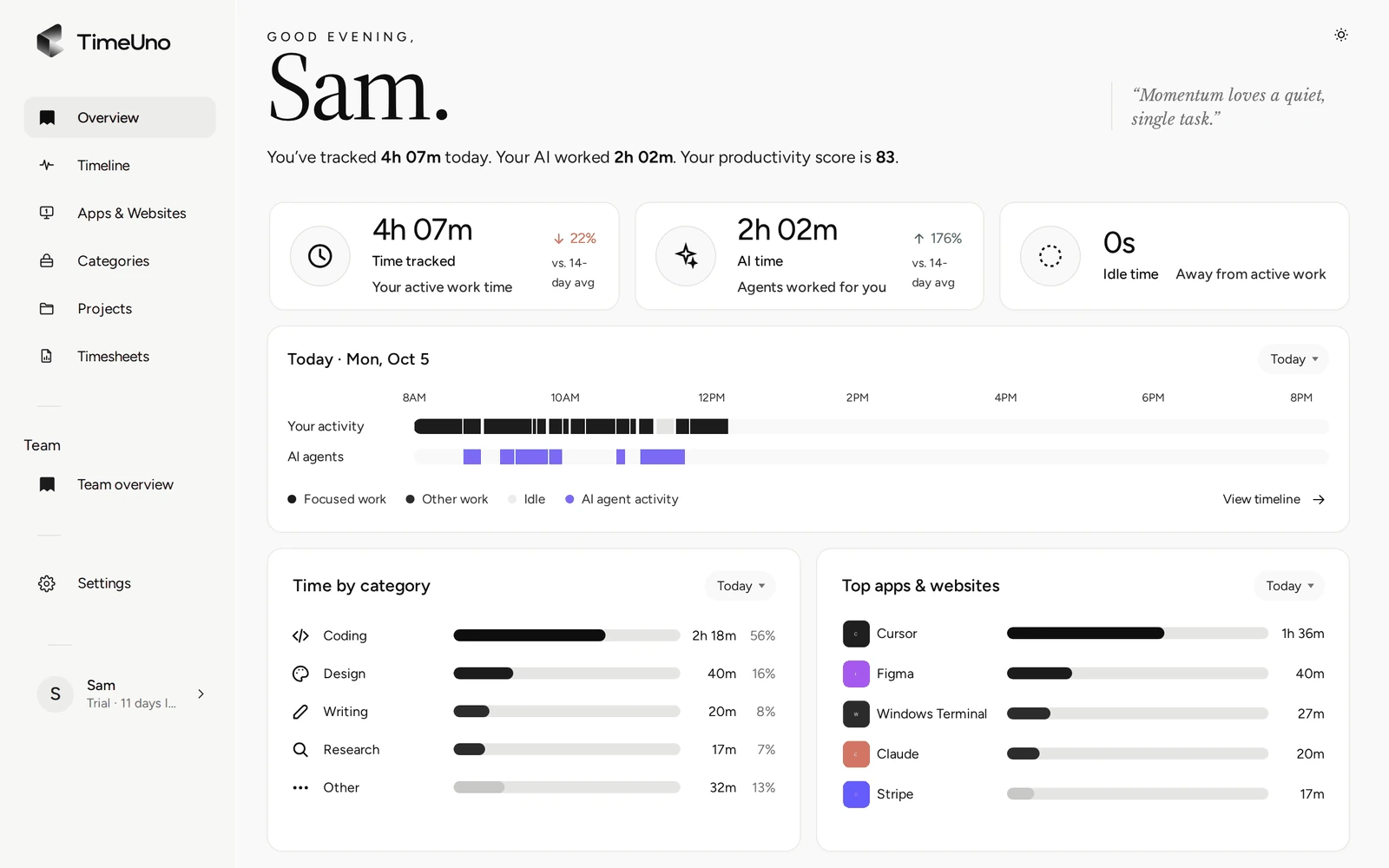
TimeUno records the app or site in front of you, adds up your working hours by day and project, and shows idle time apart from work. You read the total instead of reconstructing it on Friday.
Start 14-day trial 14-day trial, then $14.99 a month
Work hours get lost in small pieces
Nobody forgets a whole day. You lose a call that overran, a task you never started a timer for, the hour after lunch you reconstruct from memory. A work time tracker is worth having if it keeps those pieces.
TimeUno records in the background, so the total is the day you actually worked.
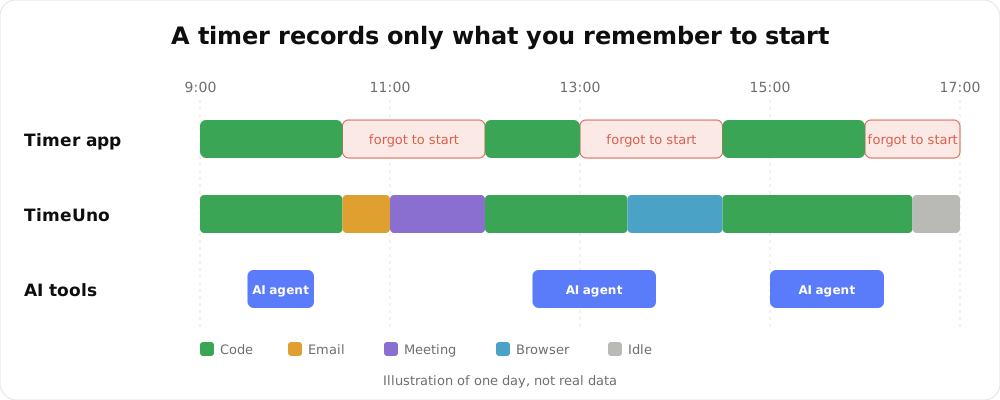
Illustration of one day, not real data.
How to calculate working hours
| Case | Start | End | Unpaid break | Hours worked |
|---|---|---|---|---|
| Standard day | 8:30 | 17:00 | 30 min | 8 h |
| Short day | 9:00 | 13:30 | none | 4 h 30 min |
| Split day | 8:00 and 13:00 | 12:00 and 17:30 | 1 h between blocks | 8 h 30 min |
The arithmetic is simple. The hard part is remembering the start and end times, and that is what the tracker is for.
What you see each day
The Overview page separates three numbers: time tracked, time your AI tools worked, and idle time. Under them is the day on a strip, time by category and your top apps, so you can see where the hours went.
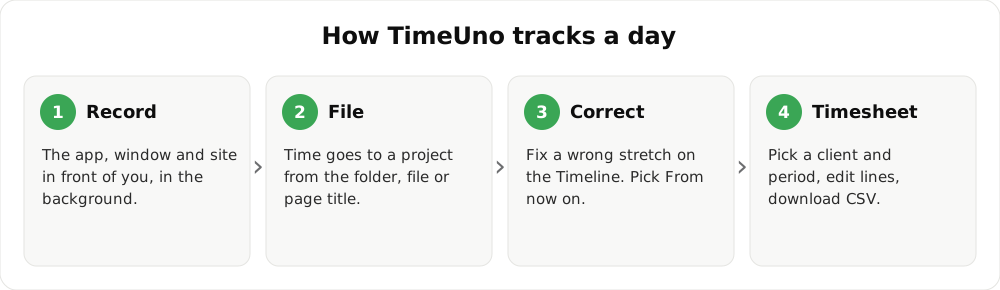
- Install the desktop app for macOS or Windows.
- Work as usual. TimeUno files the time under a project.
- Open Overview for the day and Projects for the week.
- Fix a wrong stretch on the Timeline.
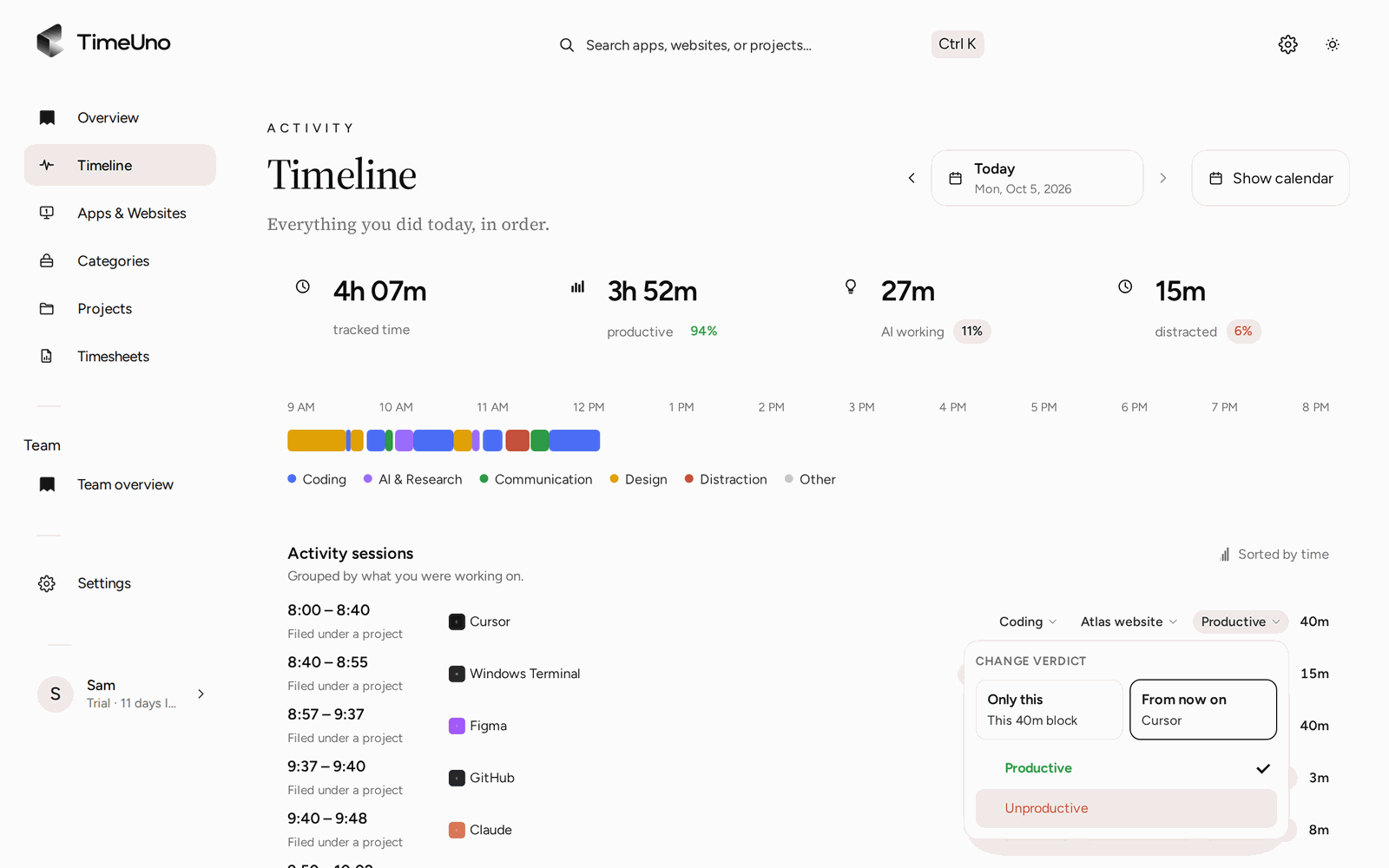
Fixing a stretch takes two clicks.
From hours to a timesheet
Create a timesheet for this week, last week or this month. Edit descriptions, untick days and download the CSV or PDF. If you set rates under Settings, the timesheet also shows amounts. TimeUno does not create invoices.
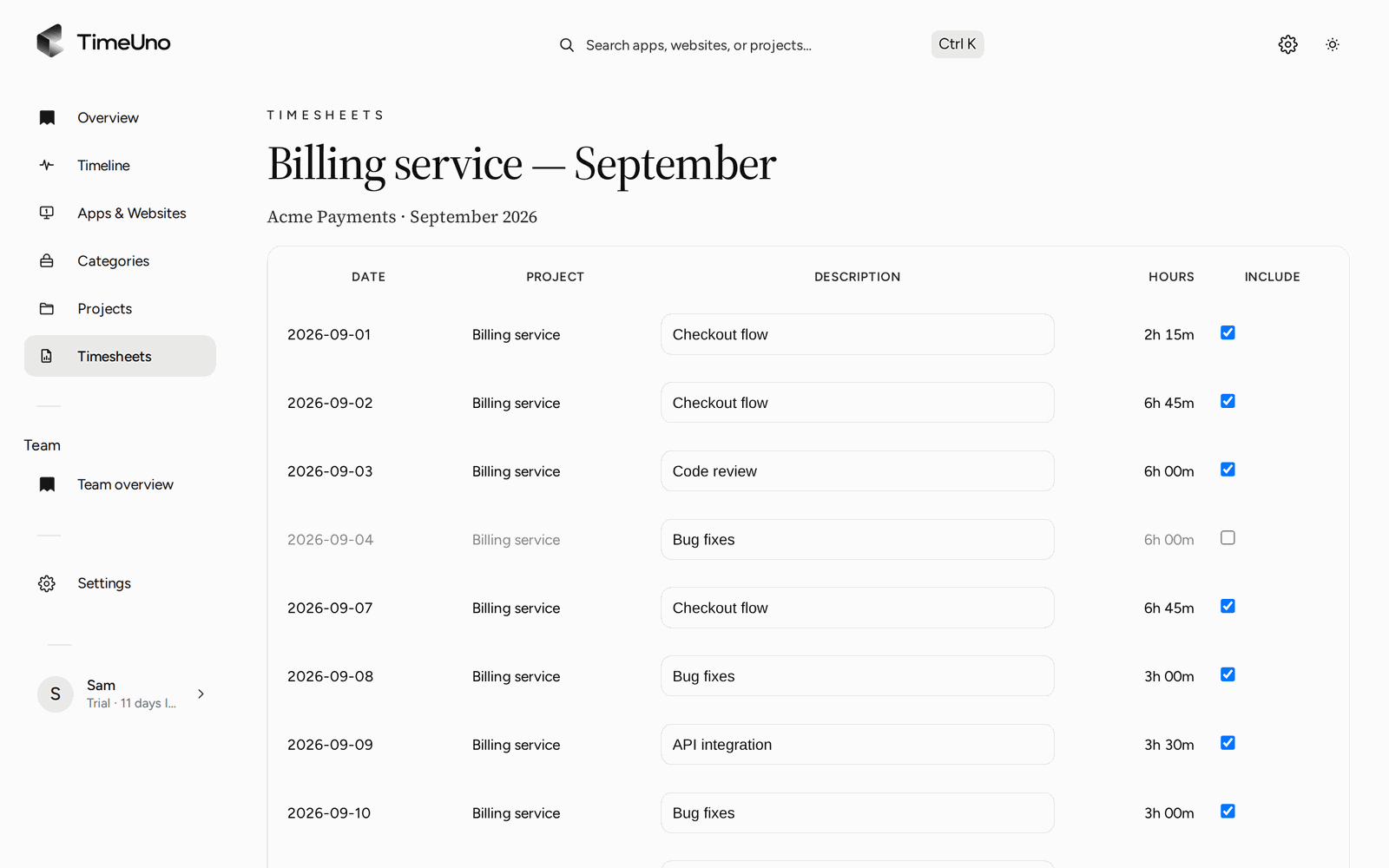
Untick a day or rewrite a description before you download the CSV or PDF.
What is recorded and what is not
TimeUno records the app and window title, the site (with the extension), the project, idle time and the status of your AI tools. It never sends what you type, your prompts to AI tools, their answers or your source code.
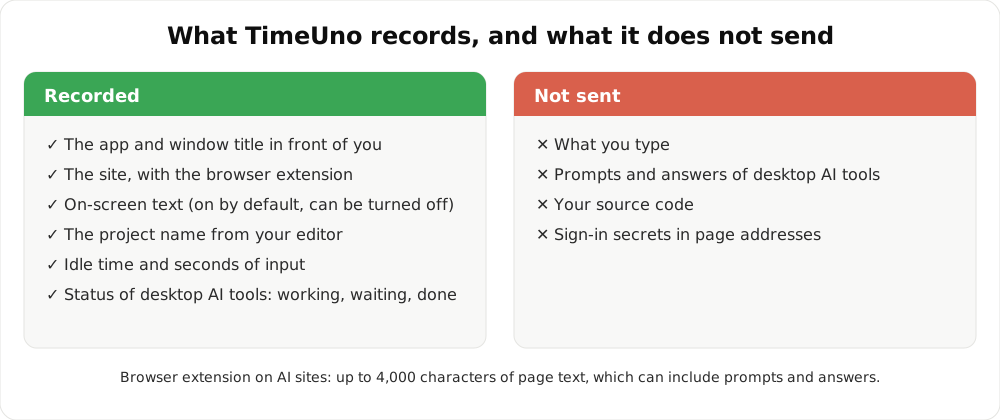
Pause tracking from the desktop widget when you want a private hour.
Updated 28 October 2026
Questions people ask
How do I work out my hours for a day?
End time minus start time, minus unpaid breaks. From 8:30 to 17:00 with a 30-minute break is 8 hours. The timesheet calculator does it for you, free.
Does TimeUno show idle time separately?
Yes. The Overview shows tracked time, AI time and idle time as separate numbers.
Is this a time clock for employees?
No. TimeUno is not a certified time clock and does not make you compliant with working time law. It records work on a computer. See employee time tracking for how teams use it.
Can it track work away from the computer?
No. Meetings in a room, travel and paper work are not recorded. Add them separately, for example in a timesheet template.
Is there a mobile app?
No. TimeUno runs on macOS and Windows (Linux in testing), with a browser extension and an agent for servers.
Can I export my hours?
Yes, as CSV or PDF per timesheet. There is no Excel export.