

Time tracker A time tracker that never needs a start button.
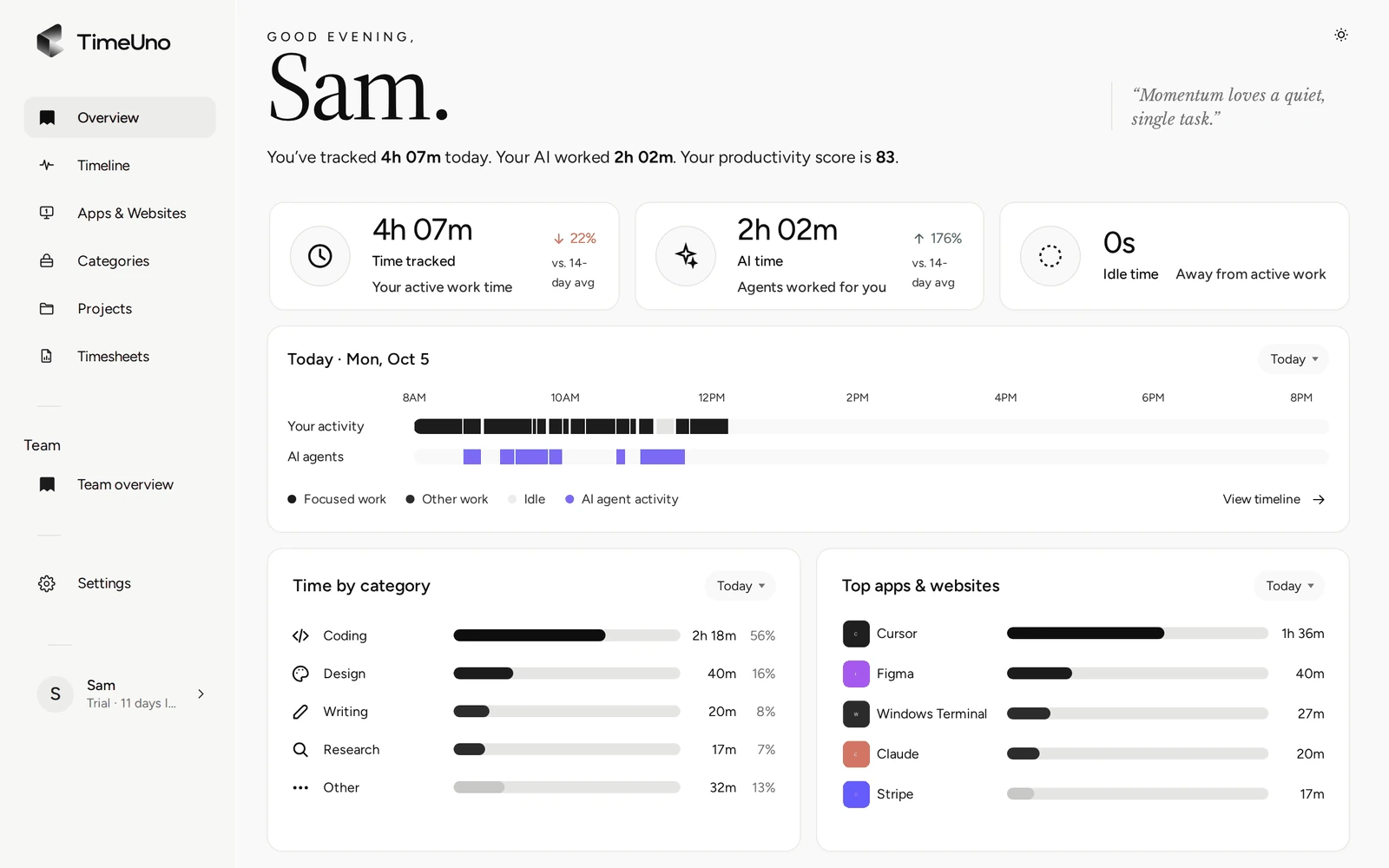
TimeUno records the app or site in front of you, files the time under your projects and shows where the day went. No timer to start, so no forgotten timer. You read the result and fix what is off.
Start your 14-day free trial 14-day trial, then $14.99 a month
What a time tracker should do
A time tracker records how long you work and on what, so you can bill it, plan with it or just understand your week. Most apps do that with a timer. You press start, name the task and press stop. It works until the day you forget, and then the hour is gone.
TimeUno records without the button. It runs in the background on your computer and files the time under your projects as you work.
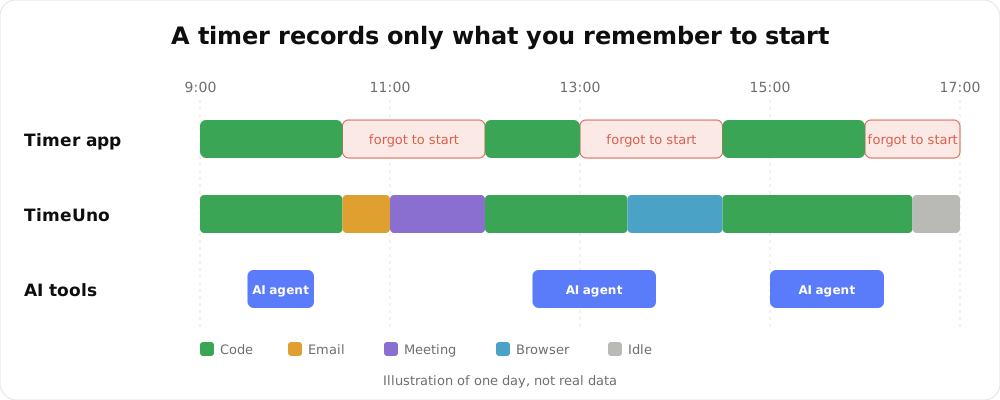
An illustration of one day, not real data.
How TimeUno tracks time
- Install the desktop app on your Mac or Windows computer, and add the browser extension if you work in the browser.
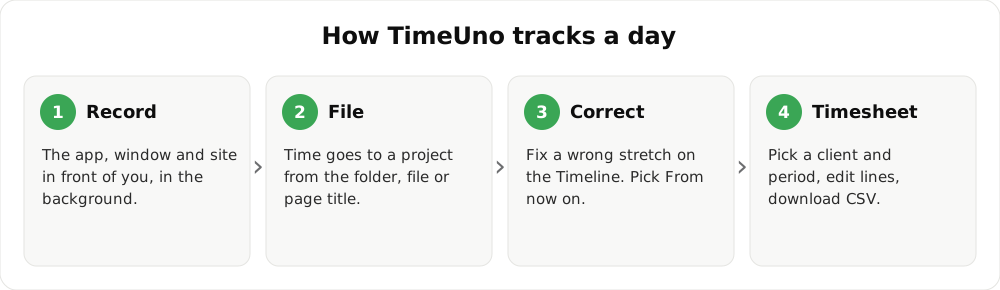
- Work as usual. TimeUno reads the app and window in front of you, and the project from your editor (package.json, Cargo.toml, go.mod, pyproject.toml or the folder name).
- Open Overview for today’s timeline, or Projects for the week split by project.
- Move a wrong stretch on the Timeline. Choose From now on and TimeUno files that app or site the same way next time.
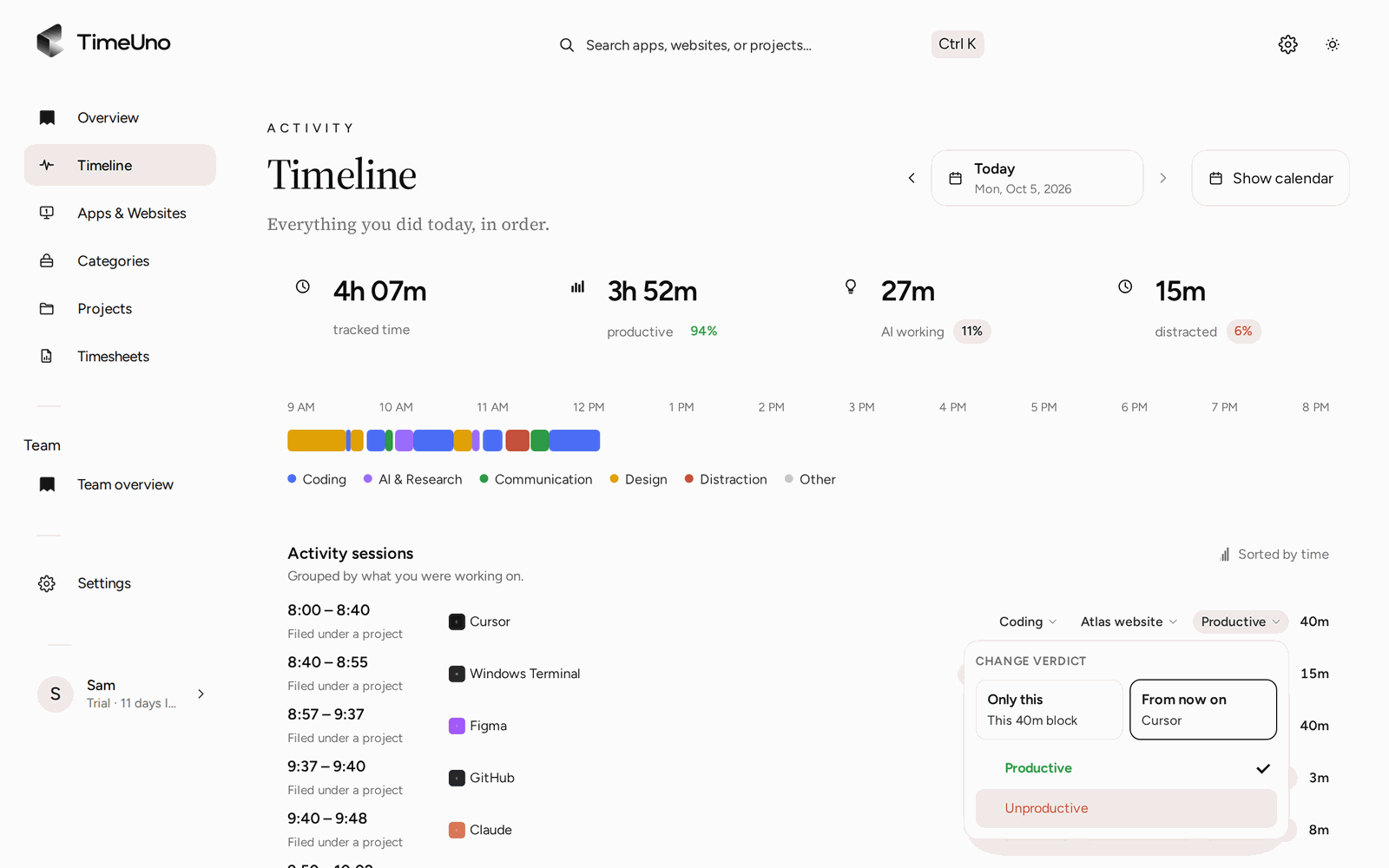
Correcting a stretch takes two clicks.
Timer app or automatic time tracker?
A timer app is better when you track time away from a computer, or when you want to log a task by hand. An automatic tracker is better when your work happens on a computer and you forget to start the timer. Pick by where your hours happen.
| Timer time tracker | TimeUno | |
|---|---|---|
| How time gets in | You start and stop a timer, or type hours | Recorded as you work at your computer |
| Forgotten timers | Lost or wrong hours | Nothing to forget |
| Mobile app | Usually yes | No mobile app |
| Time from AI tools | Not tracked | Claude Code, Cursor and others next to your own time |
| Timesheets | Varies | Built from tracked project time, exported as CSV or PDF |
Time per project, then timesheets
Every stretch of time gets a project and a category, such as coding, writing, email or meetings, and a verdict: productive or unproductive. The Projects page shows your time and your AI’s time per project. From there you create a timesheet for this week, last week or this month, edit the lines and download it as CSV or PDF.
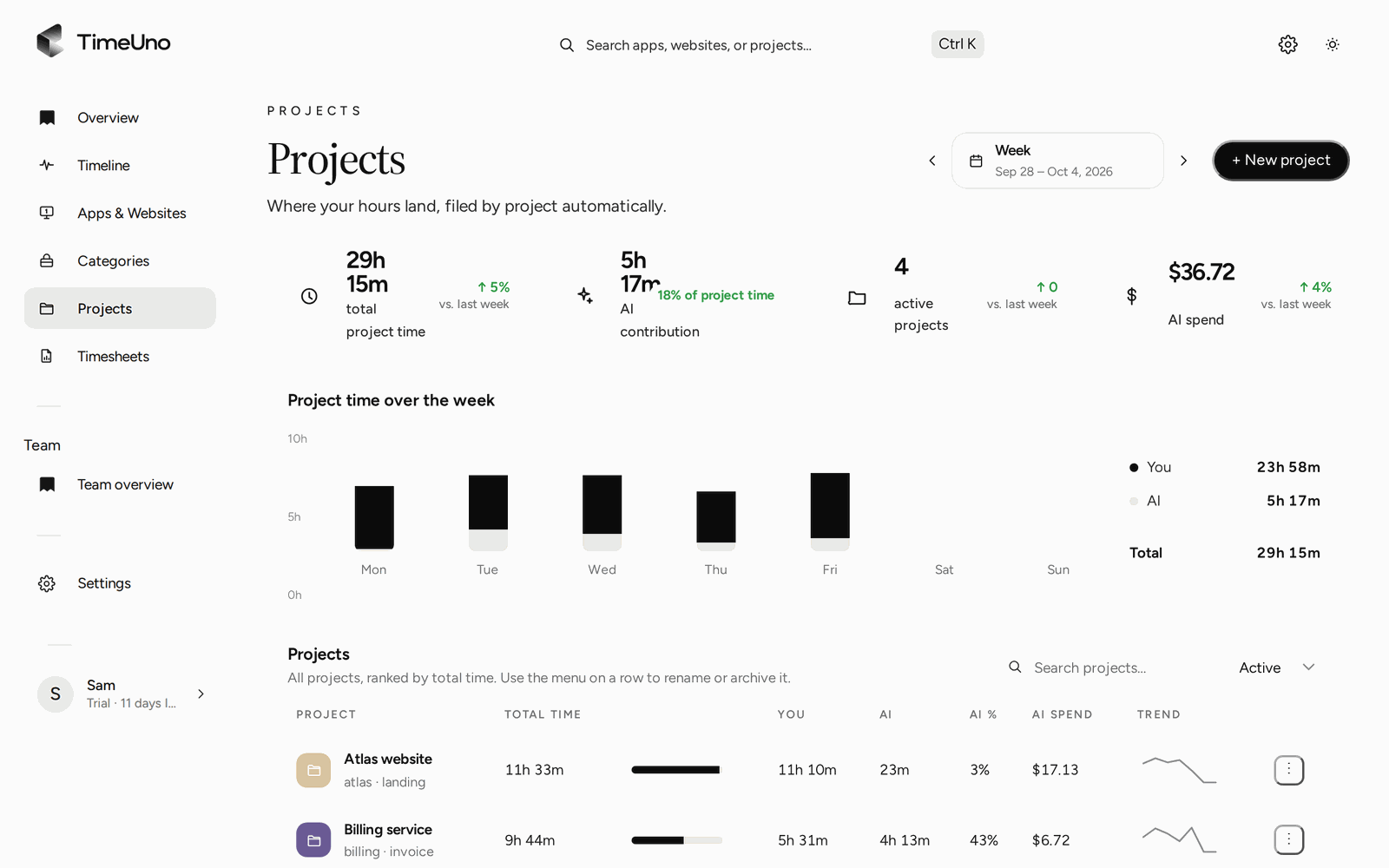
Your time and your AI’s time, per project, per day.
Set a currency, a default rate and rounding under Settings, and a rate per person, client or project where it differs. Timesheets then show amounts next to the hours. TimeUno does not create invoices, so take the totals to your invoicing tool.
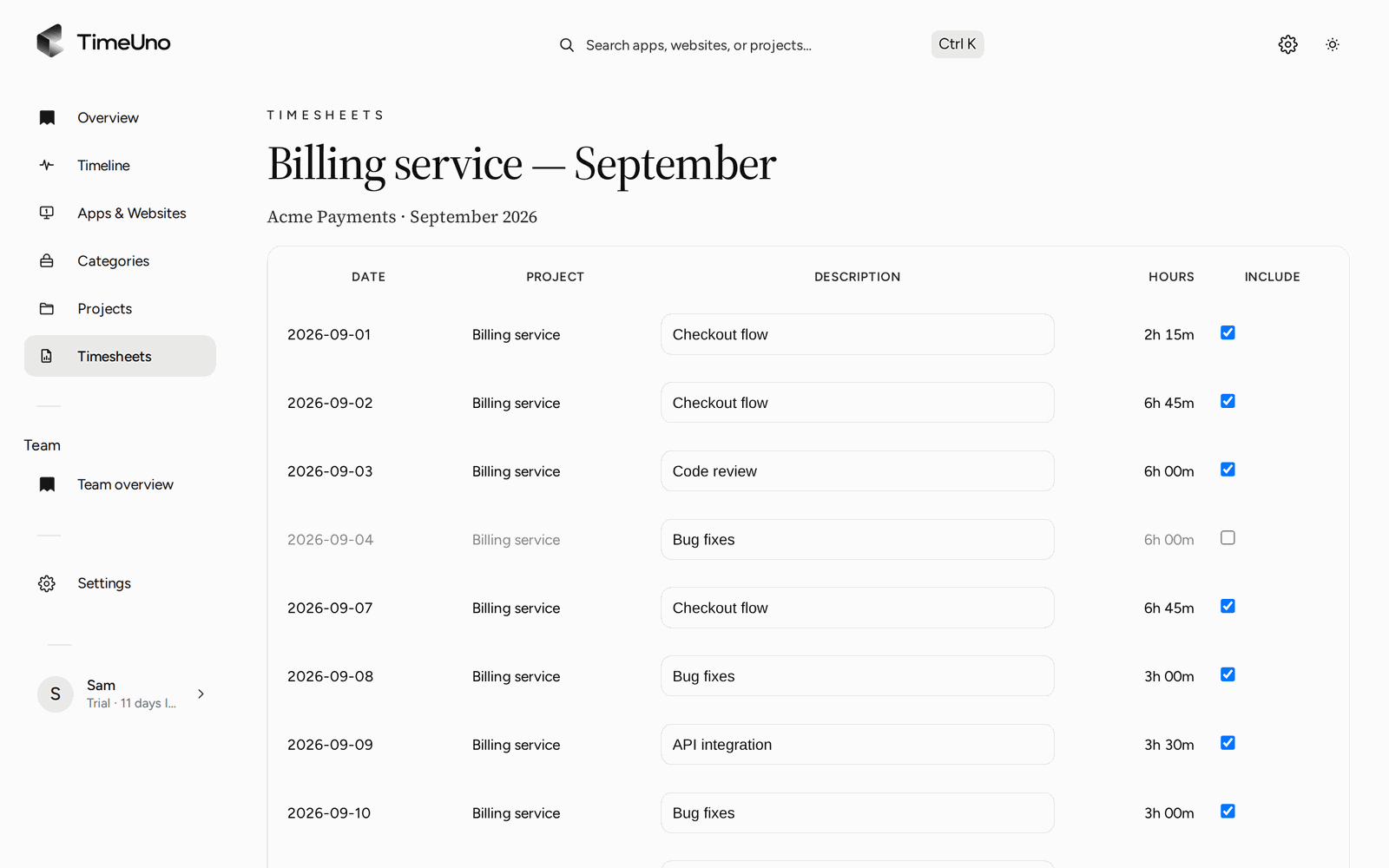
Untick a day or rewrite a description before you download the CSV or PDF.
If you work with AI tools
TimeUno records two timelines side by side: your attention, and your AI tools working, waiting or done, even in a background terminal. Each project shows your time next to AI time, so a three-hour agent run does not vanish from the bill or inflate your own hours. See AI time tracking for the details.
What it records, and what it does not send
TimeUno sees enough to file your time and nothing that would expose your work. It records the app and window in front of you, the site (with the browser extension), the project, idle time and the status of your AI tools. It never sends what you type, your prompts, the answers or your source code.
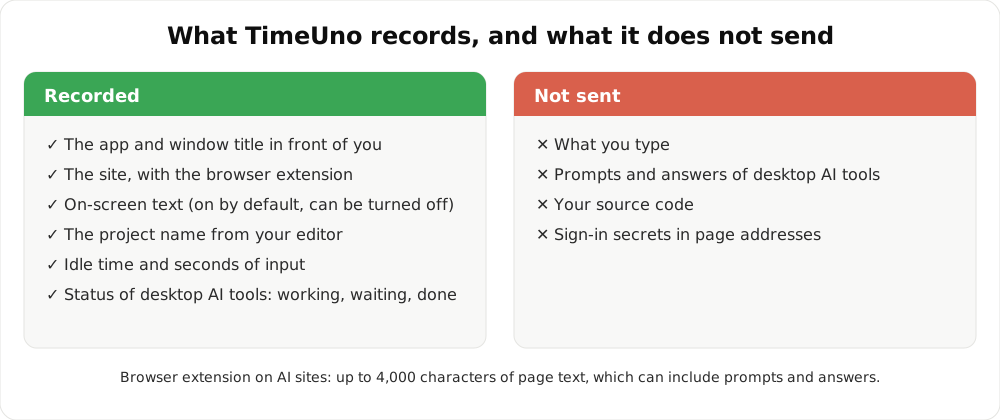
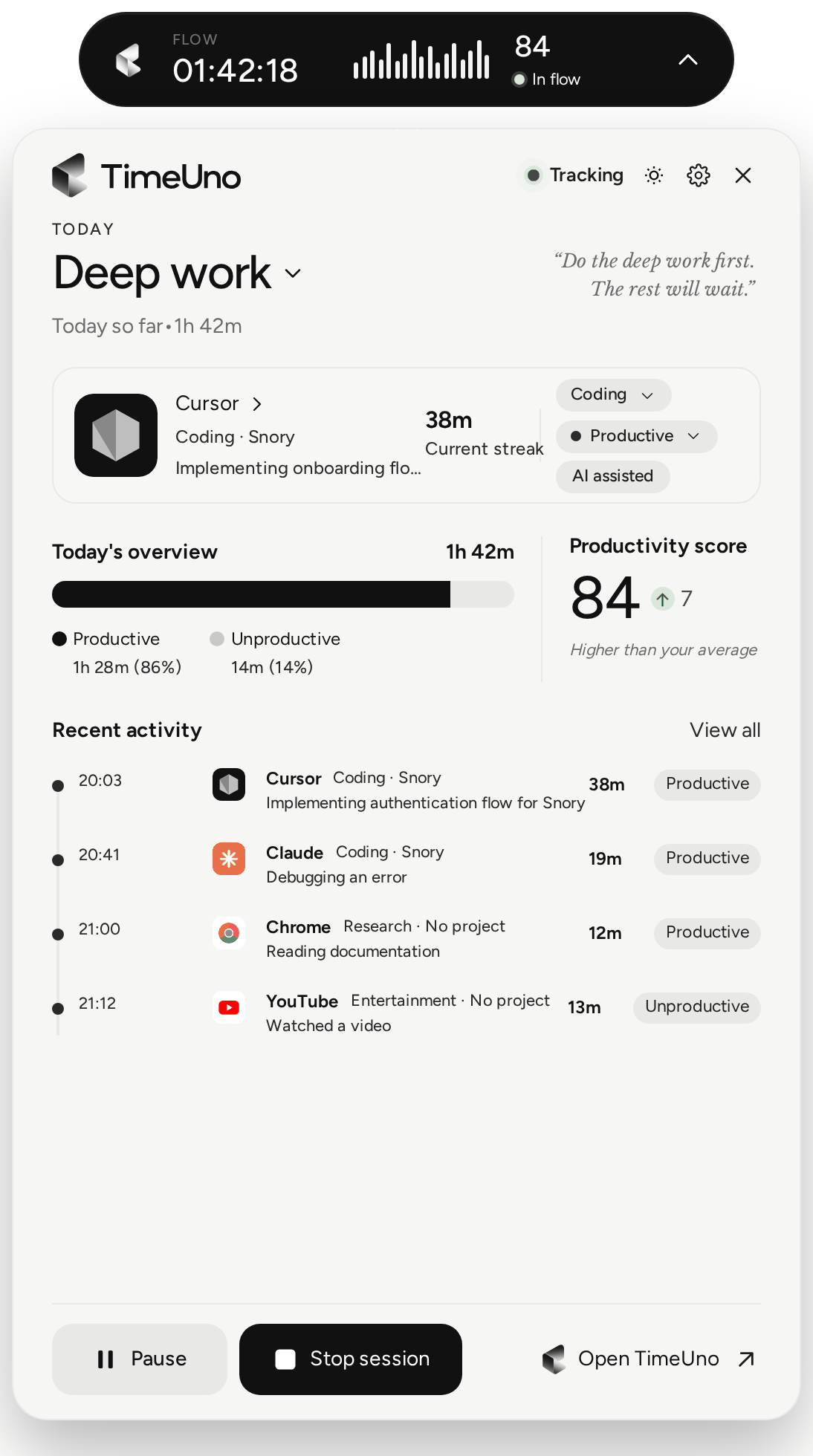
Pause tracking from the desktop widget whenever you want a private hour.
Five questions before you pick a time tracker
- Where do your hours happen? At a computer, an automatic tracker fits. On a job site or in a car, you need a timer or a clock-in app.
- Will you remember to press start? If the honest answer is no, choose a tracker with no timer.
- Do you bill by project or client? Look for project filing and a timesheet you can edit before you send it.
- Do AI tools do part of your work? Look for a tracker that keeps their time apart from yours.
- Who sees the data? For a team, check what an admin can see per person. In TimeUno, admins see worked time, productivity score and AI usage, never apps, sites, window titles or screenshots.
Still comparing? Read the best time tracking apps compared.
Who it is for, and who it is not
TimeUno suits people who work at a computer: freelancers, developers, agencies and small teams. It is not a good fit if you need a mobile clock-in, shift scheduling or a certified time clock. For those, a dedicated time clock app is the better tool.
Updated 28 October 2026
Questions people ask
Is there a free time tracker?
TimeUno is not free: it has a 14-day trial, then costs $14.99 a month, or $10.49 a month billed yearly. If you only need to add up a few hours, our timesheet templates and timesheet calculator cost nothing.
Do I have to start and stop a timer?
No. The desktop app and the browser extension record in the background. You can pause tracking at any time, and fix a wrong stretch on the Timeline.
Is there a time tracker app for iPhone or Android?
No. TimeUno runs on macOS and Windows, with Linux in testing, plus a browser extension and a headless agent for servers. It tracks computer work, so it suits office, remote and freelance work, not field or shift work.
What does a time tracker like this record?
The app in front of you, its window title, idle time, the site (with the extension) and the project name in your editor. It also records how many seconds had any keyboard or mouse input, never what you typed or clicked. Screenshots and on-screen text are on by default and can be turned off per computer.
Can it track my AI tools too?
Yes. TimeUno shows when Claude Code, Cursor, Codex CLI and other tools are working, waiting or done, on a row next to your own time. It sends metadata only: prompts, answers and code never leave your device.
Can my team use it?
Yes, on the Team plan. Owners and admins see worked time, productivity score and AI usage per person, never anyone's apps, sites, window titles or screenshots.