

Time log sheet A time log sheet: the fields, a layout to copy, and a way to stop filling it in.
A time log is the plain record of when you worked and on what. Here is what goes in it, a daily layout you can copy for free, why logs kept by hand drift, and how TimeUno writes the same log from work it already recorded.
Start 14-day trial 14-day trial, then $14.99 a month
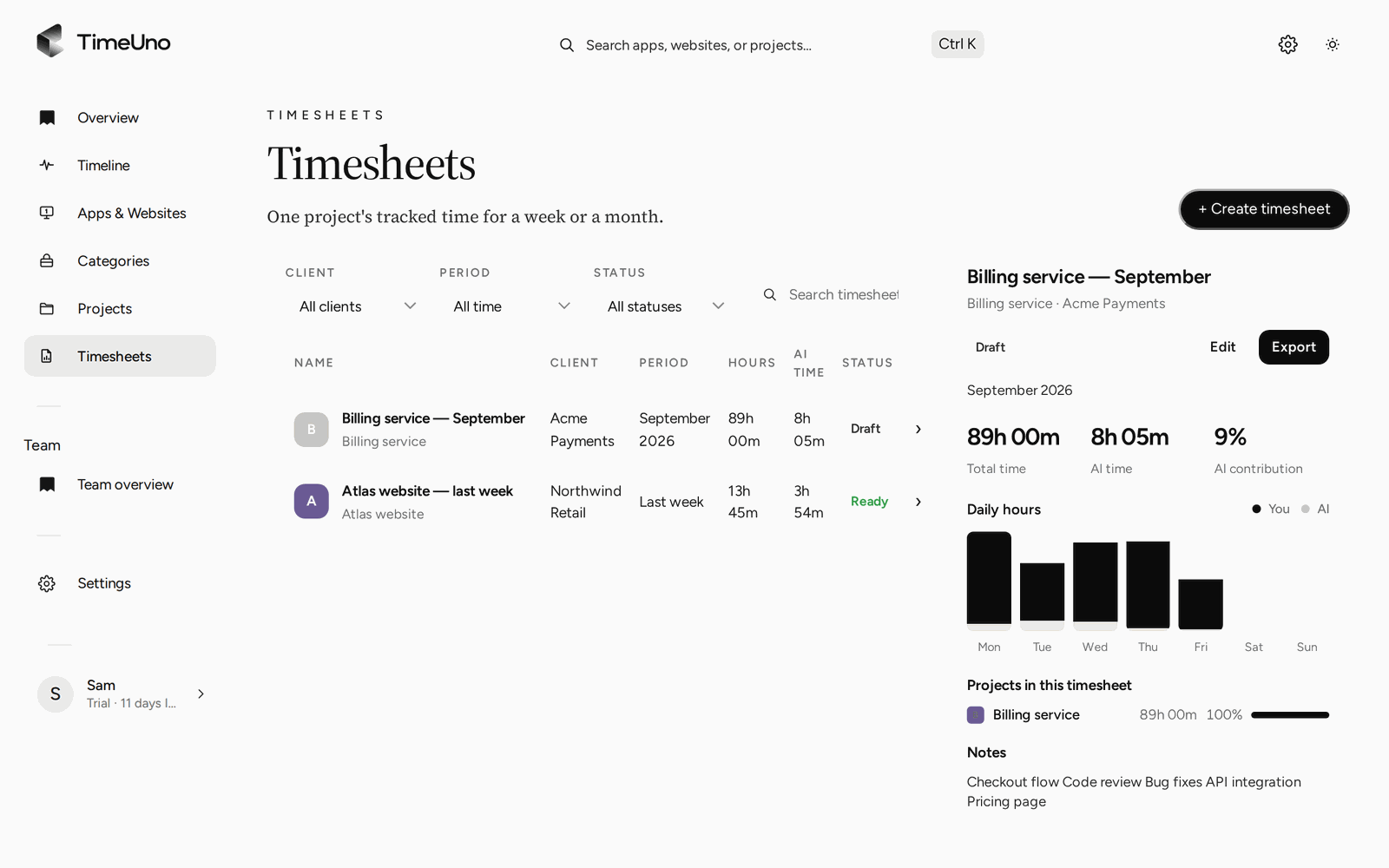
What a time log is
A time log is a list of work, in order, with times. Each entry says when you started, when you stopped and what you were doing. Nothing is grouped or priced yet. That is the point: the log is the evidence, and everything else (totals, timesheets, invoices, a weekly summary) is worked out from it.
If you want the grouped, send-it-to-someone version, see the timesheet template. If you only want a running total of hours, the hour tracker page covers that. This page is about the log underneath both.
The fields a work hours log sheet needs
You can keep a log with five columns: date, start, end, hours and a note. The rest is optional, so add it only if someone will use it.
- Date. One row per entry, so a day with three blocks has three rows.
- Start time. When the block began.
- End time. When it stopped.
- Break. Time inside the block that does not count, or leave it out and log the break as a gap.
- Hours. End minus start minus break, written the same way every time (decimal or hours and minutes, not both).
- Client or project. Needed once the hours are billed or split between jobs.
- Note. A few words on what the block was. “Report, section 3” beats “work”.
Put the person’s name and the period at the top and a total at the bottom. If a manager or client signs it off, add a line for that.
A daily time log layout to copy
Here is a one-day log you can copy into any document or spreadsheet. The times are made up.
| Date | Start | End | Break | Hours | Client or project | Note |
|---|---|---|---|---|---|---|
| Mon | 09:00 | 11:00 | 0:00 | 2.00 | Client A | Site copy, home page |
| Mon | 11:30 | 14:00 | 0:00 | 2.50 | Client B | Quarterly report |
| Mon | 14:00 | 15:00 | 0:00 | 1.00 | Admin | Email and invoices to chase |
| 5.50 | Total for the day |
Notice the half hour between 11:00 and 11:30. It is a break, and it is not in any row. Logging gaps as gaps keeps the break column empty and the arithmetic simple. If you would rather log breaks, subtract them in each row and say so at the top.
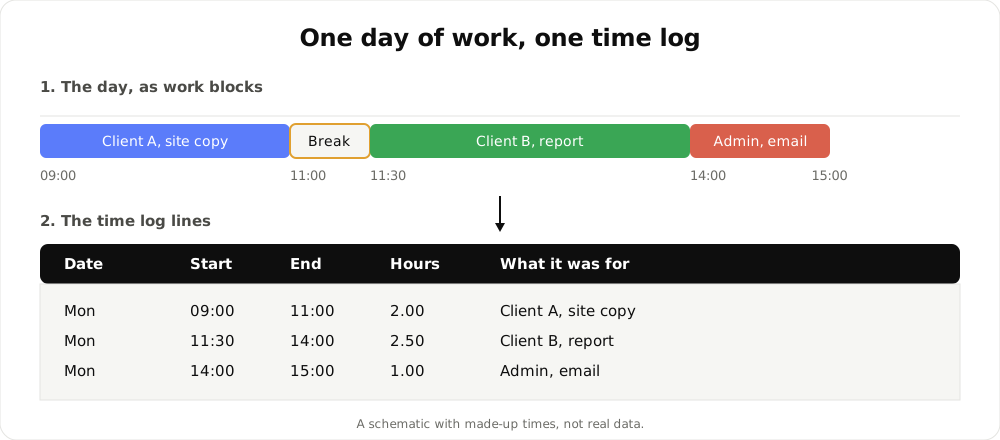
A schematic of how work blocks become log lines. The times are made up and it is not real data.
Why hand-kept logs drift
A log is only as good as the moment it is written in. Hand-kept logs fail in the same few ways.
- Written afterwards. Filled in on Friday for the whole week, the hours become estimates that look like facts. Most people round toward a tidy number without noticing.
- Start and stop forgotten. A block is never closed, and the day shows a long entry or an empty one.
- Small blocks skipped. A twenty-minute call or a quick fix is not worth opening the sheet for. Across a week those add up to hours that no row accounts for.
A better layout does not fix any of these. They come from the log depending on memory. The fix is to record the time while it happens and to correct it in the open.
How TimeUno produces the log
TimeUno does not ask you to start or stop anything. The desktop app, for macOS 11+ and Windows (Linux is in testing), records the app and window title in front of you, idle time, the seconds with any keyboard or mouse input and, in an editor, the project name. It never records what you type. The Firefox extension adds the site, address and title of the page you are on.
On-screen text reading is on by default and can be turned off per computer. The extension also sends up to 4,000 characters of visible page text, and on AI sites that can include prompts and answers. For AI tools running on the desktop, TimeUno sends metadata only, and prompts, answers and code stay on your device.
That recording is filed under projects and clients. When you want the log for a period, you build a timesheet from it: this week, last week or this month, and a client. Choose one line per day for a short summary or one line per work block for the finer log shown above.
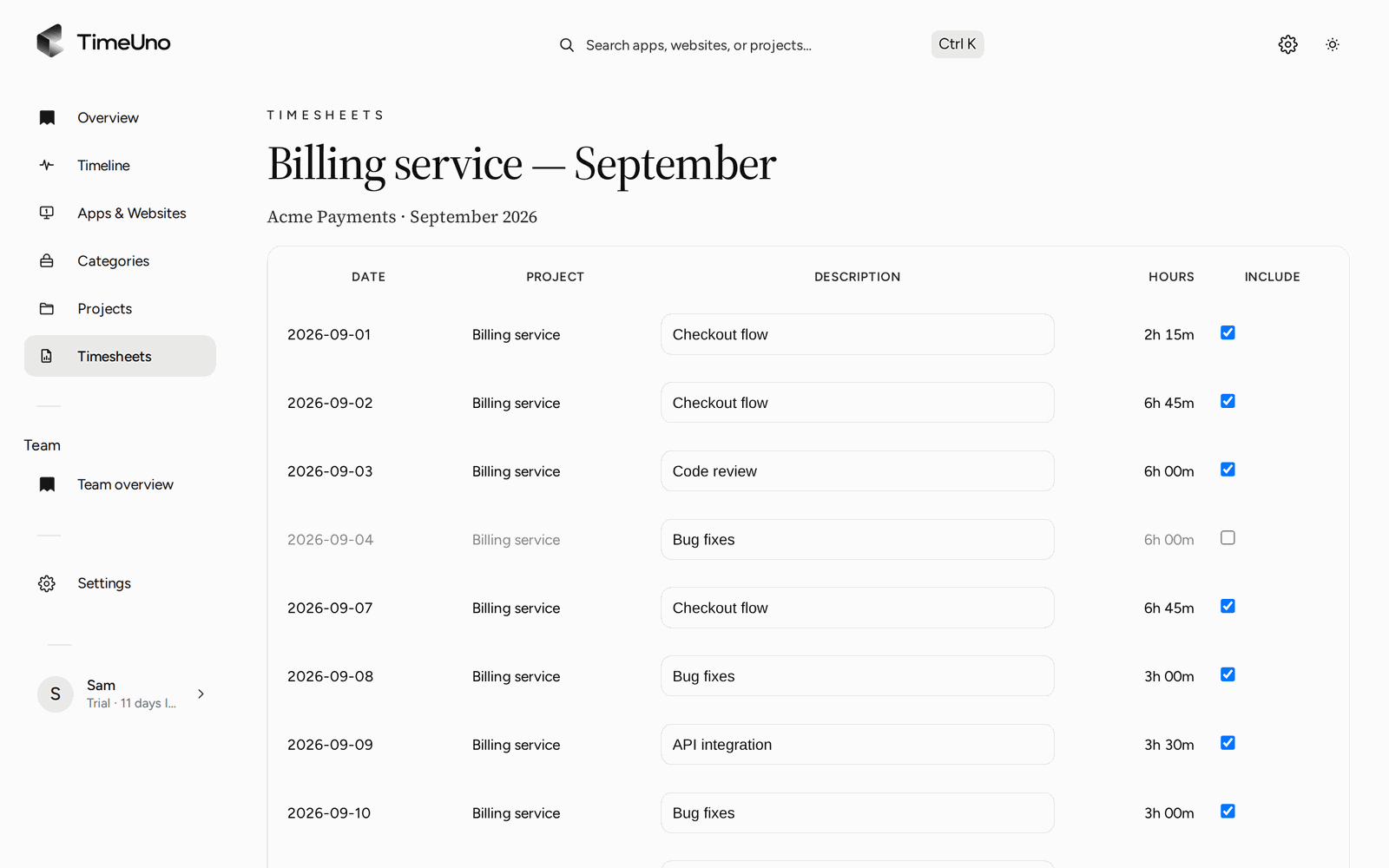
The editor: each line has hours and a description you can change.
Every line can be edited, and the AI can draft the descriptions for you to correct. When the lines are right, Mark ready records that you have checked them. A weekly, two-weekly or monthly repeating draft means the next period’s log is already waiting when the period ends.
If the recording got a stretch wrong, you fix it on the Timeline, where you can set a session verdict (Productive or Unproductive) and correct a stretch. TimeUno does not reassign projects on its own. Your correction is what changes the log.
Rounding, rates and export
Owners and admins set the currency, a default rate and rounding (none, 6, 15 or 30 minutes) in Settings. Rates can be set per client and per project, and per person on a Team plan. A project is billed Hourly, as a Fixed fee or as Non-billable. Members see hours only.
Timesheets export as CSV or PDF. The PDF carries the company name, address, tax ID and logo from Settings, Company details. Open the CSV in a spreadsheet if you want to sort or filter the rows. You can also share a client approval link with an optional PIN and expiry, and the client can approve, reject or request changes.
TimeUno does not export to Excel, create invoices or connect to accounting software. Rounding changes totals, so pick one setting on purpose and say which one you use on the sheet.
On a team
On a Team plan, owners and admins invite members and see worked time, the productivity score and AI usage per person, with a trend. They never see anyone’s apps, sites, window titles or screenshots. TimeUno is not employee monitoring.
When a paper or spreadsheet log is still better
- Work away from a computer. TimeUno has no mobile app and sees only computer work. Shift, field or counter work needs a paper log or a clock.
- A required format. If a rule or a client demands a set form, use that form. TimeUno is not a certified time clock, so check your local rules.
For anything you repeat every week, the cost of keeping it by hand adds up. Read about timesheets built from tracked time or the employee time card for the pay-period version.
Pricing
There is no free plan. Every plan starts with a 14-day trial, a card is added at the start and it is charged when the trial ends. Individual is $14.99 a month ($10.49 billed yearly). Team is $19.99 per seat a month ($13.99 billed yearly). The log layout above is free to copy.
To see how automatic trackers compare in general, read best automatic time trackers in 2026 and check each tool’s current plans.
Updated 28 October 2026
Questions people ask
What is a time log?
A record of when work happened and what it was for. Each row has a date, a start and end time, the hours between them and a short note or project. It is the raw record that totals and timesheets are built from.
What should a work hours log sheet include?
At minimum the date, start time, end time, break and hours. Add a client or project and a note if the hours are billed or reviewed later. Name and period go at the top, with a total at the bottom.
Is a time log the same as a timesheet?
They overlap. A time log is the detailed list of work blocks. A timesheet is the same hours grouped by client or project for a period, usually to be sent and approved. TimeUno records the log and builds the timesheet from it.
Can TimeUno export a time log?
TimeUno builds timesheets from tracked time, with one line per day or per work block, and exports them as CSV or PDF. There is no Excel export. Choose per work block when you want the finer log.
Is a TimeUno time log valid for legal record keeping?
TimeUno is not a certified time clock and makes no claim about legal requirements. It records work at a computer. If you must keep working-time records in a set form, check your local rules.