

Hour tracker An hour tracker that adds up your hours without a start button.
TimeUno records the app or site in front of you and when you step away, then totals your hours by day and by project. You read the number instead of rebuilding it from memory.
Start 14-day trial 14-day trial, then $14.99 a month
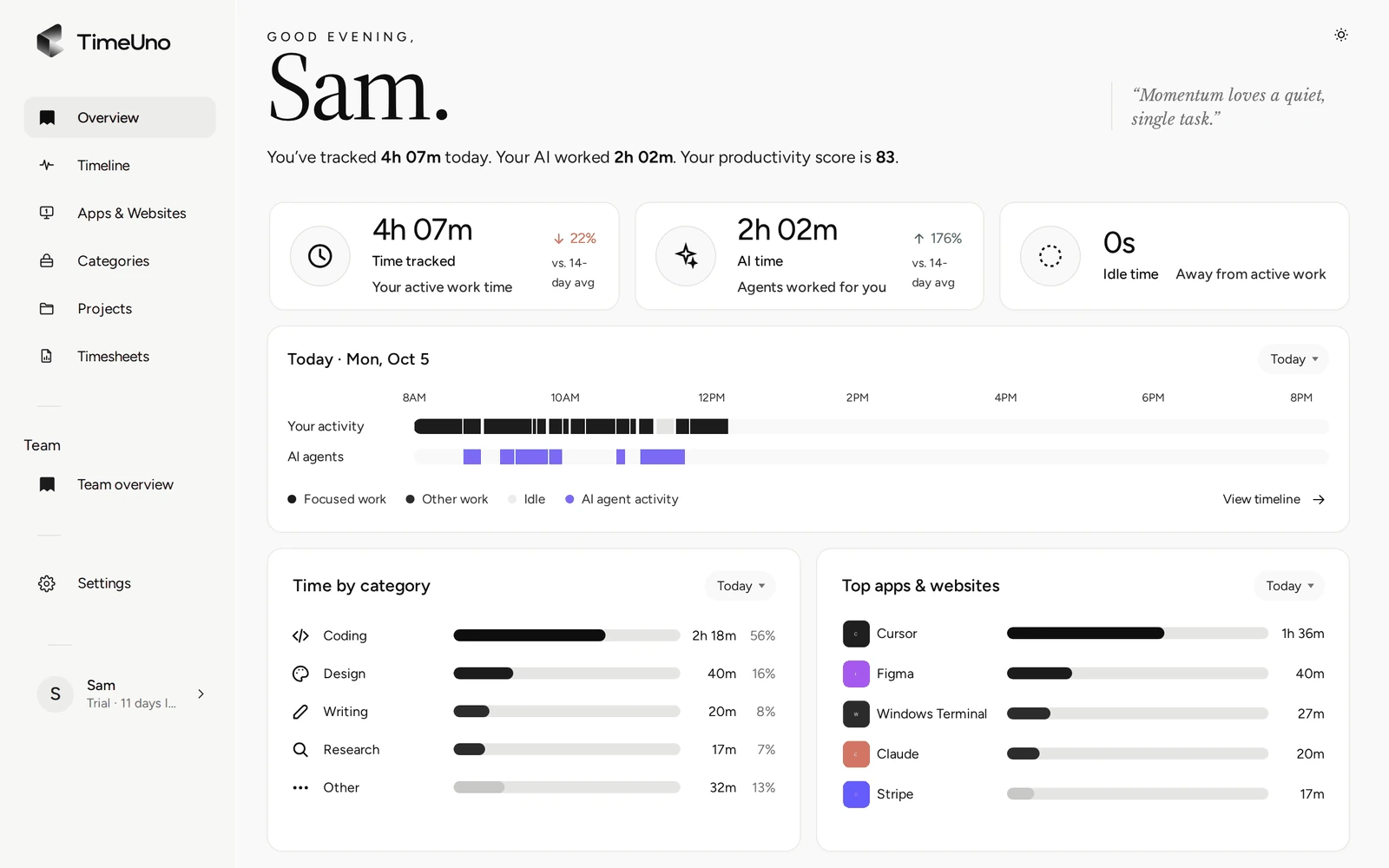
Hours you read, not hours you reconstruct
A manual hour tracker is only as complete as your memory of the day. The call that ran over, the quick fix before lunch and the doc you opened after dinner tend to go missing.
TimeUno runs in the background and keeps a record of the working day.
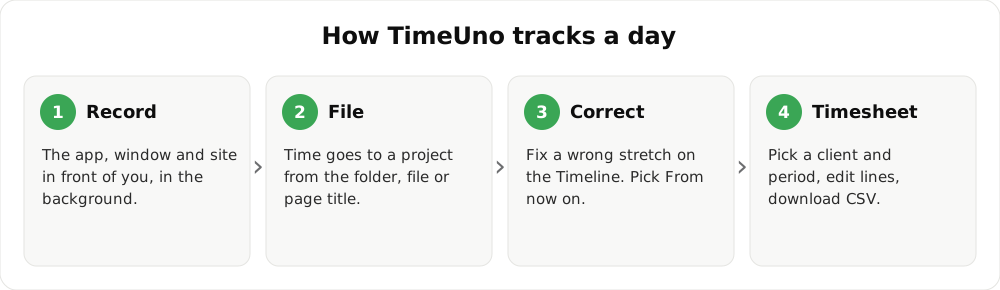
How the pieces fit together.
What you see
- Overview: tracked time, AI time and idle time, the day on a strip, time by category and your top apps.
- Projects: the week split by project, with your time and your AI’s time side by side.
- Timeline: correct a session’s verdict, productive or unproductive.
- Timesheets: pick a week or month and export CSV or PDF.
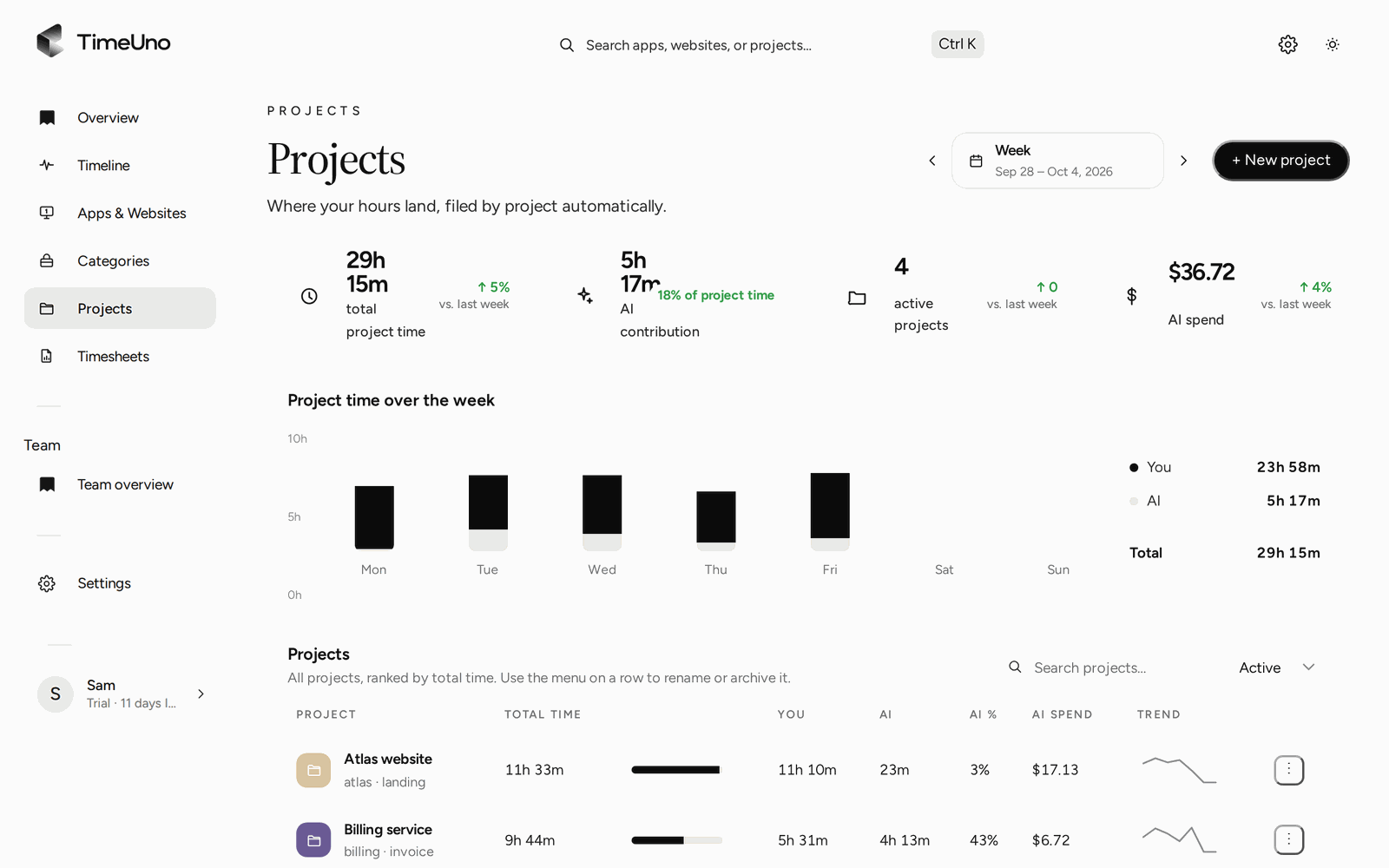
Hours per project and per day.
Fixing a wrong hour
An automatic tracker will sometimes guess wrong. On the timeline you set a session’s verdict for only that stretch or from now on, and the correction is remembered as a rule. Time TimeUno cannot place waits under Review unassigned time on the Projects page until you move it.
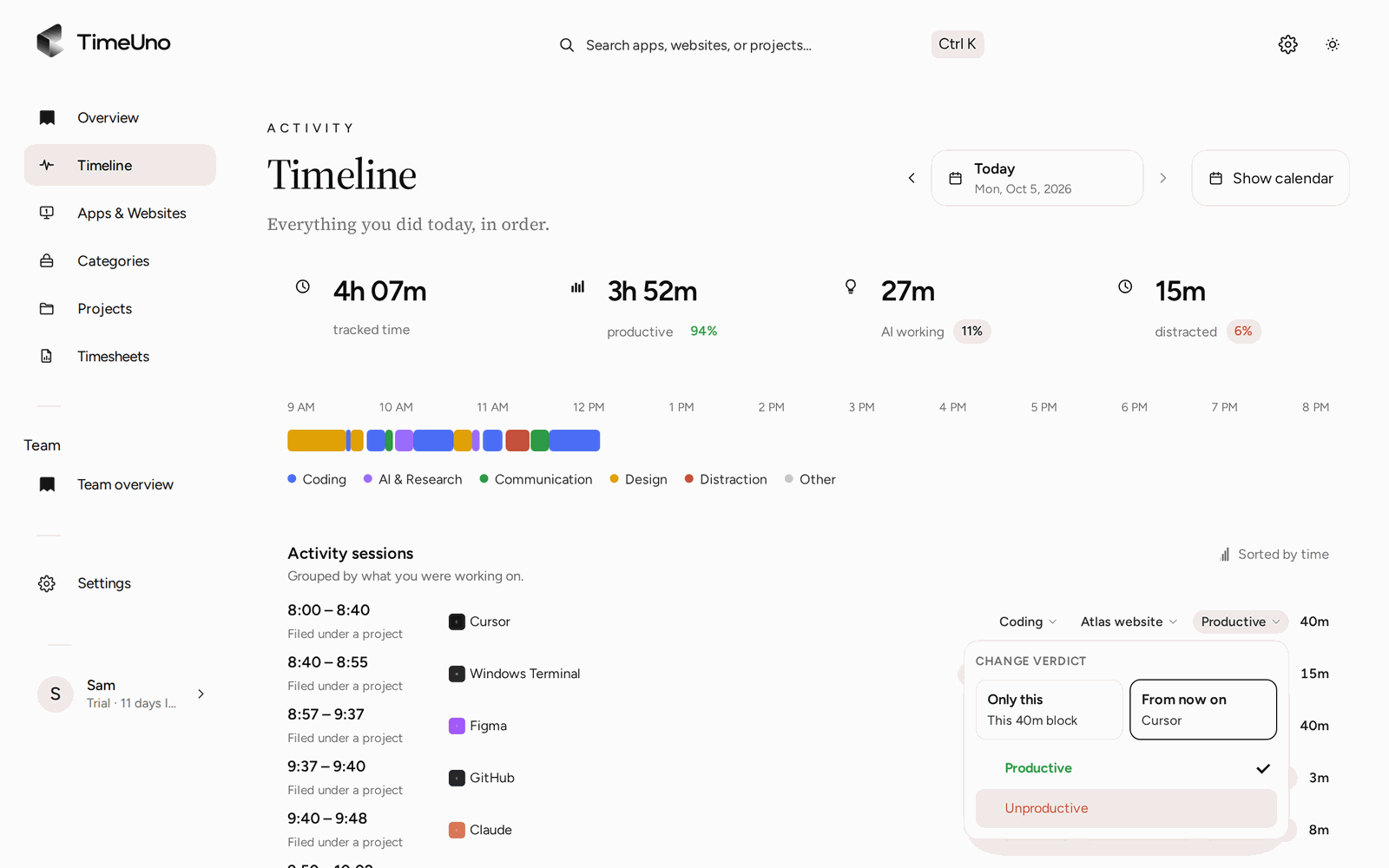
Correcting a stretch takes two clicks.
Pause when you need to
Open the desktop widget and pick a pause: 15 minutes, 30 minutes, 1 hour, or until you resume.
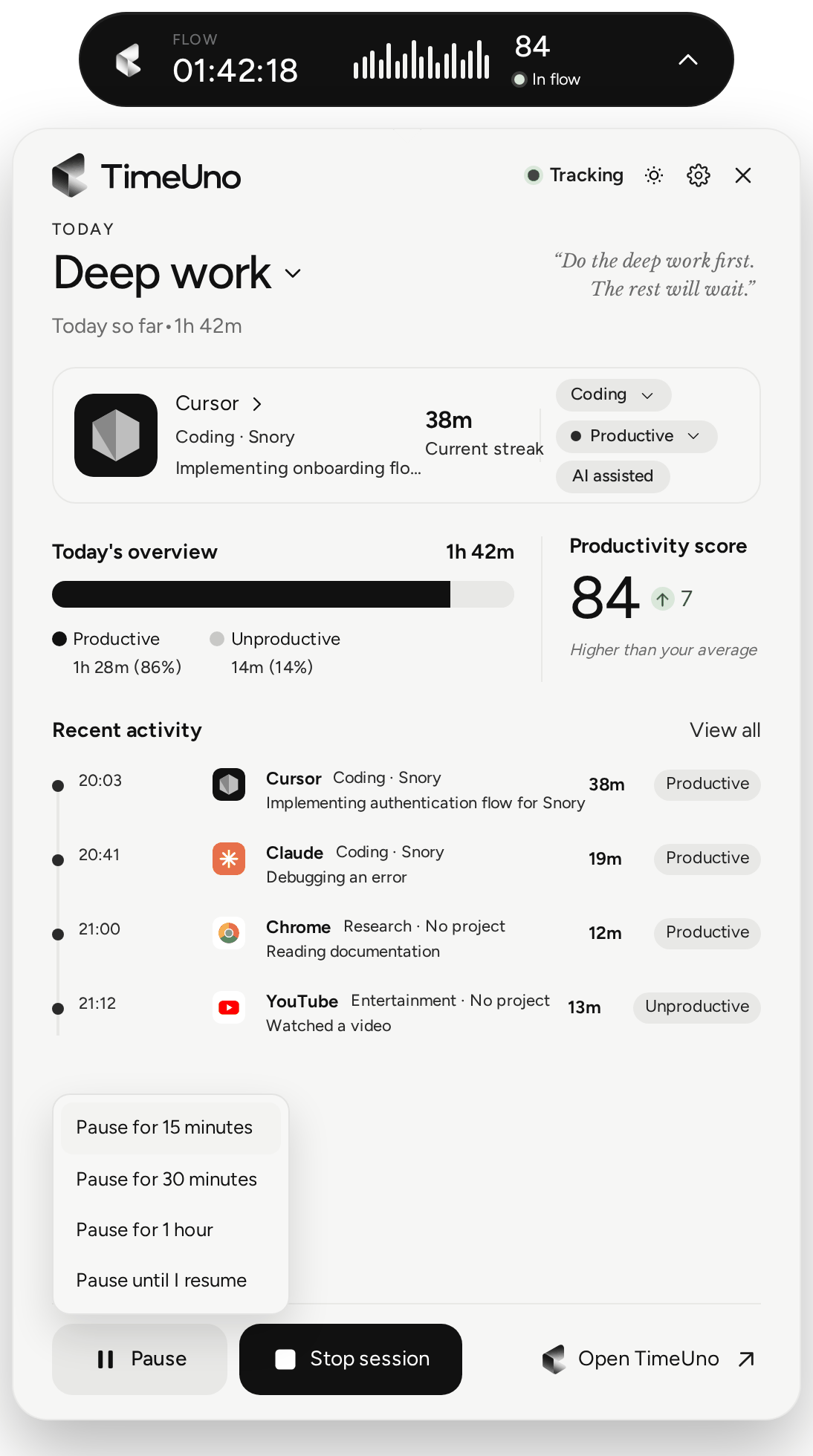
Pause from the widget.
Limits
TimeUno is not a certified time clock and does not make anyone compliant with working time law. It records work on a computer, runs on macOS and Windows (Linux in testing), and has no mobile app.
Updated 28 October 2026
Questions people ask
How does it count hours?
The desktop app and browser extension note which program or site is in front of you and when you are idle. They add that up by day and by project, with no timer to start.
Does idle time count as work?
It is shown separately. The Overview lists tracked time, AI time and idle time as three numbers.
Can I fix wrong hours?
Yes. Move anything TimeUno could not place from Review unassigned time on the Projects page, correct a session's verdict on the timeline, and edit lines on a timesheet before you export.
Can I turn the tracking off for a while?
Yes. The desktop widget has a pause menu: 15 minutes, 30 minutes, 1 hour, or until you resume.
Can I get the hours as a file?
Yes, a timesheet per client and period, as CSV or PDF. There is no Excel export.
Does it track hours away from a computer?
No. Travel, meetings in a room and paper work are not recorded.