

Time tracking app A time tracking app that runs without you.
Install TimeUno on your Mac or Windows computer and work as usual. It records the app or site in front of you, files the time under your projects and builds the timesheet. You open it to check, not to press start.
Start your 14-day free trial 14-day trial, then $14.99 a month
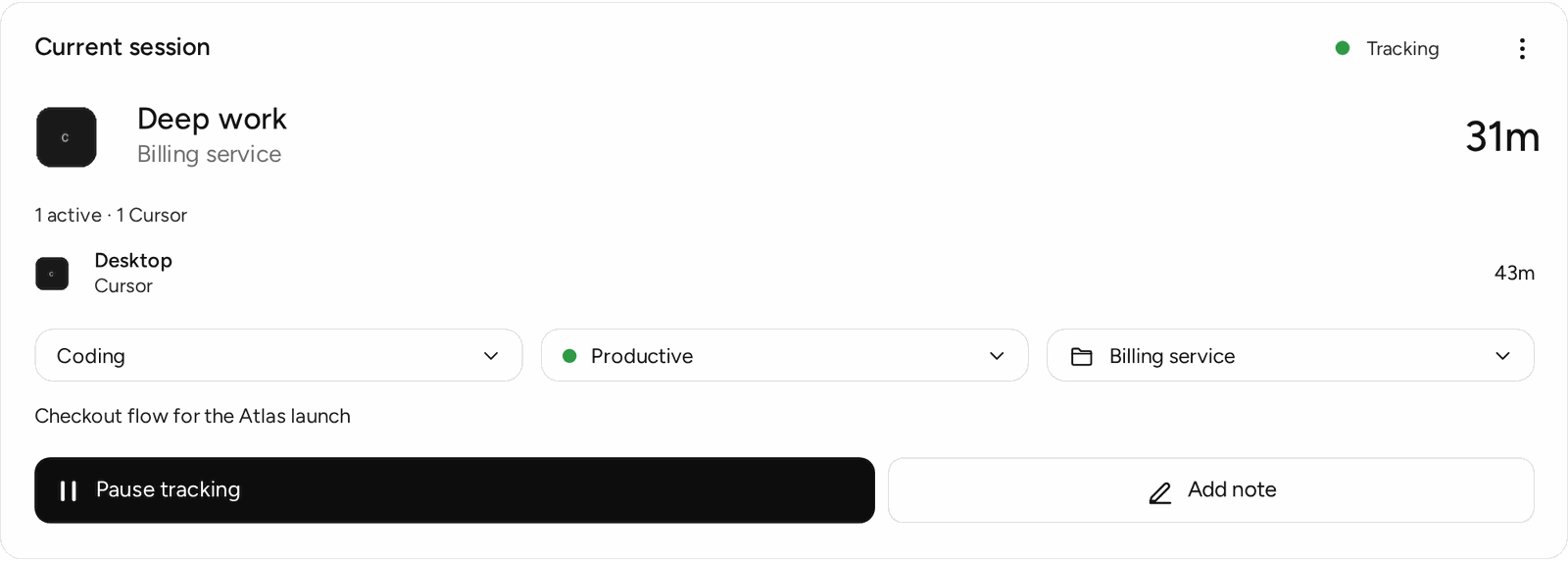
What a time tracking app has to get right
A time tracking app is only useful if it has the hours in it. Apps that rely on a start button have a known weakness: the button gets forgotten, and an invoice or a plan is built on a partial week.
TimeUno puts the recording in the background. The app sees which program or site is in front of you, which project it belongs to and when you stepped away, and it writes that down as you work.
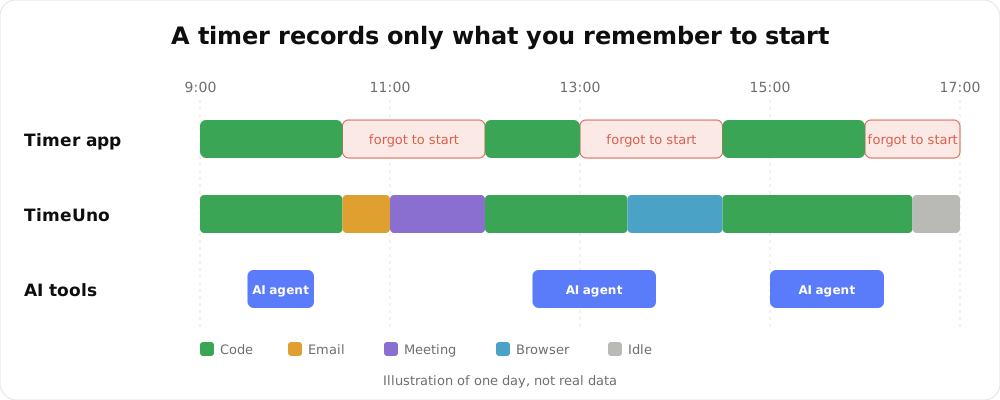
An illustration of one day, not real data.
What is in the app
| Part | What it does |
|---|---|
| Desktop app | Records the app and window in front of you, idle time and the project. macOS and Windows, Linux in testing |
| Desktop widget | A small always-visible control that shows the current app and lets you pause |
| Browser extension | Adds the site you are on. Firefox is live |
| Overview | Today’s timeline, time by category and your top apps |
| Projects | The week split by project, with AI time next to yours |
| Timesheets | One row per day, editable, downloaded as CSV or PDF |
| Agent | A headless recorder for servers and remote machines |
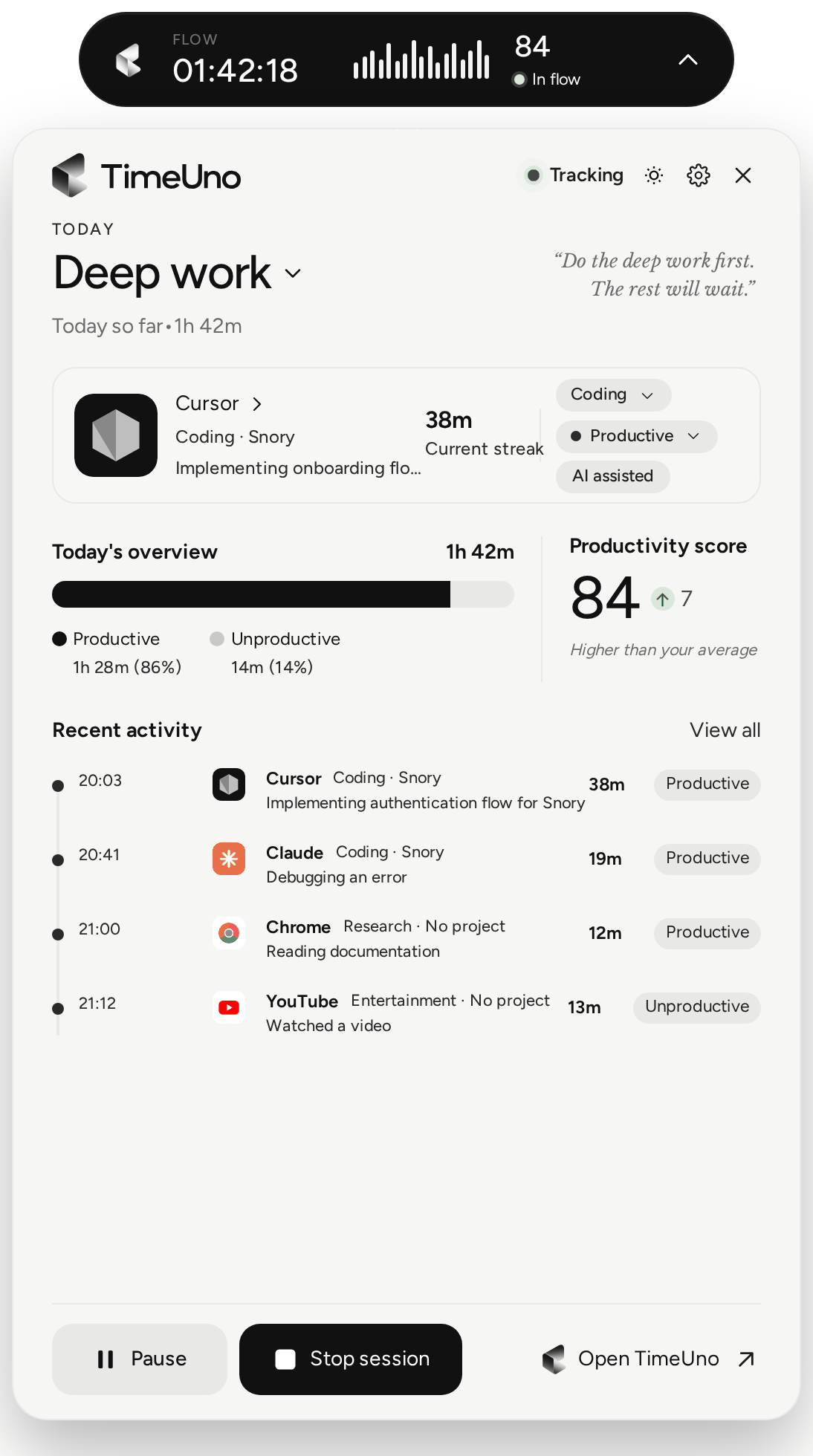
The widget is the only part you look at during the day.
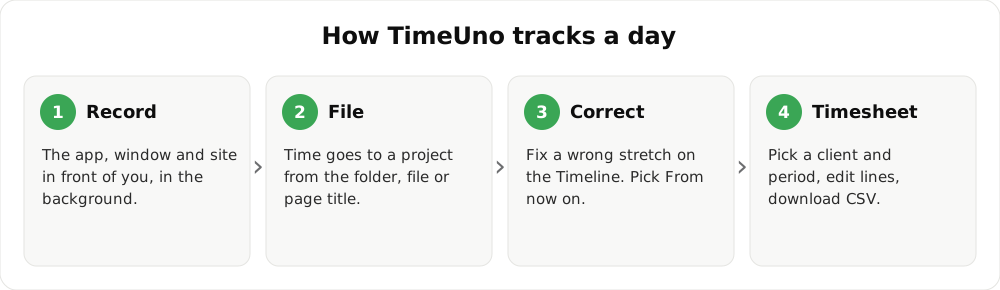
Setting it up takes four steps
- Download the app for your system and sign in with your browser.
- Add the browser extension if you work in the browser.
- Work as you normally do for a day.
- Open Overview and move any wrong stretch on the Timeline.
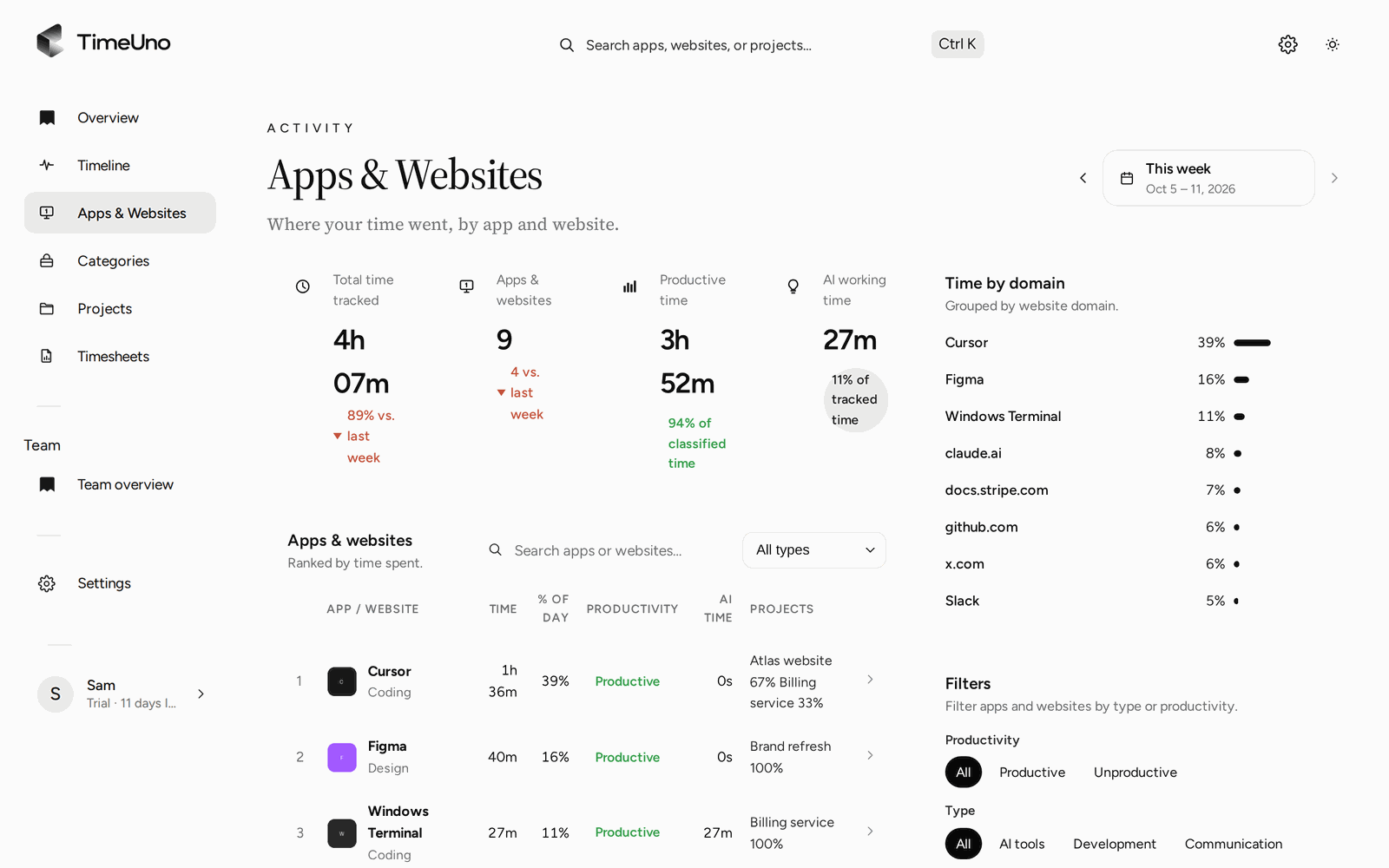
Every app and site you used, ranked by time.
Rules so the app files time for you
TimeUno guesses a project from your editor or folder name and a category from the app. When a guess is wrong you correct it once, choose From now on, and that app or site is filed the same way next time. You can review and change your rules under Settings, Productivity.
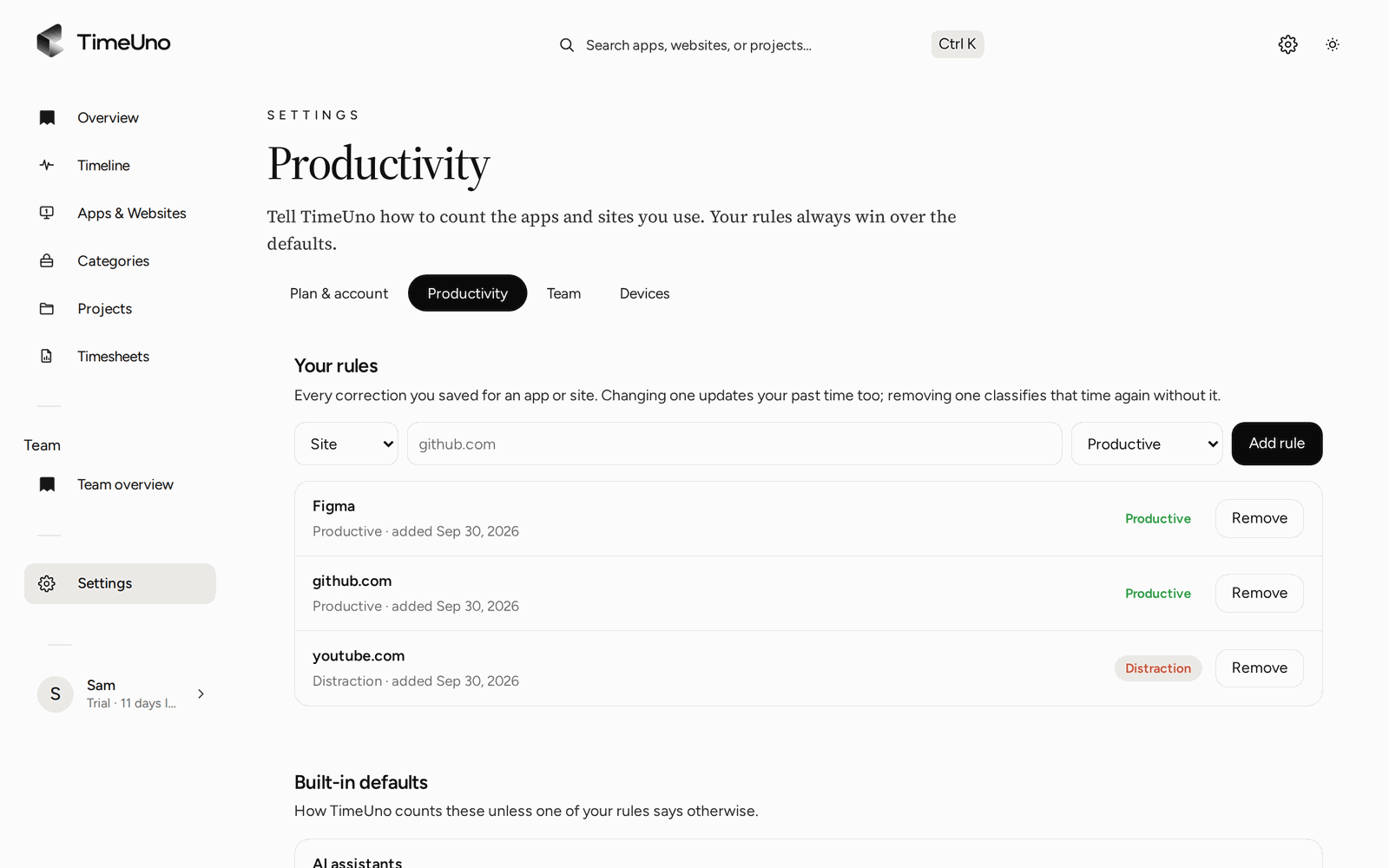
Corrections become rules, so you fix each case once.
What it records, and what it does not send
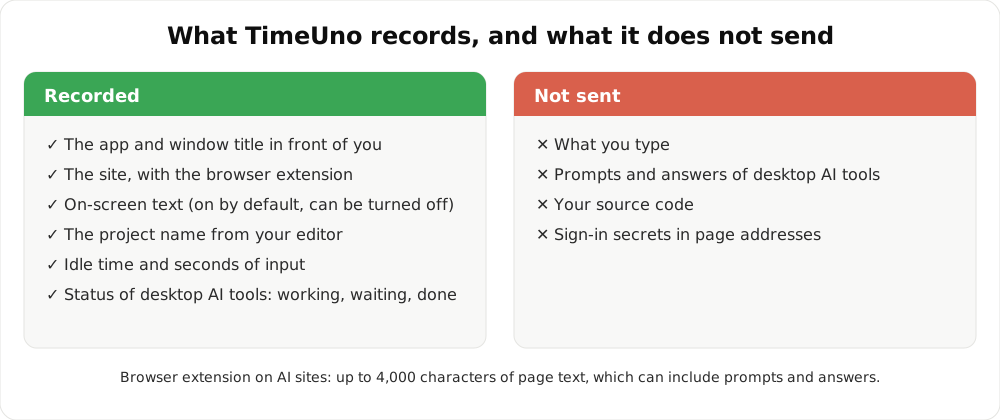
TimeUno records the app and window title in front of you, the site (with the extension), the project, idle time, seconds with keyboard or mouse input and the status of your AI tools. It never sends what you type, your prompts, the AI’s answers or your source code.
Picking a time tracking app: a short checklist
- Does it run on your computer? Check macOS, Windows or Linux before you install.
- Does it need a start button? If you forget, pick a tracker without one.
- Is there a mobile app? TimeUno has none. If you track on the move, you need another tool.
- Can you edit before you send? You should be able to fix lines and exclude days.
- What leaves your computer? Ask for the list, as above.
For a side-by-side look, read the best time tracking apps compared.
Who it is for
TimeUno suits freelancers, developers, agencies and small teams who work at a computer, and anyone running AI tools alongside their own work. It is not the right tool for shift scheduling, field work or a certified time clock.
Updated 28 October 2026
Questions people ask
Which devices does the time tracking app run on?
macOS and Windows, with Linux in testing. A browser extension covers sites you visit, and a headless agent covers remote servers. There is no iPhone or Android app, so work away from a computer is not tracked.
Do I have to keep the app open?
It runs in the background. A small desktop widget shows what is being tracked, and the widget says Paused or Start session when tracking is stopped.
Is the time tracking app free?
No. TimeUno has a 14-day trial, then costs $14.99 a month, or $10.49 a month billed yearly. Our timesheet templates and timesheet calculator are free.
Can I use it offline?
The desktop app records on your computer, so a lost connection does not stop tracking. Signing in and syncing to your dashboard need a connection.
Does it send my prompts or code anywhere?
Not through its AI tool integrations. From tools such as Claude Code, Cursor and Codex CLI it sends metadata only. Your prompts, the answers and your code never leave your device. On-screen text is separate, on by default, and can be turned off.
Can a whole team use it?
Yes, on the Team plan at $19.99 per seat a month. Admins see worked time, productivity score and AI usage per person, never apps, sites, window titles or screenshots.