

Hourly time tracker An hourly time tracker that knows your rate.
When a client pays by the hour, the hours need a price and a paper trail. TimeUno records your computer time, applies the rate and rounding you set, and builds a timesheet with amounts the client can approve.
Start your 14-day trial 14-day trial, then $14.99 a month
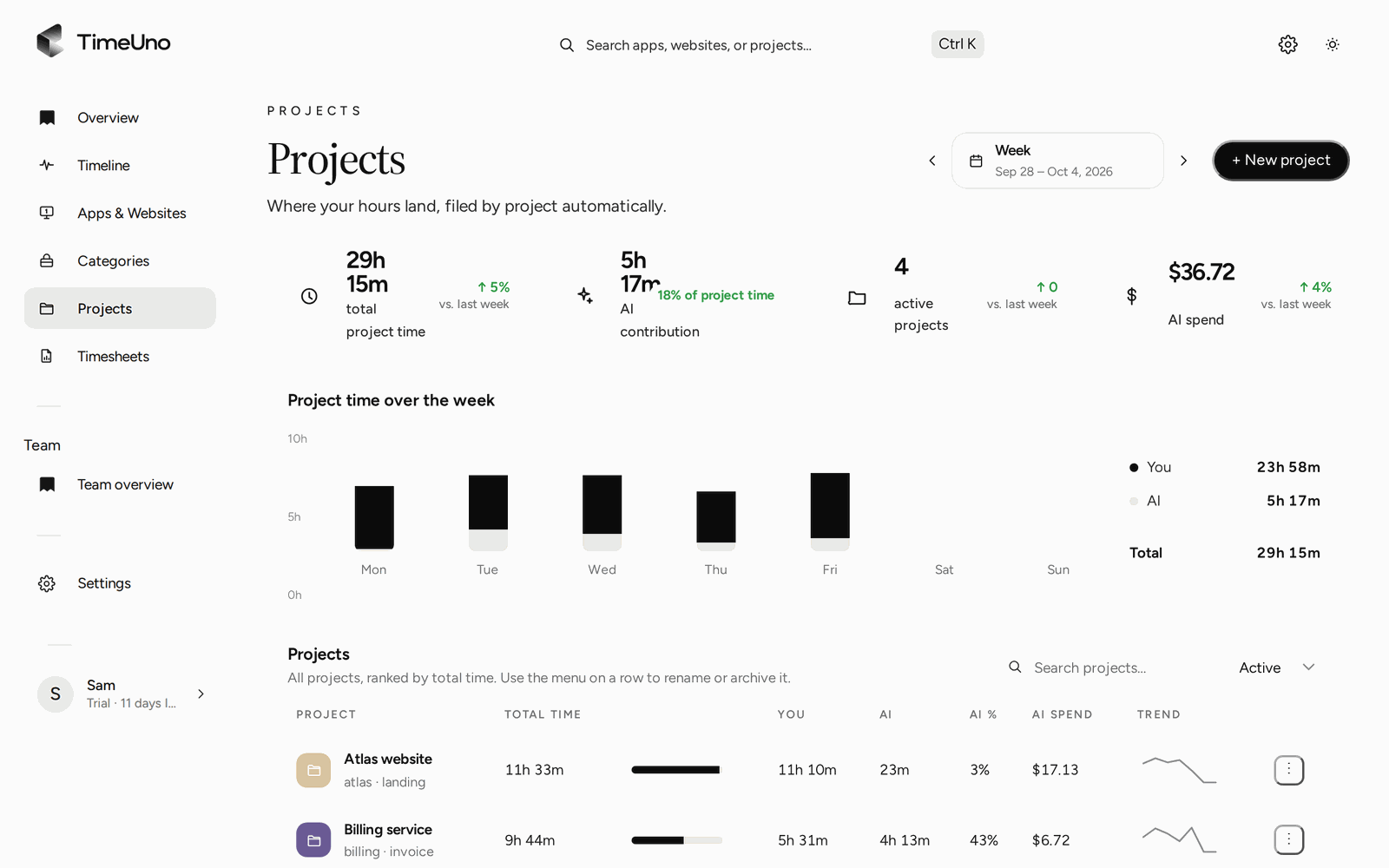
What an hourly time tracker has to do
Billing by the hour sounds simple: hours times rate. In practice three things go wrong. The hours are incomplete because you forgot to start a timer. The rate is wrong because one client pays more than another. And the client doubts the total because all they get is one number.
So the job has four parts: capture the hours, price them correctly, show the working, and hand them to whatever you invoice with. This page is about the last three. For the question of which hours count as billable and how to work out utilization, see the billable hours page.
Capture hours without a timer
TimeUno is an automatic tracker. The desktop app (macOS and Windows; Linux is in testing, and there is no mobile app) runs in the background and records the app in front, the window title, idle time and the seconds with any keyboard or mouse input, never what you type. It files each stretch under a project, using the project name from your editor or the keywords you gave the project by hand.
For hourly work this matters in one way: the hours you never started a timer for still exist. Time spent on a client’s problem in a browser tab, a design file or a terminal lands on the right project, and you correct it on the timeline if it landed wrong.
Rates per person, client and project
Hourly billing rarely means one rate. A long-term client may have a lower rate, a rush project a higher one, and on a team a senior person costs more than a junior one. TimeUno lets owners and admins set:
- the currency and a default rate, once, under Settings
- a rate per client, kept in the clients list with the contact email
- a rate per project
- a rate per person, on the Team plan
Each project also has a billing type, so the same tracker handles more than hourly work:
| Billing type | What the timesheet shows |
|---|---|
| Hourly | Hours times the rate |
| Fixed fee | A set amount, with an optional budget |
| Non-billable | Hours, no amount |
A client with one hourly project, one fixed-fee project and some internal work stays in one place, and only the hourly project multiplies hours by a rate.
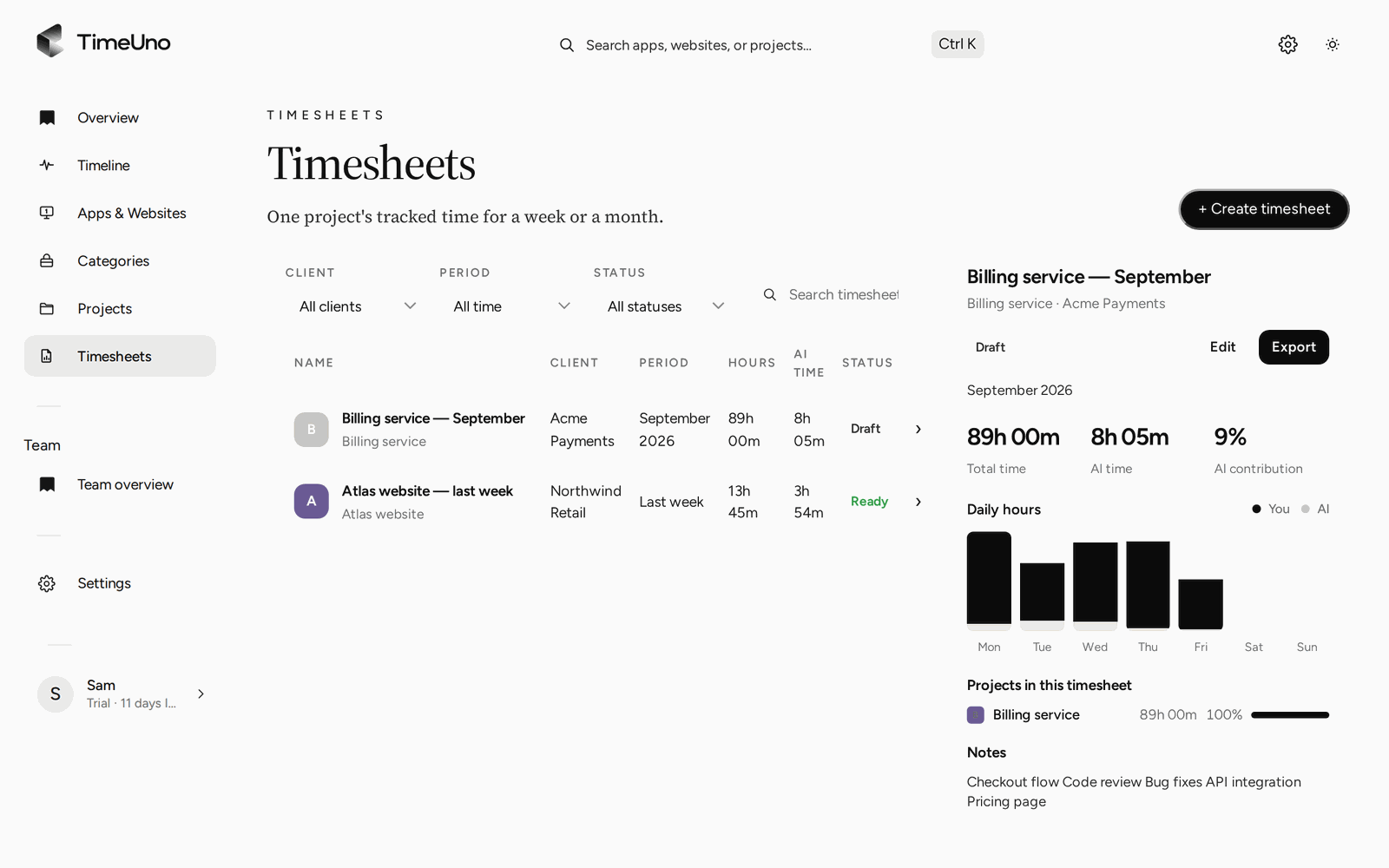
Timesheets per client and period, with the selected timesheet previewed.
Rounding: pick the step your client agreed to
Hourly contracts often say how time is counted: by the minute, in tenths of an hour, in quarter hours. TimeUno offers four settings under Settings: none, 6, 15 or 30 minutes.
| Setting | What it means for a client |
|---|---|
| None | Time as recorded |
| 6 minutes | Tenths of an hour |
| 15 minutes | Quarter hours |
| 30 minutes | Half hours |
A coarser step gives rounder numbers and a bigger gap from the recorded time. Neither is right or wrong. What matters is that the contract names the step and you use it for every client the same way, or say so where it differs. Changing it later changes how new timesheets count, so settle it before the first one goes out.
What the client sees, and what a member sees
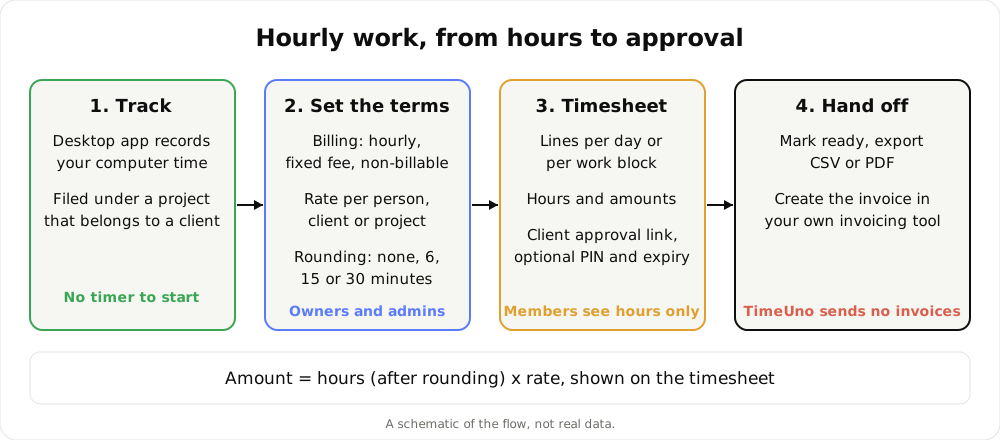
The path from tracked hours to an invoice. A schematic, not real data.
Pick a client and a period (this week, last week or this month), and TimeUno builds the timesheet from time already tracked. You get one line per day or per work block, editable per line, with hours and amounts. AI can write the descriptions, and you read and adjust them before anything leaves. Weekly, two-weekly or monthly drafts can repeat on their own, which suits a retainer billed on a fixed rhythm.
If you work on a team, the amounts stay with the people who set them. Owners and admins see timesheets with amounts. Members see hours only, so your rates are not on show to everyone you work with.
Let the client approve before you bill
The most common billing argument is about hours, and it comes after the invoice. A client approval link moves it before. When a timesheet is ready, share the link. You can protect it with a PIN and give it an expiry date. The client can approve the timesheet, reject it or ask for changes, and the timesheet history keeps what happened. Reminders nudge a timesheet that nobody has answered.
This does not turn the timesheet into a contract, and it is not a legal record. It is a cleaner way to agree the numbers while the work is fresh, instead of three weeks later.
From timesheet to invoice
Once a draft looks right, mark it ready and export it as CSV or PDF. The PDF carries the company name, address, tax ID and logo you set under Settings, Company details, so it looks like yours when it goes to the client. Excel opens the CSV; there is no Excel export.
TimeUno does not create invoices, and it has no accounting integration. You take the hours or the amount from the timesheet into whatever you invoice with. That is a real gap if you want one tool for everything, and a fair trade if you already have invoicing you like. If you want to try numbers before you track anything, the free timesheet calculator turns hours and a rate into an amount.
Who it suits
A freelancer billing a handful of clients by the hour is the plainest fit, and time tracking for freelancers covers that day to day. Small teams that bill per person and per client fit too. For how projects are detected and split, see time tracking per project.
If your contract or country has rules about how working time is recorded, check the local rules. TimeUno is not a certified time clock.
Privacy in short
The desktop app records the data listed above. On-screen text reading is on by default and can be turned off per computer. The browser extension (Firefox is live) sends the site, address, title and up to 4,000 characters of visible page text, which on AI sites may include prompts and answers. Desktop AI tools send metadata only. On a team, admins see worked time, productivity score and AI usage per person, and never anyone’s apps, sites, window titles or screenshots.
What it costs
Individual is $14.99 a month, or $10.49 a month billed yearly. Team is $19.99 per seat a month, or $13.99 per seat a month billed yearly. There is no free plan. Every plan starts with a 14-day trial of the full product; a card is added at the start and charged when the trial ends. To weigh it against other trackers, check their current plans, for example in the best automatic time trackers in 2026.
Updated 28 October 2026
Questions people ask
What is an hourly time tracker?
A tool that records the hours you work and attaches them to a client or project, so you can bill by the hour. A good one also stores the rate, so hours turn into an amount without a calculator.
Where do I set my hourly rate in TimeUno?
Owners and admins set the currency, the default rate and the rounding step under Settings. Rates can also be set per client and per project, and per person on the Team plan.
Does TimeUno round my time?
You choose: none, 6, 15 or 30 minutes. Pick the step your client agreed to and write it into your contract, so nobody is surprised by the first timesheet.
Does TimeUno create the invoice?
No. It builds the timesheet with hours and amounts and exports it as CSV or PDF. The PDF carries the company name, address, tax ID and logo from Settings, Company details. You invoice in your own tool.
Can the client check the hours before I bill?
Yes. Share a client approval link for the timesheet, with an optional PIN and expiry. The client can approve it, reject it or ask for changes.