

Billable hours tracker Billable hours: what counts, how to measure it, how to bill it.
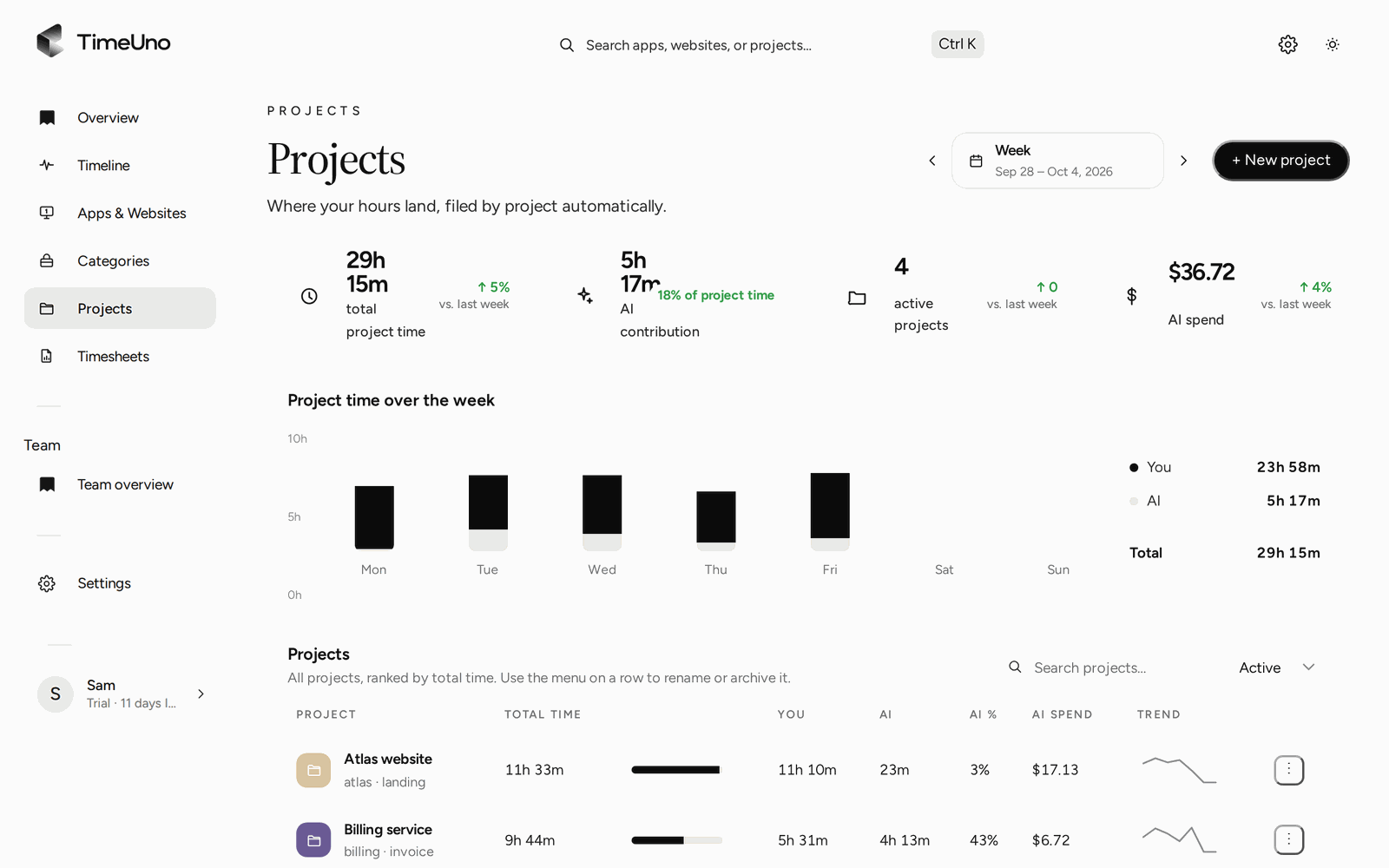
Not every hour you work can go on a client's bill. TimeUno files your computer time under projects, lets you mark each project hourly, fixed fee or non-billable, and shows the amounts on the timesheet.
Start your 14-day trial 14-day trial, then $14.99 a month
What counts as billable hours
Billable hours are the hours you can charge a client for. The rest of your working day is non-billable. The line between them is set by your contract, not by a tool, so write it down before you start tracking.
A rough sort that works for most people who work at a computer:
| Usually billable | Usually non-billable |
|---|---|
| Work on a client deliverable | Admin and bookkeeping |
| Meetings the client asked for | Your own marketing and website |
| Revisions the contract covers | Unpaid proposals and quotes |
| Research done for the client’s project | Internal meetings and training |
Some hours sit in the middle: a call that starts as a project check and turns into sales, or a fix for your own mistake. Decide once how you treat those and stay with it. If the client has not agreed to pay for an hour, it is not billable, however long it took.
Billable vs non-billable in one day
Tracking only billable hours hides the real day. A client sees five hours on the bill and wonders about the other three. You need the whole picture to price your work properly.
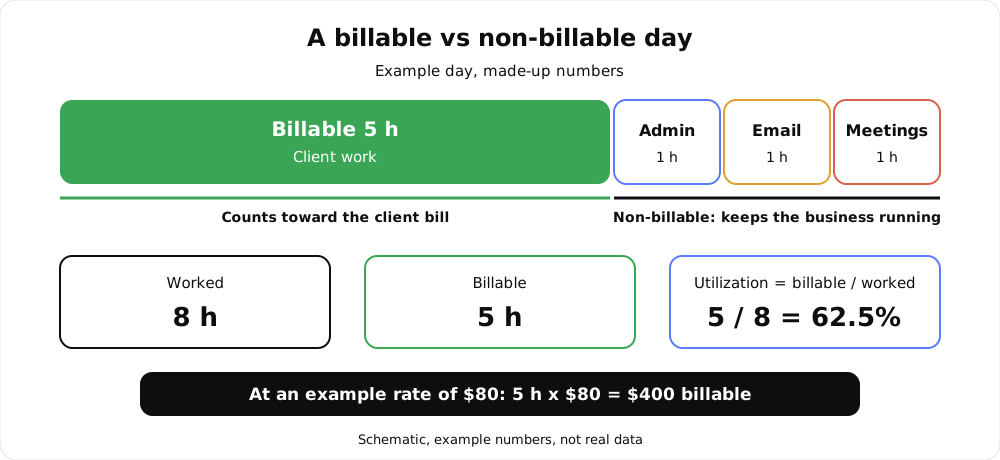
An example day with made-up numbers: 5 of 8 worked hours are billable.
Utilization as a simple formula
Utilization is the share of your worked time that you can bill:
utilization = billable hours / worked hours
Take an example week with round numbers: 40 hours worked, 26 billable. Utilization is 26 / 40 = 65%. The other 14 hours went to admin, email, proposals and meetings.
What the number tells you depends on your work. A freelancer who sells and does the books alone will sit lower than someone with a steady retainer. Use it to compare your own weeks, and to see what your real hourly price is: if your rate is $80 and 65% of your time is billable, a worked hour earns $52 on average. Again, example numbers.
TimeUno gives you the hours per project and per client. The formula is yours to apply to those totals.
Rounding: none, 6, 15 or 30 minutes
Rounding decides how a client sees time. Three short sessions of a few minutes each can add up differently depending on the step you bill in.
- None: the timesheet shows time as recorded.
- 6 minutes: time in tenths of an hour, a common way to bill.
- 15 minutes: quarter hours.
- 30 minutes: half hours, for coarse billing.
A coarser step means fewer, rounder numbers on the bill and more difference from the recorded time. Whatever you pick, put it in the contract, so the client knows how an hour is counted before the first timesheet arrives. Owners and admins set the step once, under Settings, together with the currency and the default rate.
How TimeUno tracks billable hours
You install the desktop app on macOS or Windows (Linux is in testing, and there is no mobile app). It runs in the background and records the app in front, the window title, idle time and seconds with keyboard or mouse input, never what you type. TimeUno files each stretch under a project, using the project name from your editor or the keywords you gave a project by hand.
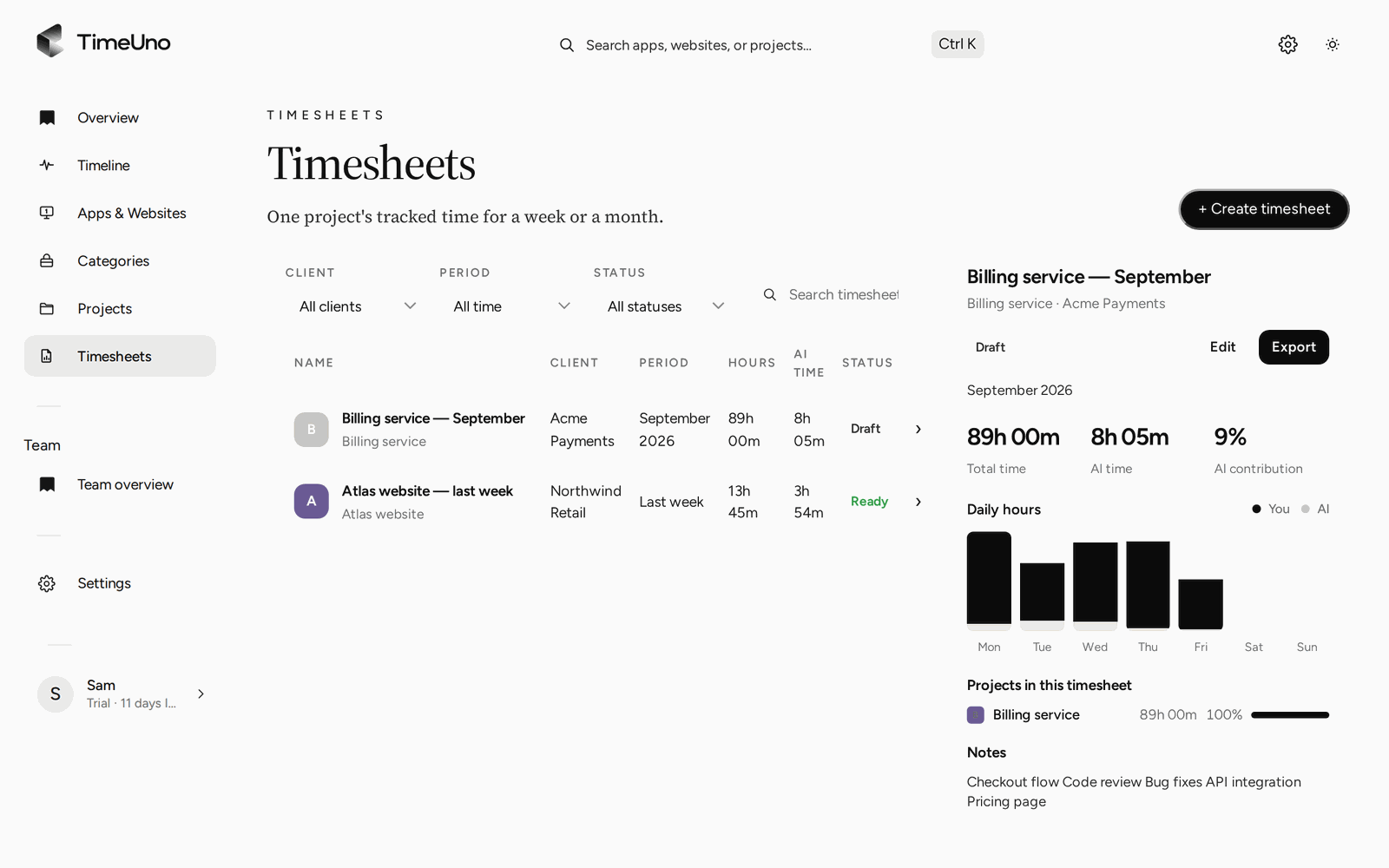
Timesheets per client and period, built from the time already tracked.
Then you set how each project is billed:
| Billing type | What it does |
|---|---|
| Hourly | Hours times the rate |
| Fixed fee | A set amount, with an optional budget |
| Non-billable | Hours are tracked, no amount |
Rates can be set per person (on the Team plan), per client and per project, so the right rate applies without a calculation on your side. The project time tracking page covers how projects are detected.
Two privacy points, stated plainly. On-screen text reading is on by default and can be turned off per computer. The browser extension sends the site, address, title and up to 4,000 characters of visible page text, which on AI sites may include prompts and answers. AI tools on the desktop send metadata only.
From tracked hours to a client timesheet
Pick a client and a period (this week, last week or this month) and TimeUno builds a timesheet from the project time already tracked. Each line is a day or a work block and can be edited. It shows hours and amounts, and AI can write the line descriptions for you to read and adjust.
Weekly, two-weekly or monthly drafts can repeat on their own. When a draft looks right, mark it ready and export it as CSV or PDF. The PDF carries the company name, address, tax ID and logo from Settings, Company details. Excel opens the CSV; there is no Excel export.
TimeUno does not create invoices and has no accounting integration. You take the hours or amounts into whatever you invoice with.
Client approval link
You can also share a client approval link for a timesheet. It can have a PIN and an expiry. The client can approve it, reject it or ask for changes, and the timesheet history keeps a record. Reminders nudge timesheets that sit unanswered. Clients are kept in a client list with a name, contact email and rate, and projects and timesheets attach to them.
Teams and who sees what
On the Team plan, owners and admins invite people, and per person they see worked time, a productivity score, AI usage and the trend. They never see anyone’s apps, sites, window titles or screenshots. Timesheets show amounts, but members see hours only, so your rates stay yours.
For one person with several clients, see time tracking for freelancers. For billing a team’s time per client, see time tracking for agencies.
What it costs
Individual is $14.99 a month, or $10.49 a month billed yearly. Team is $19.99 per seat a month, or $13.99 per seat a month billed yearly. There is no free plan. Every plan starts with a 14-day trial of the full product; a card is added at the start and charged when the trial ends. Compare other trackers on their current plans, for example in TimeUno vs Toggl Track.
Updated 28 October 2026
Questions people ask
What counts as billable hours?
Time you spend on work a client pays for, under whatever your contract says. Hours on admin, your own marketing, unpaid proposals and internal meetings usually are not billable. Your agreement with the client decides, not the tracker.
How do I calculate utilization?
Divide billable hours by worked hours. With 26 billable hours out of 40 worked, utilization is 26 / 40 = 65%. Those numbers are an example. What counts as a good figure depends on your business.
Can TimeUno separate billable from non-billable time?
Yes, per project. Each project is hourly, fixed fee (with an optional budget) or non-billable. Non-billable projects still collect hours, so you can see where the unpaid time goes, and they carry no amount.
Does TimeUno send invoices?
No. It builds the timesheet with hours and amounts and exports it as CSV or PDF. The PDF carries the company name, address, tax ID and logo from Settings, Company details. You create the invoice in your own invoicing tool.
Can my team see each other's rates?
Owners and admins set currency, default rate and rounding under Settings, and rates can be set per person, client and project. Timesheets show amounts. Members see hours only.