

Timesheet app for small business A timesheet app for a small business that does the month-end run for you.
If you run a team of 3 to 15 people who work at computers, TimeUno turns their tracked time into client timesheets. You set up people, clients and rates once. The monthly run is checking drafts and sending links.
Start 14-day trial 14-day trial, then $19.99 per seat a month
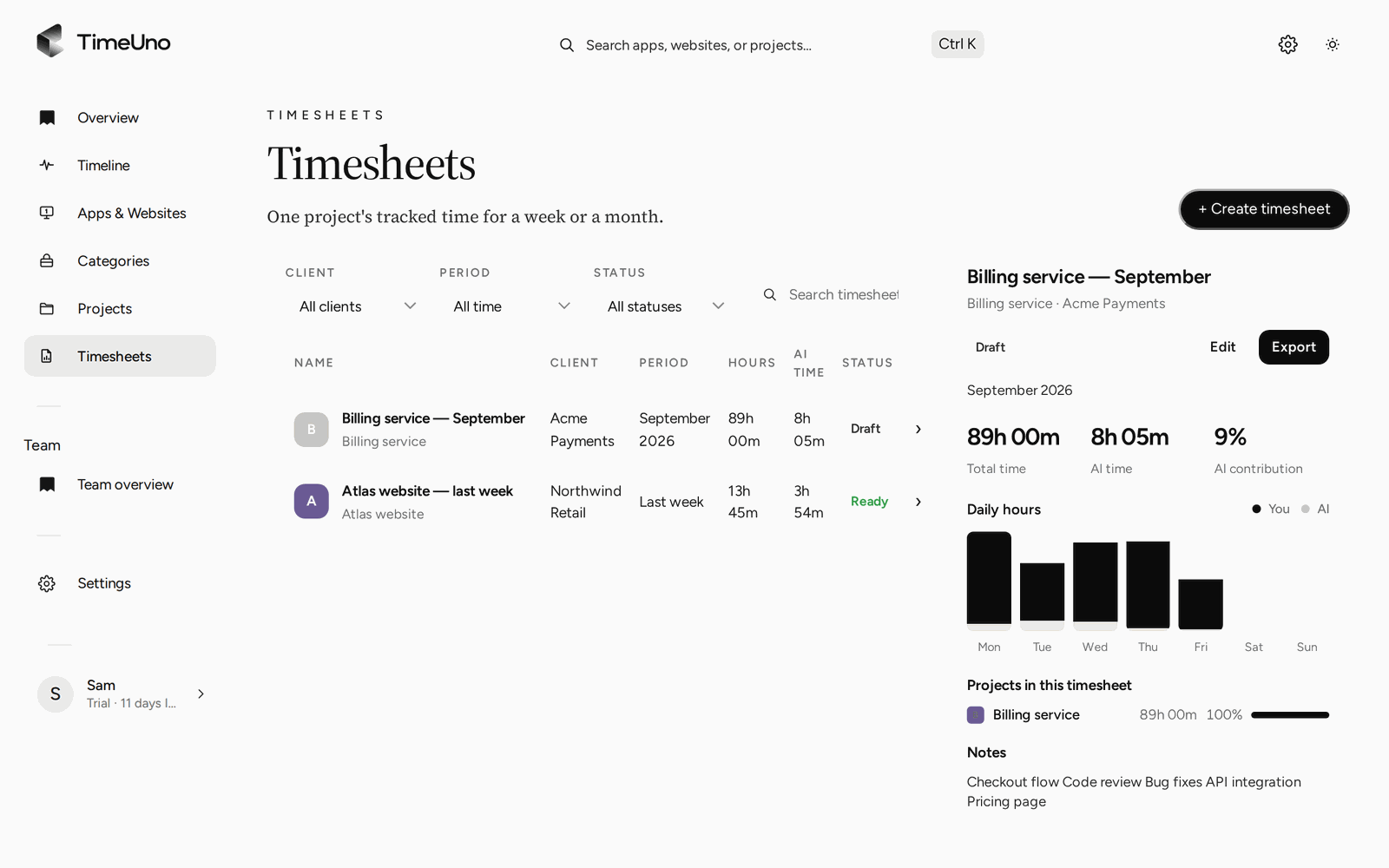
What a small business needs from a timesheet app
In a business of 3 to 15 people, nobody has time for a timesheet process. The owner is usually also the person who chases hours, checks them and sends the bill. A tool that adds a daily chore for everyone makes that worse.
Four things matter more than a long feature list:
- People enter nothing by hand. Hours come from the work, not from memory on Friday.
- Clients and rates live in one place. You set them once, not on every sheet.
- A month-end run takes minutes. Drafts exist before you ask for them.
- The client signs off. The hours are agreed before the invoice goes out.
TimeUno covers those four. It also has clear limits, which are further down this page.
Set it up once
The setup takes an afternoon, mostly because each person installs the desktop app. Do it in this order.
- Invite your team. Owners and admins invite members. Each member is one seat on the Team plan and joins the team’s plan without starting a trial of their own.
- Add clients. The client list holds a name, a contact email, a rate and how non-billable lines show on the client page.
- Add projects. Give each project a client and a few keywords that show up in window titles or addresses, such as the client’s name. Editor projects are detected from the folder or project file.
- Pick a billing type per project. Hourly, Fixed fee with an optional budget, or Non-billable for internal work.
- Set rates and rounding. Under Settings, owners and admins choose the currency, a default rate and rounding: none, 6, 15 or 30 minutes.
- Add company details. Name, address, tax ID and logo under Settings, Company details appear on every PDF.
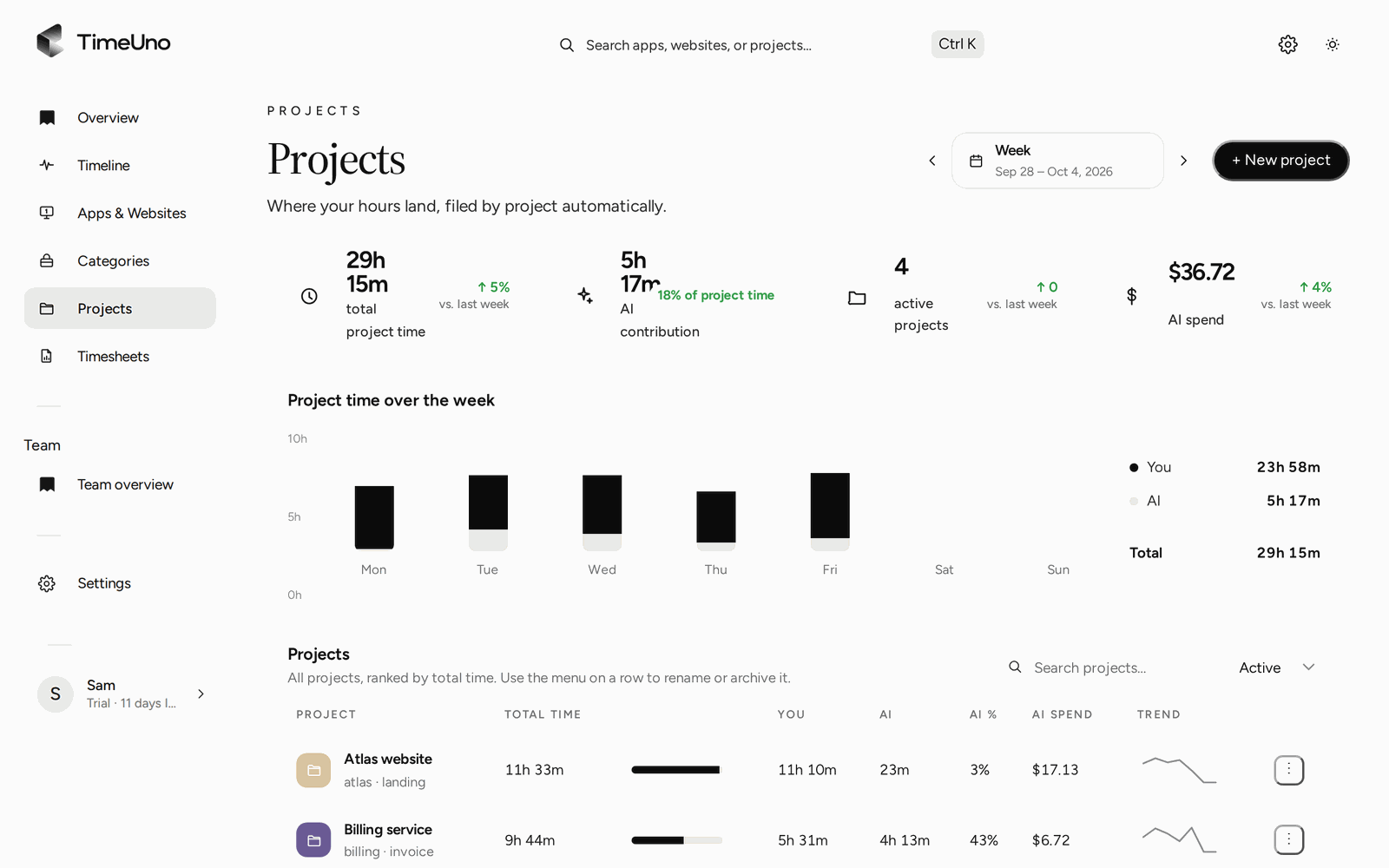
The Projects page. Time per project per day, so you can see which client the week went to.
Rates follow a fixed order. A timesheet uses the project’s rate first, then the client’s, then the person’s, then the workspace default. A person’s rate only applies where the project and client have none.
Then the monthly timesheet run
Once people have worked for a month, the run is short. For each client:
- Open Timesheets, click + Create timesheet and choose This month, the project and the client. TimeUno fills in the lines from tracked time.
- Pick one line per day, or one line per work block with start and end times.
- Edit descriptions, untick Include on anything you will not bill, or let ✦ Write descriptions draft the text.
- Click Mark ready. The sheet is locked.
- Share the approval link, or download CSV or PDF.
For clients you bill every month, use Repeat so the draft shows up on its own after the period ends. Periods with no tracked time are skipped.
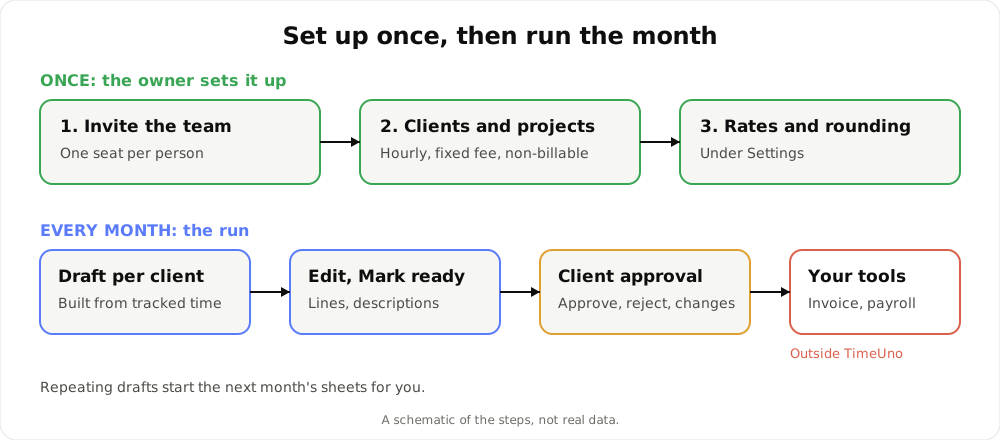
A schematic of the steps, not real data.
Client approval before the invoice
A timesheet that the client has not seen is an argument waiting to happen. Share the link, add a PIN and an expiry date if you like, and the client opens the page, reads the lines and amounts, and approves, rejects or asks for changes with a comment.
TimeUno sends reminders for an unanswered link, and History logs when the sheet was shared, opened and answered. Once it is approved, you invoice from numbers both sides have agreed. TimeUno stops at the timesheet, so the invoice itself comes from your own tool.
Seeing the team without watching it
A small business owner needs to know how much work happened and where it went. That does not require reading anyone’s screen. On the Team plan, owners and admins see per person, for the last 7, 30 or 90 days:
| Owners and admins see | Owners and admins never see |
|---|---|
| Worked time | Apps |
| Productivity score, 0 to 100 | Websites |
| AI usage and the trend | Window titles |
| Team AI spend and shared project hours | Screenshots |
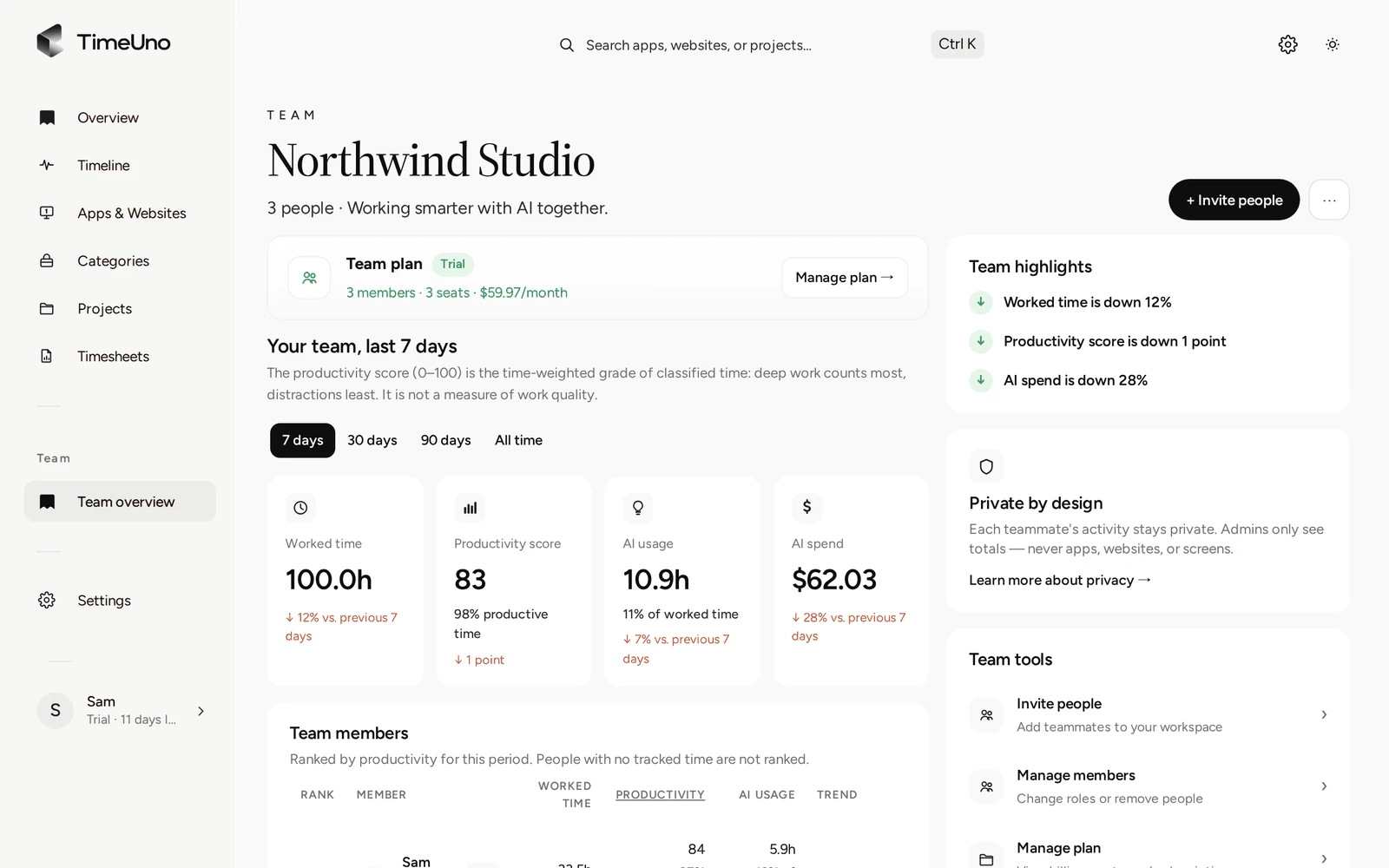
The Team overview shows totals per person. A person’s detailed day stays visible only to them.
Members see hours on their own timesheets, not amounts. Rates stay with owners and admins. Tell your team up front what the desktop app records on their own computer: the app in front, window title, idle time and seconds with input, never what they type. On-screen text reading is on by default and can be turned off per computer. The team docs list it all.
Where TimeUno is not the right fit
Be sure before you start the trial:
- No invoices. TimeUno builds timesheets. You create invoices elsewhere.
- No payroll. There is no payroll export and no accounting integration. It is not a certified time clock, so check local rules if you need legal records of working time.
- No mobile app. It runs on macOS and Windows, with Linux in testing. Time away from a computer is not recorded.
- No shift planning or clock-in button. It tracks work at a computer.
- No free plan. There is a 14-day trial, and the card is added at the start.
If your business is mostly client work billed by the hour from desks, those limits are usually fine. If you pay by the shift, a different tool will serve you better.
What it costs
Team is $19.99 per seat a month, or $13.99 per seat a month billed yearly. A team of five on yearly billing is five seats at $13.99. If you are the only person, the Individual plan is $14.99 a month, or $10.49 billed yearly. If you are comparing tools, check each one’s current plans, because prices change. Our best automatic time trackers in 2026 is a place to start.
Where to go next
For the person-by-person view, read employee timesheet software. If your clients are the main thing, see time tracking for agencies. For what counts as billable, see the billable hours tracker.
Updated 28 October 2026
Questions people ask
Is TimeUno a good timesheet app for a small business?
It fits if your team works at computers and you bill clients for hours. Each person's time is tracked automatically and turned into timesheets with rates. It does not fit shift work, payroll or time away from a computer.
How much does it cost for a small team?
The Team plan is $19.99 per seat a month, or $13.99 per seat billed yearly. Every plan starts with a 14-day trial. A card is added at the start and charged when the trial ends. There is no free plan.
Can my clients approve timesheets?
Yes. You share an approval link, optionally with a PIN and an expiry date. The client approves, rejects or asks for changes, and TimeUno records each step under History.
Does it create invoices or run payroll?
No. It builds timesheets with hours and amounts and exports them as CSV or PDF. The PDF carries your company name, address, tax ID and logo from Settings, Company details. You invoice or pay in the tool you already use.
Can I see what my team does all day?
No, and that is on purpose. Owners and admins see worked time, the productivity score and AI usage per person. They never see apps, sites, window titles or screenshots.