

Timesheet app A timesheet app that builds the sheet from the hours you worked.
TimeUno tracks your work in the background and turns a week or a month into a timesheet per client. You edit the lines, export CSV or PDF, or send your client a link to approve it.
Start 14-day trial 14-day trial, then $14.99 a month
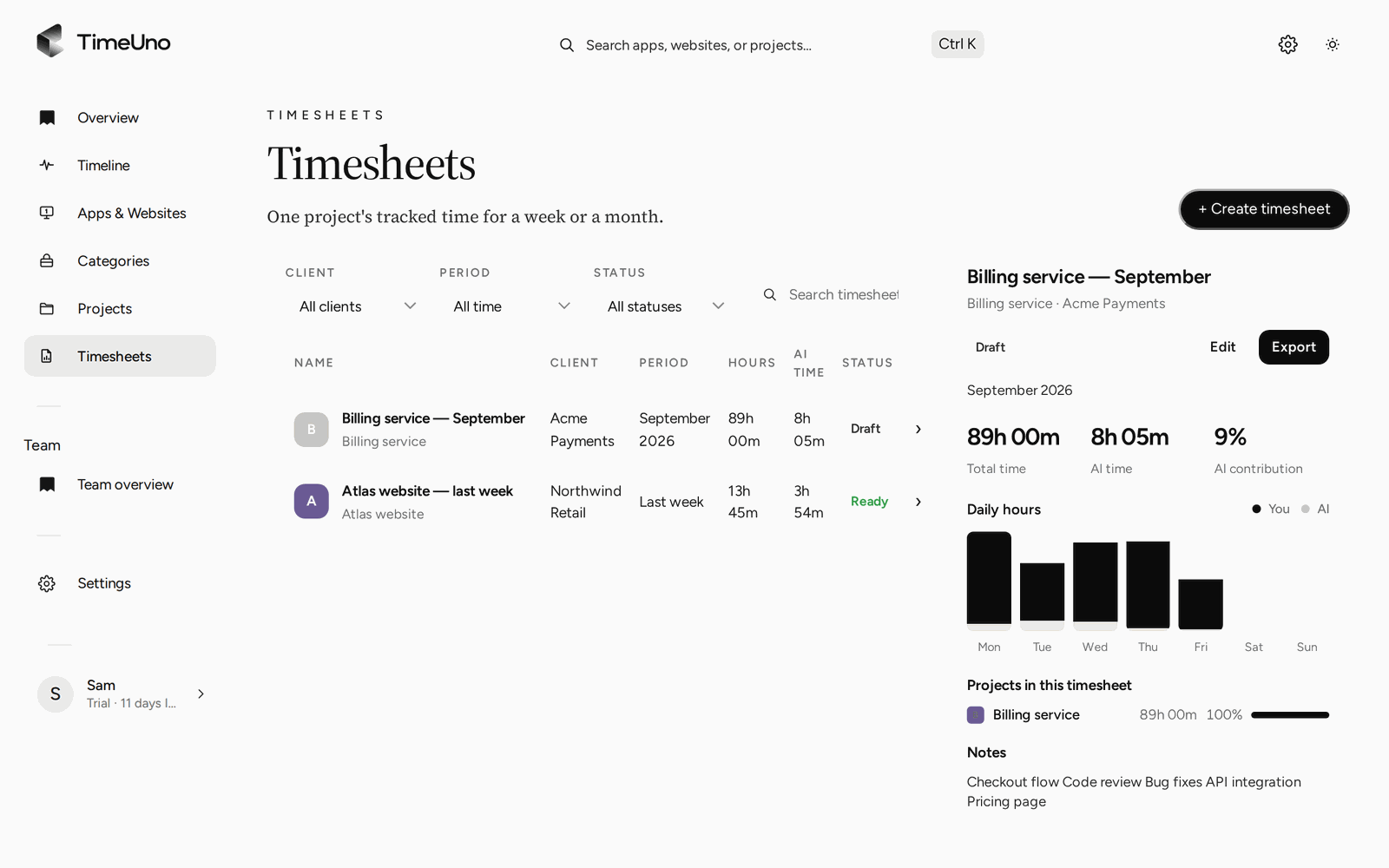
The slow part of a timesheet is remembering
Filling a timesheet takes a minute once you know the hours. Working out the hours is the problem: which project took Tuesday afternoon, and what did you do for the client before lunch?
A timesheet app that waits for you to type or press start inherits the same gap. TimeUno tracks first and writes the sheet second, so the sheet starts full.
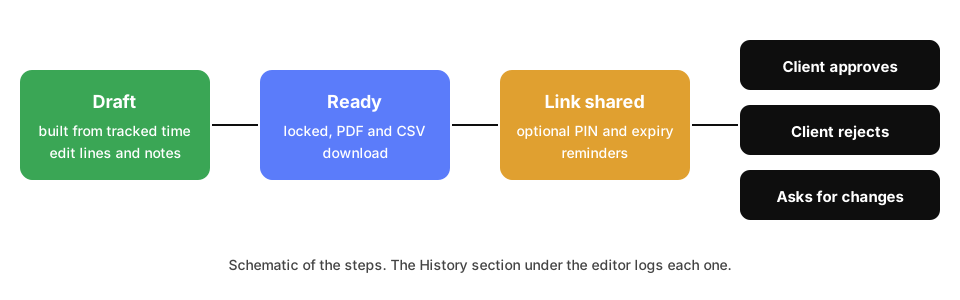
A schematic of the steps. The History section under the editor logs each one.
Create a timesheet
- Open Timesheets and click + Create timesheet.
- Choose This week, Last week or This month, the project and, if you like, a client.
- TimeUno fills one line per day with the time you tracked for that project. Under Lines you can switch to One line per work block, which shows start and end times.
- Edit descriptions, untick Include to leave a line out, or use ✦ Write descriptions to have AI draft client-ready text. Your own wording is never overwritten.
- Click Mark ready when it is final. A ready timesheet is locked.
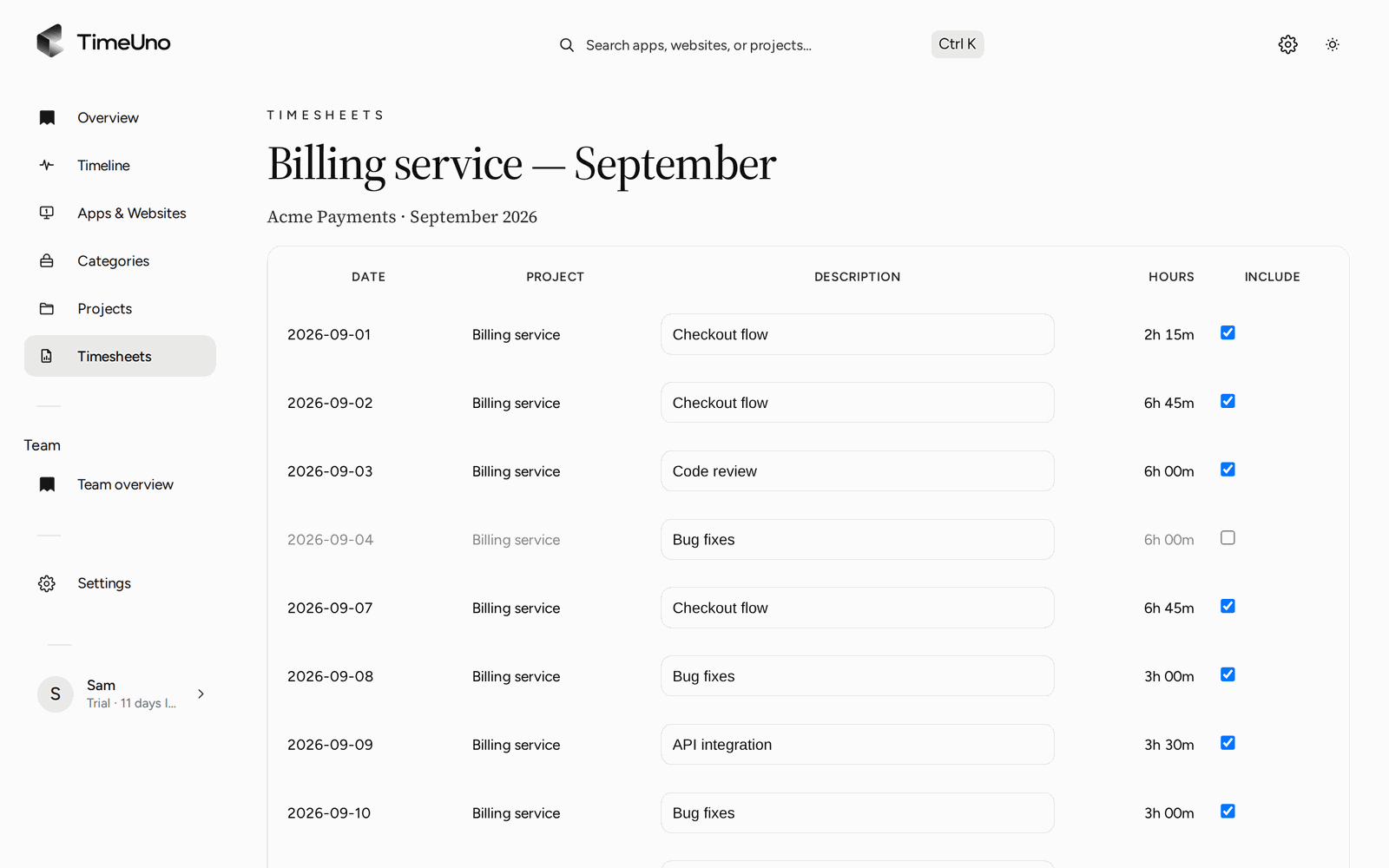
Untick a day or rewrite a description, then export.
What you can do with a finished sheet
| Action | How it works |
|---|---|
| Export | Download CSV or Download PDF from the editor |
| PDF details | Company name, address, tax ID and logo from Settings, Company details |
| Send to a client | A shared link with optional PIN and expiry |
| Client answer | Approve, reject or request changes, with a comment |
| Follow up | Reminders for links that get no answer |
| Repeat | A new draft every week, two weeks or month |
| Audit | A read-only History under the editor |
Rates and amounts
Rates are optional. Without them a timesheet shows hours. With them it shows amounts: owners and admins set a currency, default rate and rounding (none, 6, 15 or 30 minutes) under Settings, a rate per person under Team, and a rate and billing type on each project and client: Hourly, Fixed fee with an optional budget, or Non-billable. Team members only see hours.
Where it stops
- No invoices. Create those in your invoicing tool.
- No accounting integration and no Excel export. PDF and CSV only.
- No mobile app.
- Not a certified time clock.
If you only need a one-off sheet, the free timesheet template is enough. If you send hours to clients every week, the automatic timesheets page shows how the tracking behind them works.
Updated 28 October 2026
Questions people ask
What does the timesheet app do?
It takes the time TimeUno tracked for a project and period, writes one line per day or per work block, and lets you edit, mark it ready and export it as CSV or PDF.
Do I type my hours in?
No. The lines come from tracked time. You change a description, untick a line you do not want to bill or add a line by hand.
Can a client approve a timesheet?
Yes. You share a link, optionally with a PIN and an expiry date. The client approves, rejects or asks for changes, and TimeUno keeps a history of what happened.
Can it create timesheets on a schedule?
Yes. Repeat drafts one every week, every two weeks or every month once the period has ended. Periods with no tracked time are skipped.
Does it handle rates and amounts?
Yes, if you set them. Owners and admins set the currency, a default rate and rounding under Settings, and rates per person, client and project. Timesheets then show amounts. TimeUno does not create invoices.
Is there a mobile timesheet app?
No. TimeUno runs on macOS and Windows (Linux in testing), with a browser extension and an agent for servers. There is no mobile app.
Is a TimeUno timesheet a legal time record?
No. TimeUno is not a certified time clock. A timesheet is a record for you and your client, not proof of compliance with working time law.