

Track my time Track my time: find out where your day actually goes.
You do not need a client or an invoice to want this. You just want to know why the day felt full and the list is still long. TimeUno records your computer time in the background and sorts it, so the answer is there when you look.
Start your 14-day trial 14-day trial, then $14.99 a month
Why track your time when nobody is paying for it
Most advice on time tracking starts with billing. This page starts with you. You sit down at nine, look up at five, and cannot say what happened in between. Email, a few meetings, a document, a lot of switching. The day was busy, and the proof is thin.
Tracking your own time gives you three things:
- A true picture. Memory is generous to the interesting hours and forgets the rest. A record does not.
- Fewer surprises. You see that “a quick check of messages” is a regular hour, and plan around it.
- Better estimates. If a report always takes six hours and you keep budgeting three, the numbers will tell you.
None of this needs a client, a rate or a timesheet.
Tracking that costs you no effort
The usual reason people quit is the timer. You forget to start it, forget to stop it, and by Wednesday the week has holes. TimeUno has no timer.
The desktop app runs in the background on macOS and Windows. It notes the app in front of you, the window title and when you were idle. It also counts the seconds with keyboard or mouse input, never what you typed or clicked. In an editor it reads the project name. The browser extension adds the site you are on.
Then it sorts the time for you, so there is nothing to file by hand. Each stretch gets one of 15 categories, such as coding, writing, email, meetings, research, social or admin, and a verdict of productive or unproductive.
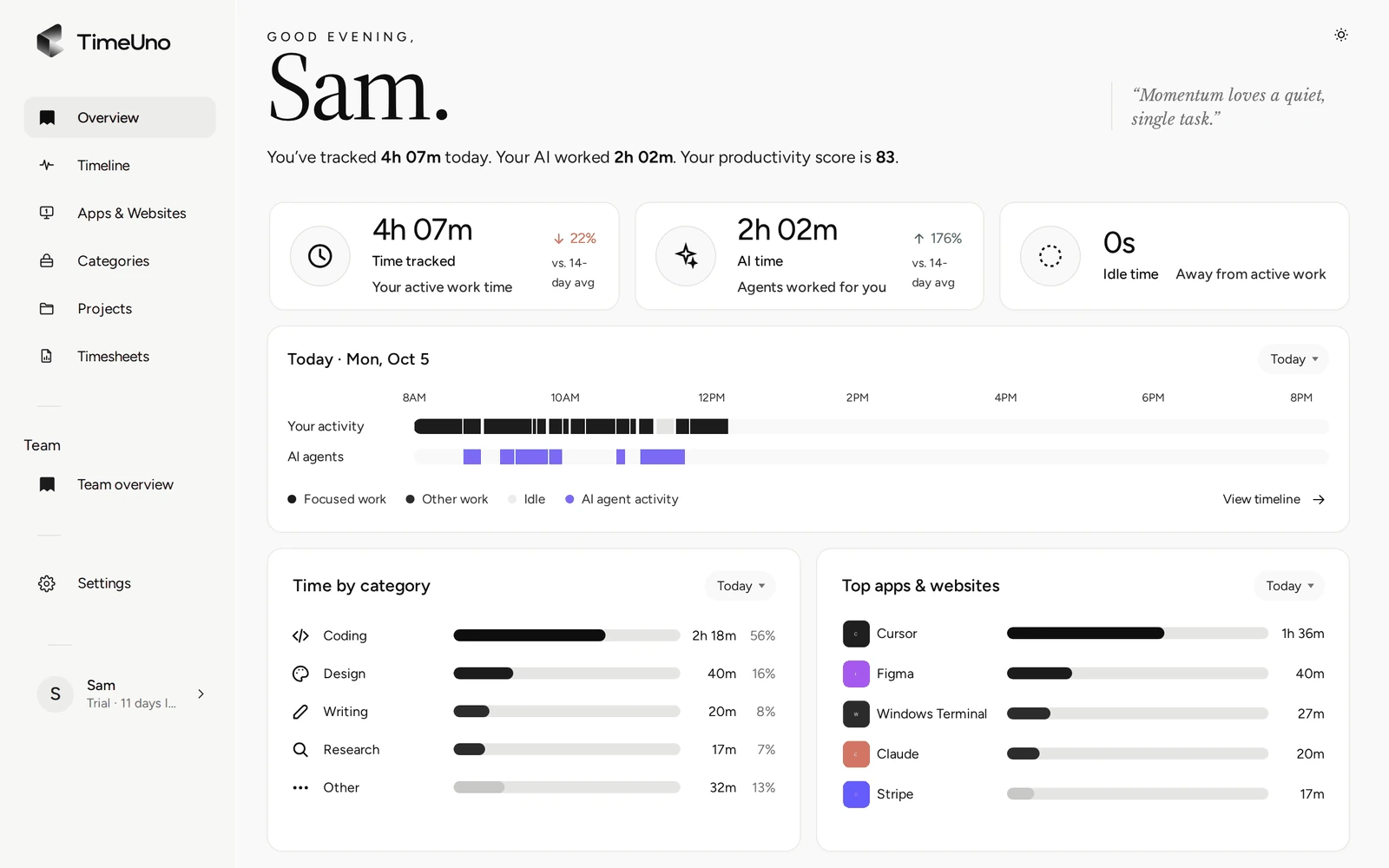
The Overview is the page you open when you want the answer. It shows the time tracked today, today’s activity as a strip, time by category and your top apps.
A weekly review in ten minutes
A daily glance is fine, but the useful habit is a short review once a week. Friday afternoon or Monday morning both work. Open the Overview and ask three questions.
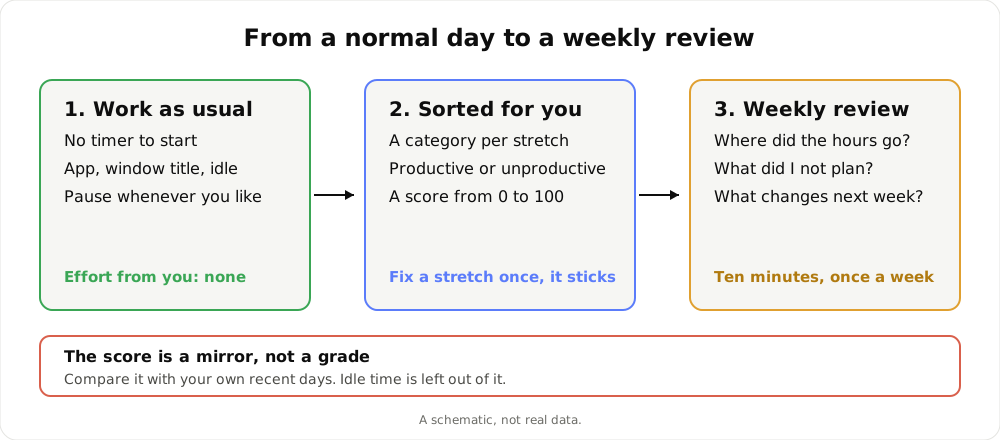
A schematic of the loop. It is not real data.
1. Where did the hours go? Look at time by category. Is it the split you would have guessed? If you are a writer and writing is the third biggest bar, that is worth knowing.
2. What did I not plan? Look at the top apps and the days with the most email, chat or browsing. These are the hours that came from other people’s priorities, or from your own habits.
3. What changes next week? Pick one thing. A block of the morning with chat closed. One meeting declined. A task you will start earlier. One change is easier to keep than five.
Do it again next week and compare. Because the same categories are used every time, the weeks line up without any extra work from you.
Fixing the record in a minute
No tool guesses right every time. A site that is work for you and a distraction for someone else will be sorted by default, and sometimes the default is wrong.
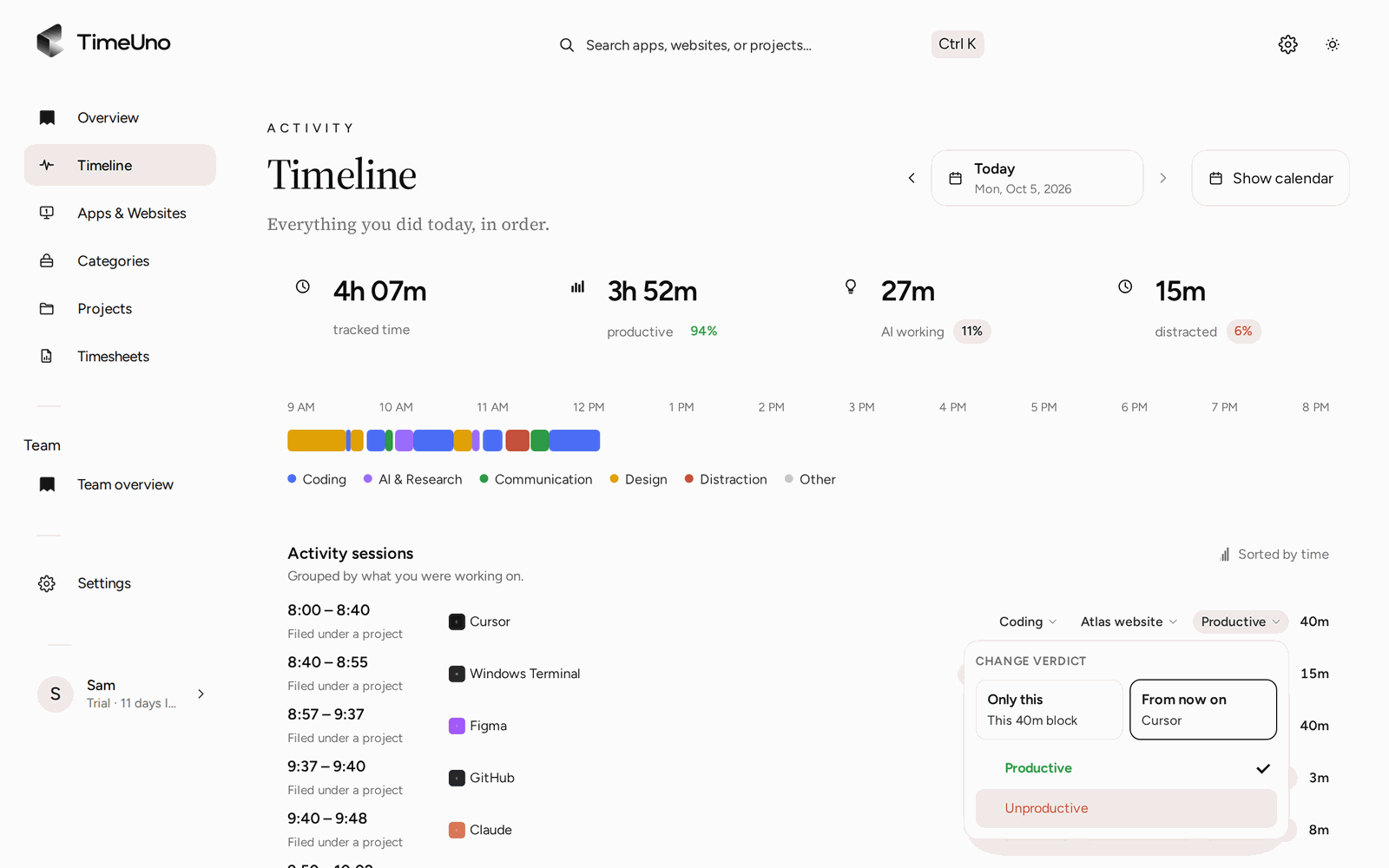
The Timeline shows your day as sessions, each with its verdict. You set the verdict, Productive or Unproductive, and correct a stretch where the label is off. TimeUno remembers corrections and turns them into rules, and your rules win over the built-in defaults.
A few minutes of corrections in the first week is usually enough. After that the weekly review gets quicker, because the sorting already matches how you think about your work. The corrections are yours: the verdict is your call, and TimeUno does not reassign anything on its own.
The productivity score as a personal mirror
TimeUno gives each day a productivity score from 0 to 100. It weighs each stretch by how long it lasted: deep work counts most, engaged work a little less, distractions least. Idle time is left out, so a coffee break does not lower it.
Read it as a mirror. A score of 70 means little on its own. A run of 70s that drops to 45 on the week of the deadline, or the week of the office move, tells you something about that week. Compare you with you.
Two cautions keep it honest:
- A low score is not a failure. A day of calls and email is real work and may be exactly the job.
- A high score is not the goal. Rest and thinking away from the screen do not show up, and they matter.
If you want the full explanation of how the score and verdicts work, see the productivity tracker page. If your question is about apps and sites in particular, the screen time tracker page covers that.
Pausing, and what stays private
Tracking your own time should not feel like being watched, even by yourself. So you control it.
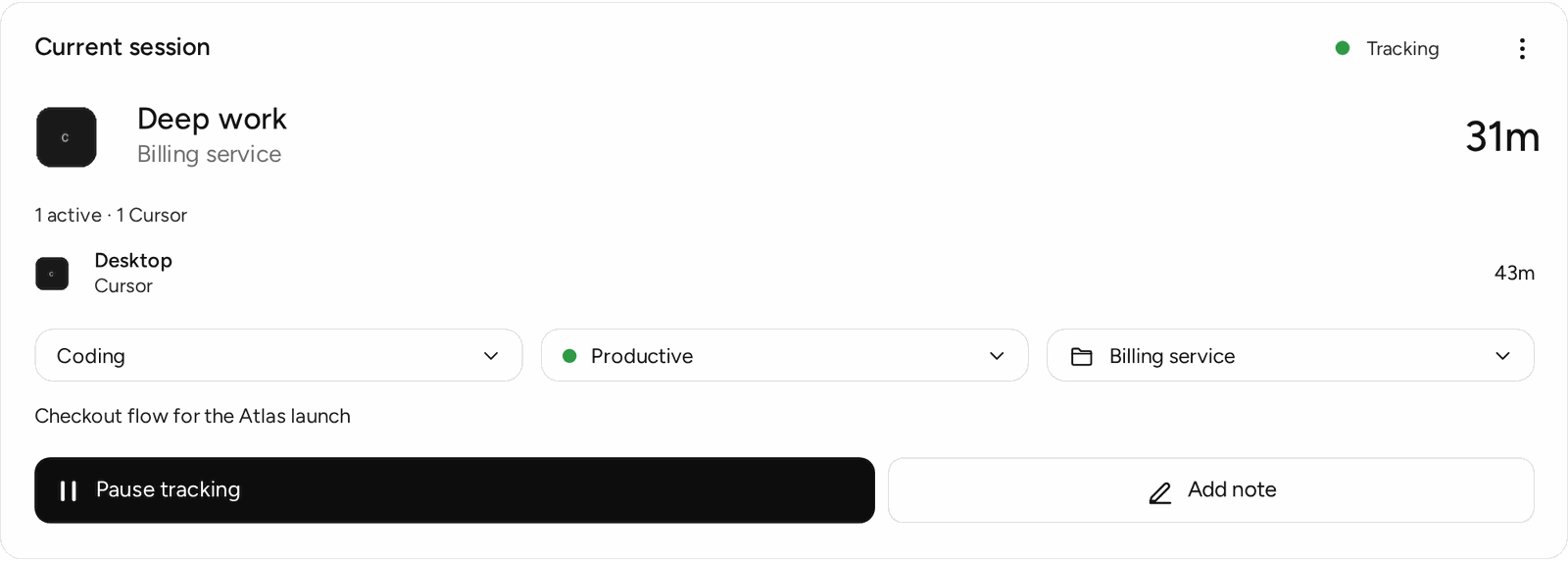
From the desktop widget you can pause for 15 minutes, 30 minutes, 1 hour or until you resume. The same Pause is in the app window and the tray menu. The extension popup pauses the browser, and the desktop app too once the two are linked. On the Overview page, the current session card can pause or resume the desktop app remotely, with the same choices. While paused, the widget shows when tracking will start again. The docs say a paused computer records nothing about your screen and sends nothing until you resume.
Beyond pausing:
- On-screen text is on by default. The desktop app reads the text in the window you are using, on your computer, to see what you are working on. Screenshots never leave your computer. The text is deleted once your time is sorted.
- You can turn it off per computer, in Settings under Privacy, or skip chosen apps and windows with the never-read list. With it off, only app names and window titles are recorded.
- Password managers and private or incognito windows are always skipped.
- The browser extension sends the site, address, title and up to 4,000 characters of visible page text. On AI sites that text may include your prompts and answers.
The details are in the pause and capture docs. If you plan to use TimeUno on a team, admins see worked time, productivity score and AI usage per person, never apps, sites, window titles or screenshots.
If the time is also work for someone else
You may start for yourself and later need more. The same record can feed projects, a client list and timesheets, exported as CSV or PDF. That is a separate step and nothing you have to set up on day one. The time tracker page covers the project side, and automatic time tracking explains how the recording works.
What it will not do
- It tracks time at a computer. It does not see a walk, a call you took on your phone or paper work. There is no mobile app.
- It does not coach you. It shows the record and leaves the decision to you.
- It has no free plan. There is a 14-day trial, with a card added at the start, and then $14.99 a month, or $10.49 a month billed yearly.
If one honest week of data would settle an argument with yourself, start the trial and run the review above on Friday.
Updated 28 October 2026
Questions people ask
How do I track my time without remembering to start a timer?
Install the desktop app and work as usual. TimeUno records the app in front of you, the window title and idle time on its own, then sorts each stretch into a category. There is no timer to start or forget.
Do I need to bill clients to get value from it?
No. Billing is optional. Many people use the Overview and the Timeline only to see their own day: time per category, top apps and a productivity score. Projects, clients and timesheets are there if you ever need them.
Can I stop it from recording for a while?
Yes. In the desktop widget choose Pause, then 15 minutes, 30 minutes, 1 hour or until you resume. You can also pause from the app window, the tray menu, the extension popup or the Overview page. A paused computer records nothing about your screen and sends nothing until you resume.
What does the productivity score mean?
It is a number from 0 to 100 for your day, weighted by how long each stretch lasted. Idle time is left out. Treat it as a mirror to compare with your own recent days, not as a grade.
Is there a free version, or a phone app?
No to both. TimeUno has a 14-day trial, then costs $14.99 a month, or $10.49 a month billed yearly. It runs on macOS and Windows, with Linux in testing, and has no mobile app.