

Time tracking tools Time tracking tools: five types, and which one fits your work.
Most lists of time tracking tools compare products. This one compares categories first, because the category decides how much of the tracking you still do yourself. TimeUno is one of them, and it does not fit everyone.
Start 14-day trial 14-day trial, then $14.99 a month
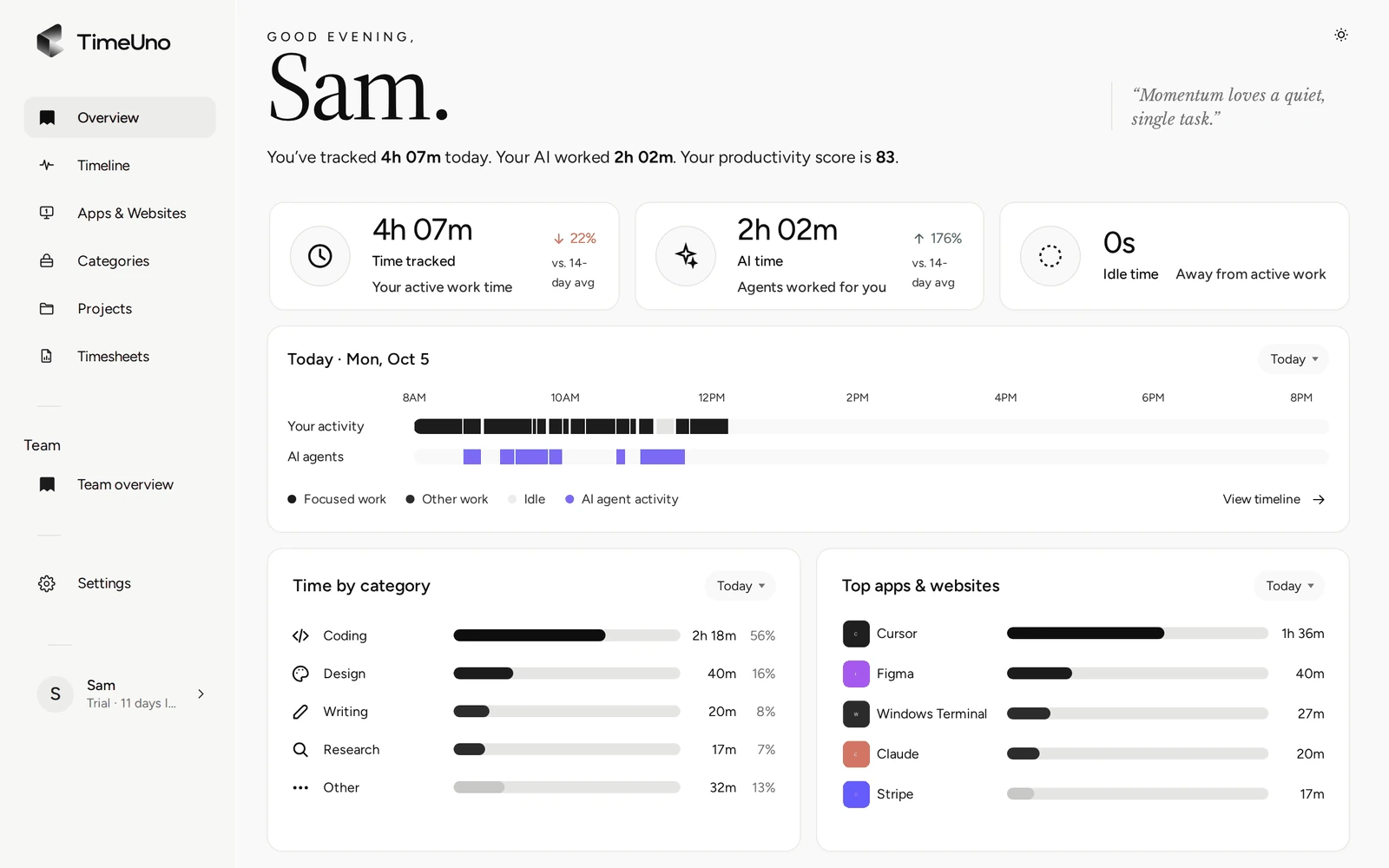
Start with the category, not the product
Search for time tracking tools and you get long lists of products that look alike on a pricing page. They differ more in one question than in any feature: who has to remember to record the time?
- If you do, you will lose some hours. Everyone does.
- If the tool does, you trade some control for completeness, and you check the result instead of producing it.
This page maps the five kinds of tool by that question. It names no products and makes no claims about specific vendors. Plans and features change, so check any tool’s current pricing before you decide. If you already know you want software and want the product detail, read time tracking software, the time tracking app page or the page on a time tracker with no timer. This one is the buyer’s map.
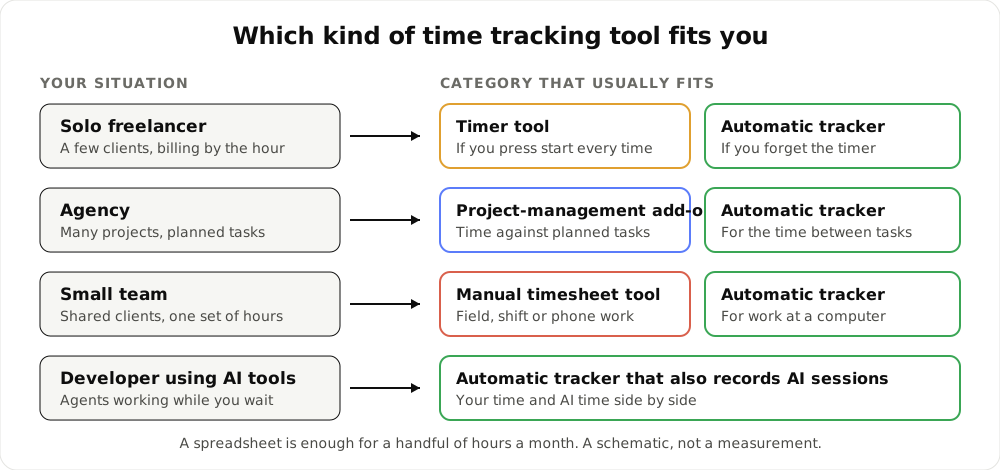
A schematic: your situation on the left, the category that usually fits on the right.
The five categories
1. Timer tools
You press start, work, press stop, and usually pick a project and a note. Good ones add a widget or a keyboard shortcut.
Strong at: being simple and precise about what you chose to track. Weak at: the moments you forget. A timer that ran through lunch, or never started on Tuesday, is wrong in a way nothing flags. Fits: people with a steady habit and few context switches.
2. Manual timesheet tools
You enter hours per day or per task, often at the end of the week, and the tool adds them up, sometimes with approvals.
Strong at: work that never touches a computer, such as field visits or shifts, and at organisations that want one approved sheet per person. Weak at: accuracy, because hours are recalled, not recorded. Fits: teams who need a formal weekly submission and are fine with estimates.
3. Automatic trackers
A background app records what you do on the computer and sorts it into projects. You review the day, correct stretches that landed in the wrong place and build timesheets from what is left.
Strong at: completeness and zero start buttons. Weak at: anything away from the computer, and at the first week, when rules for projects are still being learned. Fits: people who work at a screen most of the day and bill or report by project.
4. Project-management add-ons
Task and project software with a time field or timer on each task. Time lives next to the work item.
Strong at: linking hours to planned tasks and estimates, which matters when the plan is the product. Weak at: the time between tasks, and at people who work across several boards. Fits: teams who already live in one project tool and want light time data there.
5. Spreadsheets
A template, columns for date, start, end, break and total. See the free timesheet template and timesheet calculator.
Strong at: costing nothing and being understood by everyone. Weak at: scale. Rates, clients and descriptions multiply the work. Fits: a handful of hours a month, or a short project.
Decision matrix by situation
| Situation | Fits first | Why | Watch for |
|---|---|---|---|
| Solo freelancer, few clients | Timer tool, or an automatic tracker | Billing is by the hour, so a missed hour is lost money | A timer is only as good as your memory |
| Agency, many projects | Project add-on plus an automatic tracker | Planned tasks need estimates; the time between tasks needs recording | Two sources of time to reconcile |
| Small team at computers | Automatic tracker | One set of project hours per person, no chasing at week end | Needs desktop apps on each machine |
| Team on shifts or in the field | Manual timesheet tool | Work is away from a screen | Hours are recalled, not recorded |
| Developer using AI tools | Automatic tracker that sees AI sessions | Agents work and wait while you do something else | Check what each tool sends |
| A few hours a month | Spreadsheet | Anything bigger costs more than it saves | Rates and clients grow the sheet |
Where TimeUno sits
TimeUno is an automatic tracker. The desktop app (macOS 11+ and Windows; Linux is in testing) records the app and window title in front of you, idle time and the seconds with any keyboard or mouse input, never what you type. It also reads the project name in an editor. A browser extension adds the site, address and title.
Two details to know before you rely on it. On-screen text reading is on by default and can be turned off per computer. The extension sends up to 4,000 characters of visible page text, and on AI sites that may include prompts and answers.
For the developer row of the matrix, the desktop app also shows when tools such as Claude Code, Cursor and Codex CLI are working, waiting or done. From those it sends metadata only: session times, model, tokens, cost and project folder. Prompts, answers and code stay on your device.
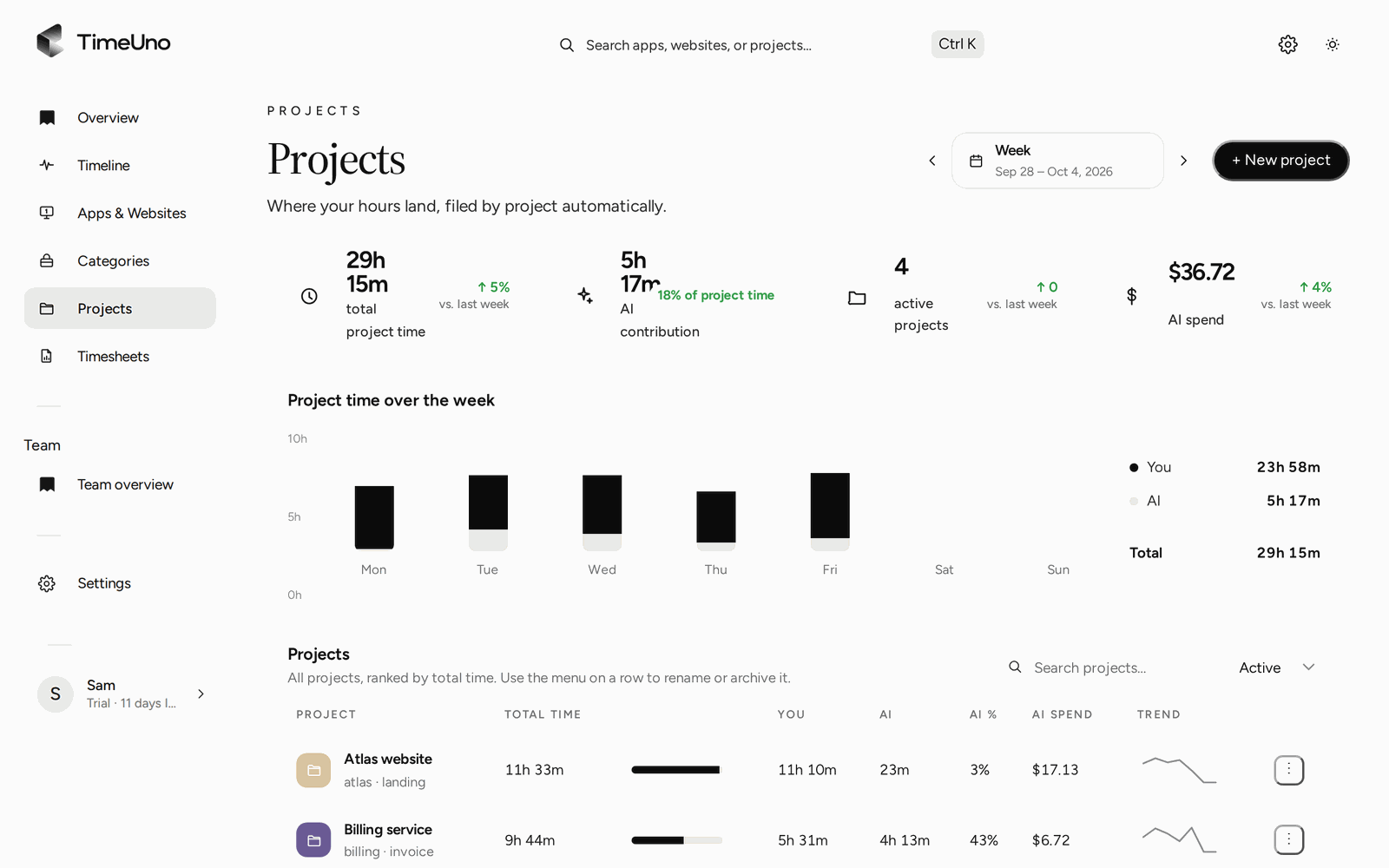
Project time for the week, split between your time and AI time.
From tracked time to a timesheet
TimeUno builds a timesheet from tracked project time for this week, last week or this month, per client. Lines run per day or per work block, and you edit each one. The Write descriptions button asks the AI to draft text you then edit. Mark ready is your sign-off. Repeating drafts (weekly, every two weeks or monthly) mean the next one is waiting.
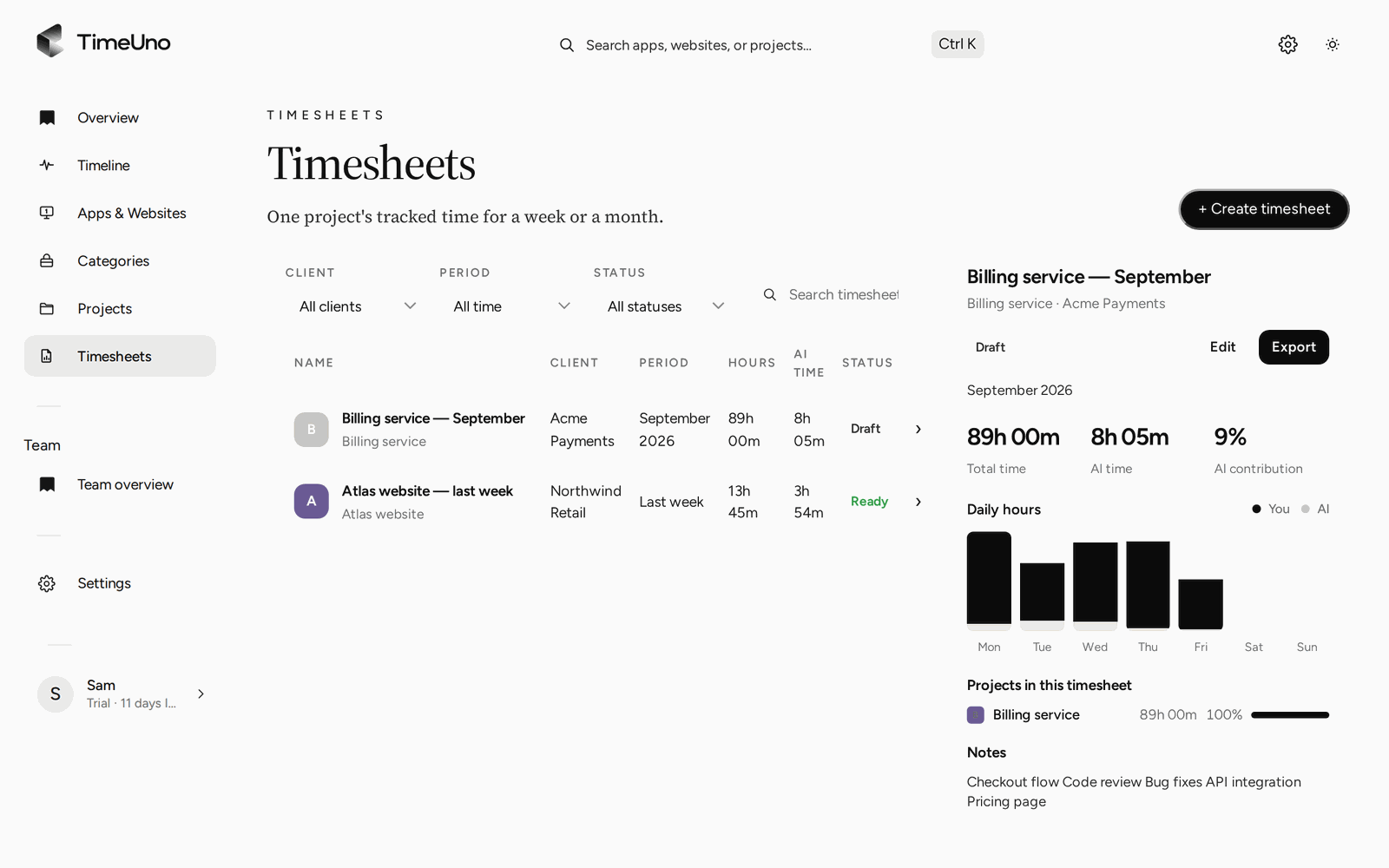
The Timesheets page, with the draft previewed.
Export a CSV or a PDF; the PDF carries your company name, address, tax ID and logo from Settings, Company details. Or send a client approval link with an optional PIN and expiry. The client can approve, reject or request changes.
Owners and admins set currency, a default rate and rounding (none, 6, 15 or 30 minutes) in Settings. Rates sit on a client or project, and per person on Team. Projects bill Hourly, as a Fixed fee or Non-billable. Members see hours only. More in project time tracking and time tracking for freelancers.
Where TimeUno does not fit
- Work away from a computer. There is no mobile app. Field, shift and phone work will not be recorded.
- Looking for a free plan. There is none. Plans start with a 14-day trial; a card is added at the start and charged when the trial ends. Individual is $14.99 a month ($10.49 billed yearly). Team is $19.99 per seat ($13.99 billed yearly).
- Invoicing and accounting. TimeUno does not create invoices, export to Excel or connect to accounting software, and it has no importers from other tools.
- Legal time records. It is not a certified time clock. If your country requires working time records, check local rules and what they ask for.
- Watching staff. On the Team plan, admins see worked time, the productivity score and AI usage per person, never apps, sites, window titles or screenshots. It is not employee monitoring software.
A short way to choose
- Where does your work happen: at a computer, away from it, or both?
- How often did you forget to record time last month?
- Where must the hours end up: a client PDF, a project plan or an internal sheet?
Mostly at a computer, forgetting often, output a timesheet: try an automatic tracker. Otherwise one of the other four serves you better, and that is fine.
To see how automatic trackers compare, read best automatic time trackers in 2026, or TimeUno vs Toggl Track and check their current plans.
Updated 28 October 2026
Questions people ask
What are the main types of time tracking tools?
Five. Timer tools you start and stop, manual timesheet tools where you type hours, automatic trackers that record in the background, project-management add-ons that log time on tasks, and plain spreadsheets.
Which type is best for a freelancer?
If you reliably start a timer, a timer tool is simple and cheap. If you forget, or you bill by the hour across several clients, an automatic tracker removes the forgetting. A spreadsheet works for a handful of hours a month.
Which type fits shift or field work?
Manual timesheet tools or a clock-in tool built for that. TimeUno records work at a computer on macOS and Windows and has no mobile app, so it does not suit work away from a desk.
Where does TimeUno fit?
It is an automatic tracker. The desktop app records the app and window title in front of you, idle time and input seconds, files the time under projects and builds editable timesheets. Plans start with a 14-day trial; a card is added at the start.
Does an automatic tool replace timesheets?
No. It builds the draft from tracked time, and you edit lines and mark it ready. Timesheets export as CSV or PDF. TimeUno does not create invoices.