

Time tracking software Time tracking software that fills in the hours for you.
TimeUno records the app or site in front of you, files the time under your projects and turns the week into an editable timesheet. One plan for a single person, one for a team.
Start your 14-day free trial 14-day trial, then $14.99 a month
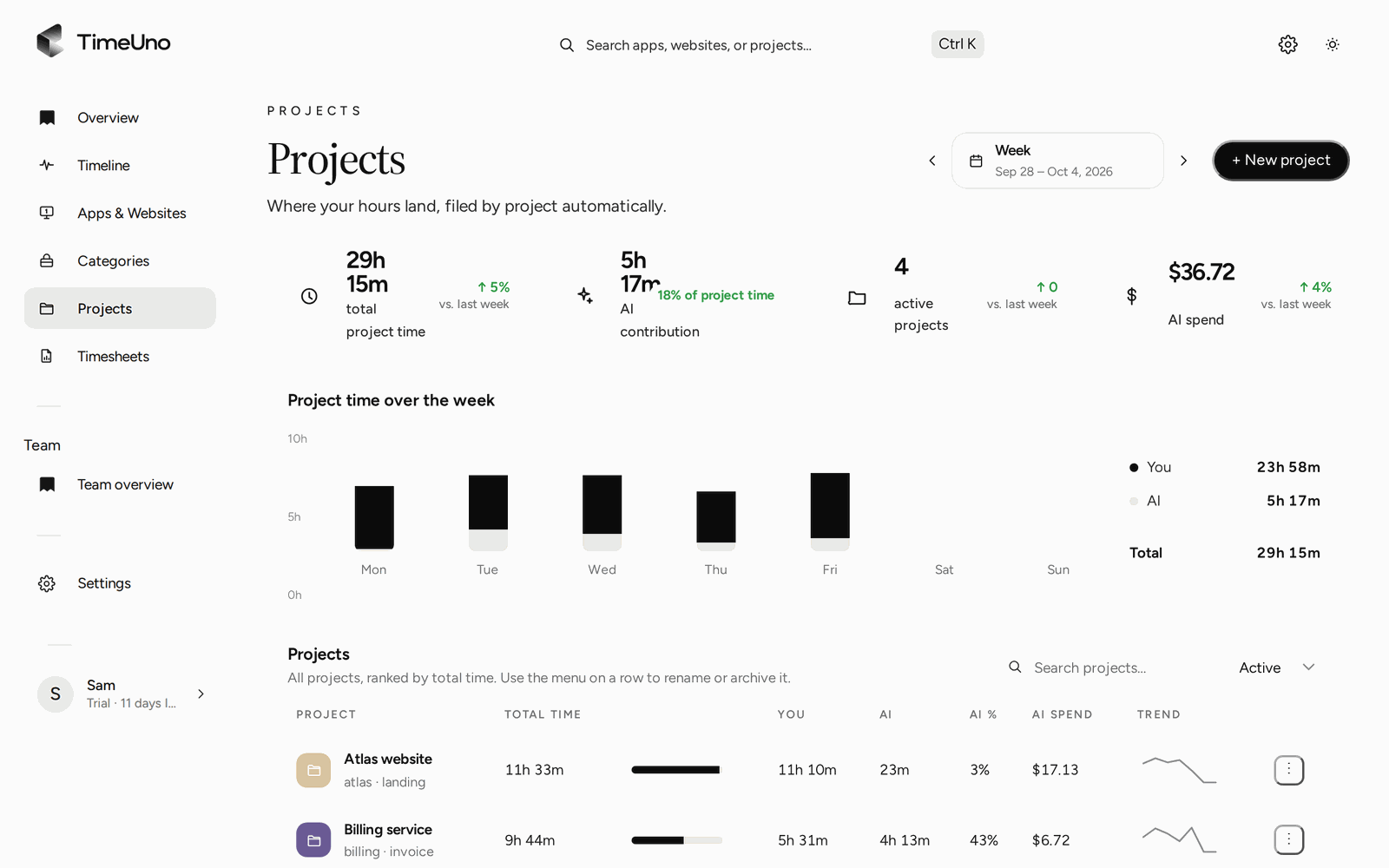
Why software beats a spreadsheet and a timer
A spreadsheet needs you to type. A timer needs you to press a button. Both depend on memory, and memory is the weak part. Time tracking software earns its price when it captures hours you would have lost.
An example, with round numbers: forget to log 30 minutes a day and you lose 2.5 hours a week, about 10 hours a month, from your timesheet. That is an illustration, not a measurement of TimeUno users.
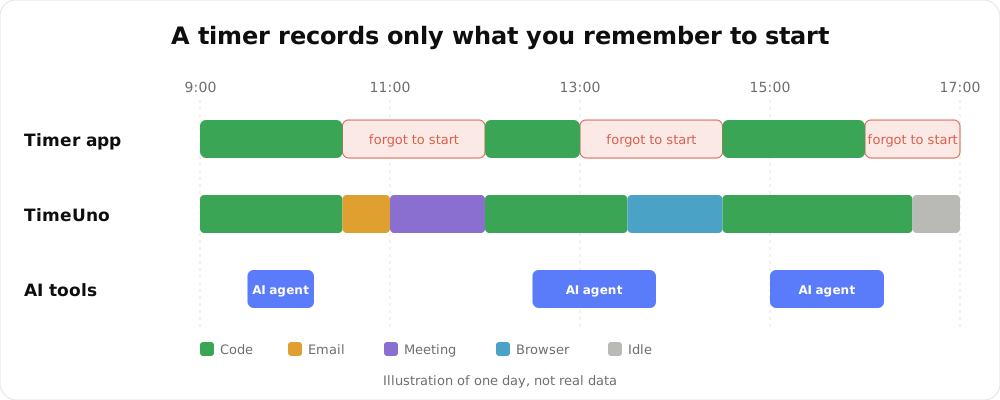
An illustration of one day, not real data.
What you get
- Automatic recording of the app, window and site in front of you, with idle time left out.
- Projects and categories filled in from your editor and your rules.
- AI tool time from Claude Code, Cursor and Codex CLI on its own row, next to yours.
- Timesheets with one row per day, editable, downloaded as CSV or PDF.
- A team overview with worked time, productivity score and AI usage per person.
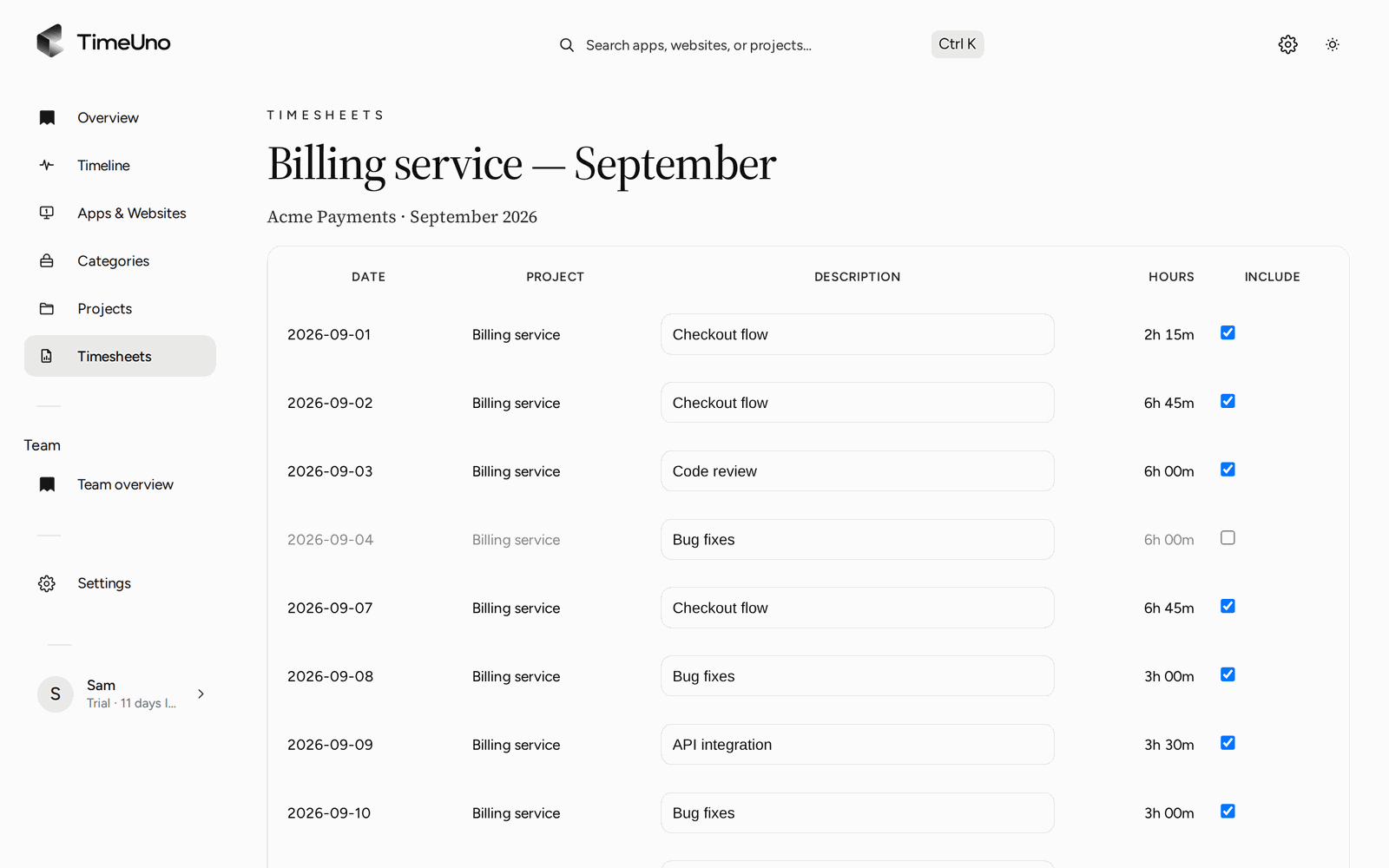
Edit descriptions, untick days and download the CSV or PDF.
Individual or Team
| Individual | Team | |
|---|---|---|
| Price | $14.99 a month, $10.49 billed yearly | $19.99 per seat a month, $13.99 billed yearly |
| Trial | 14 days | 14 days |
| Tracking | Your own computers | Each member’s computers |
| Who sees what | Only you | Admins see worked time, productivity score and AI usage per person |
| Apps, sites, window titles, screenshots | Visible to you | Visible only to the person |
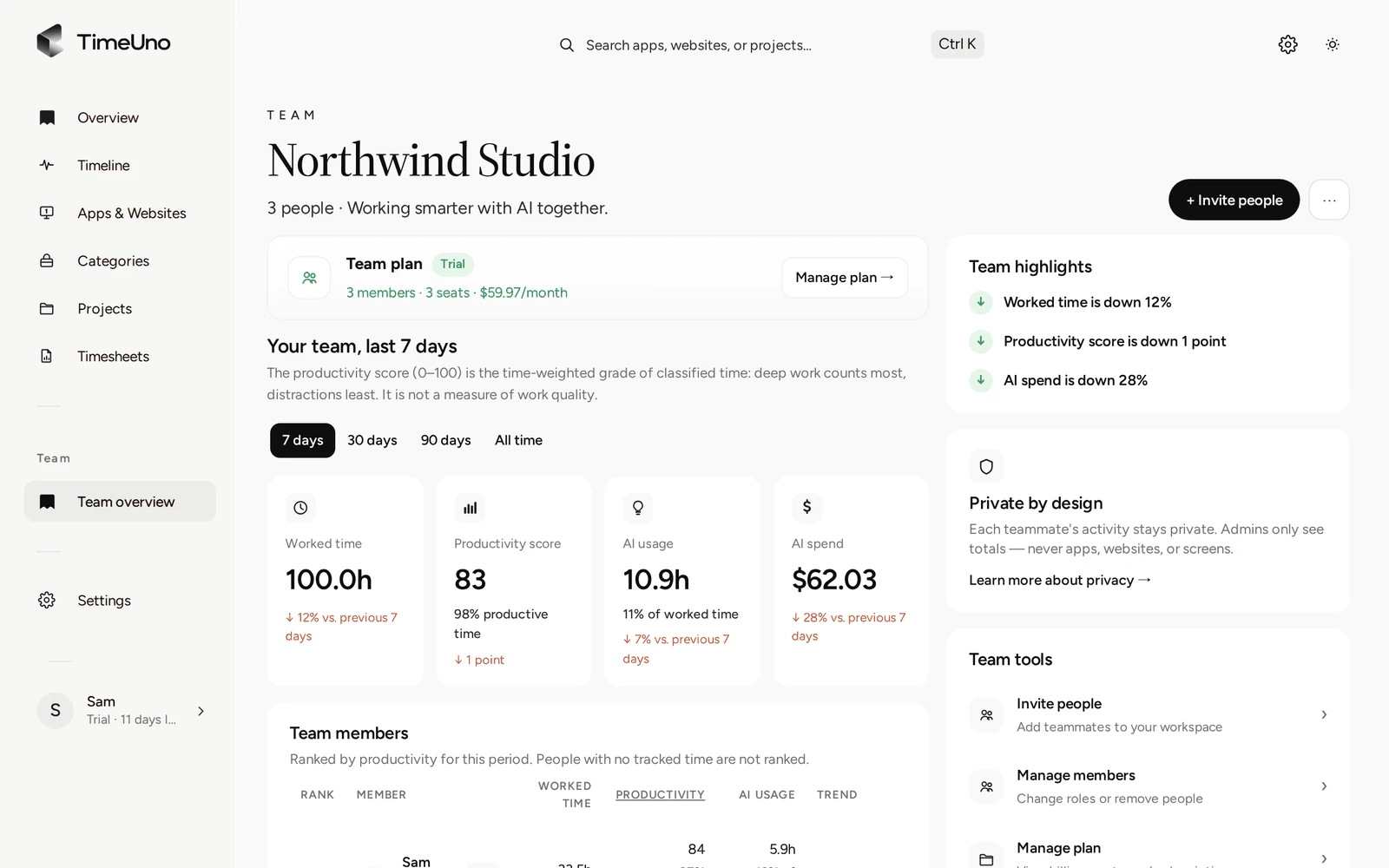
Admins get totals per person, nothing that shows what someone looked at.
How to evaluate time tracking software
Score every candidate on the same six points before you pay.
| Question | Why it matters |
|---|---|
| Does it need a start button? | Forgotten timers are the main source of missing hours |
| Where does it run? | Check your operating system and whether you need a mobile app |
| Can you edit the output? | You will want to fix a wrong stretch before you send a timesheet |
| How do you export? | TimeUno exports CSV and PDF, not Excel. Check that your tool takes what you need |
| What leaves your computer? | Ask for the list of what is recorded and sent |
| What does an admin see? | In a team, this decides whether people accept the tool |
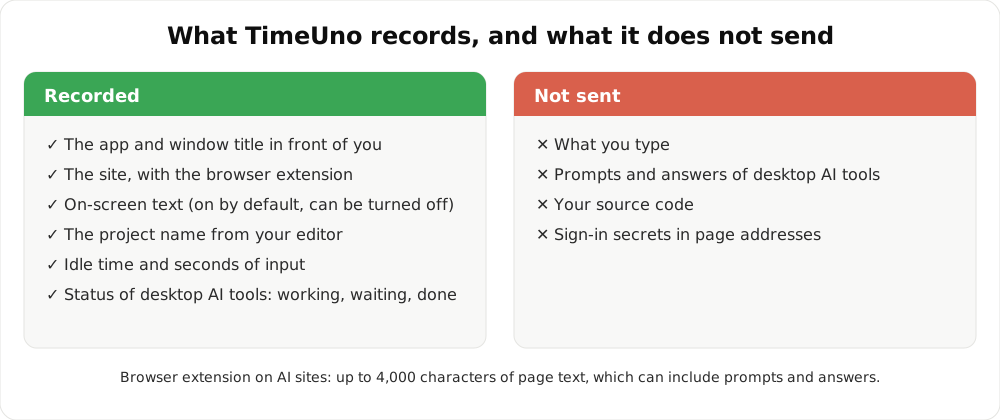
Your typing, your source code and the prompts and answers of desktop AI tools never leave your device.
Where it does not fit
If most of your work is away from a computer, on a site or in a vehicle, you need a clock-in app on a phone. If you need shift scheduling, payroll or a certified time clock, use a dedicated tool. TimeUno is for work done at a computer.
See the best time tracking apps compared if you are still choosing.
Updated 28 October 2026
Questions people ask
How much does the time tracking software cost?
Individual is $14.99 a month, or $10.49 a month billed yearly. Team is $19.99 per seat a month, or $13.99 per seat billed yearly. Both start with a 14-day trial, and there is no free plan.
Is it software for freelancers or for teams?
Both. A freelancer uses the Individual plan to track projects and build timesheets. A team uses the Team plan, where each member is one seat and admins see an overview per person.
What can a team admin see?
Worked time, productivity score, AI usage and the trend per person. Never apps, sites, window titles or screenshots. TimeUno is not employee monitoring software.
Does it integrate with my invoicing tool?
No direct integrations. Timesheets export as CSV or PDF. Open the CSV in a spreadsheet or import it into your invoicing tool. TimeUno can show amounts from your rates, but it does not create invoices.
Does it work on a phone?
No. There is a desktop app for macOS and Windows (Linux is in testing), a browser extension and an agent for servers. There is no mobile app.
Is it a certified time clock?
No. TimeUno records work at a computer. It does not claim to meet any legal requirement for working time records.