

Free timesheet app A free timesheet app: when a spreadsheet is enough and when it is not.
TimeUno has no free plan, only a 14-day trial. The timesheet template and calculator on this site are free. Here is how to choose between filling a sheet yourself and having one built.
Start 14-day trial 14-day trial, then $14.99 a month
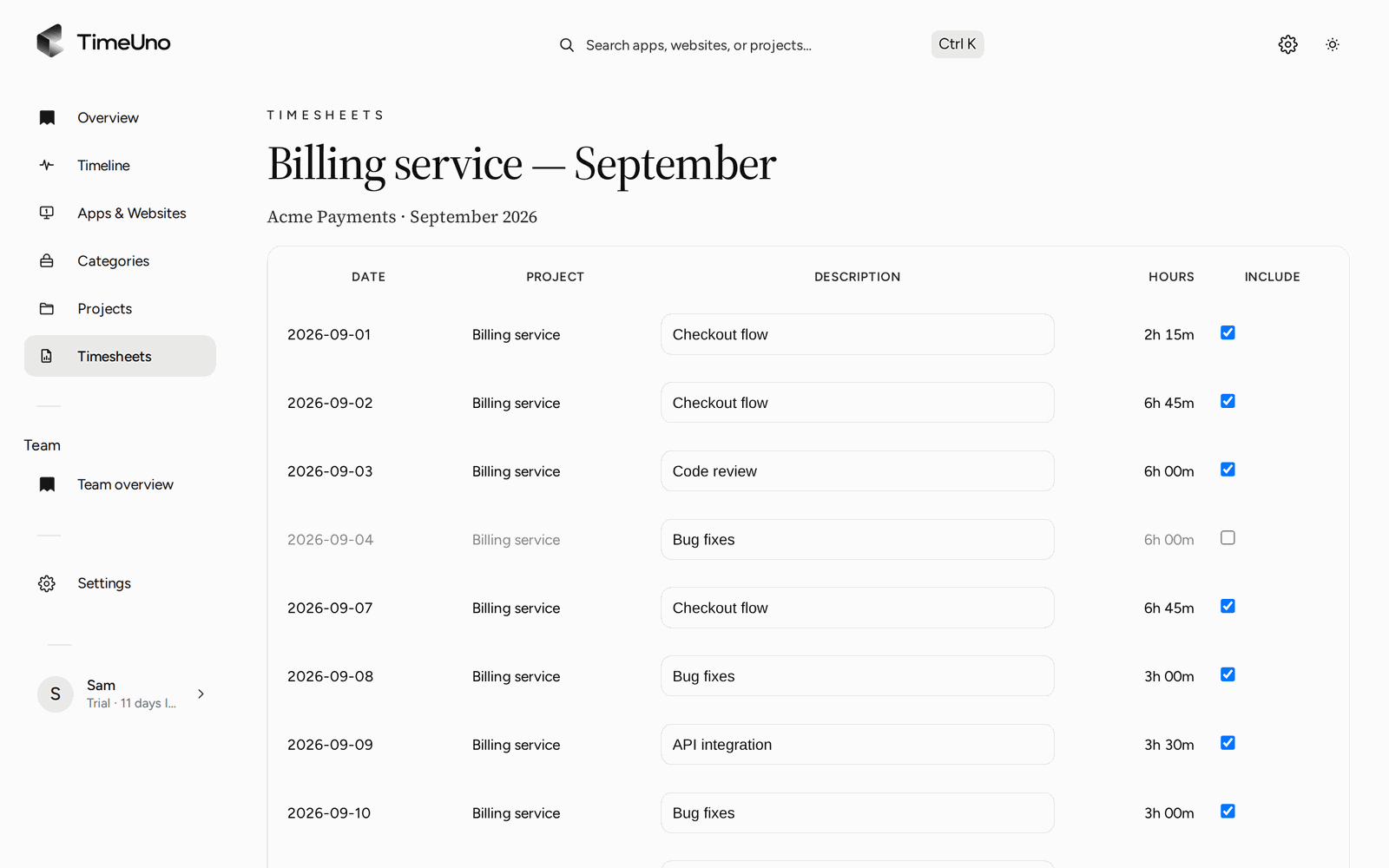
Free where it counts, and honest where it does not
You searched for a free timesheet app. Two things on this site are free: the timesheet template and the timesheet calculator. TimeUno itself is not free. It has a 14-day trial, then Individual is $14.99 a month ($10.49 a month billed yearly) and Team is $19.99 per seat ($13.99 billed yearly). A card is added when the trial starts.
So the useful question is not free or paid. It is whether the time you spend producing timesheets is worth more than the plan. For some people it is not, and then the free sheet wins.
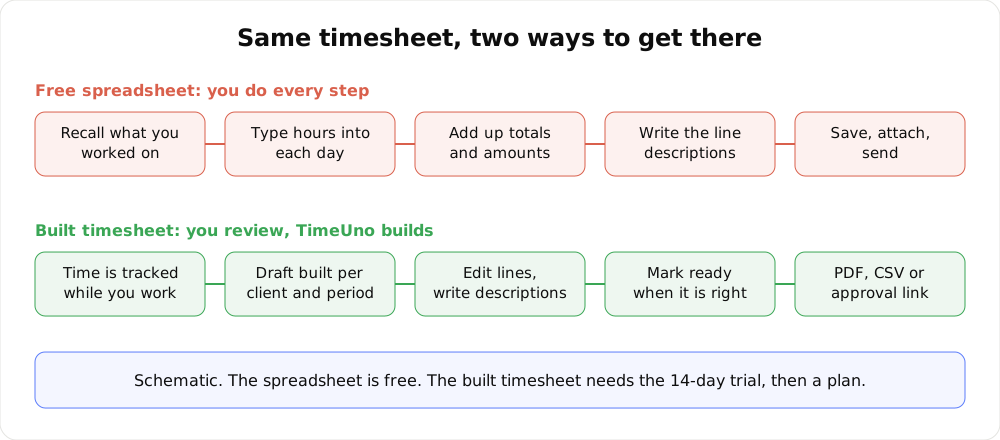
The same end product. In one row you do the work, in the other you review it.
When a free spreadsheet is enough
A sheet is a fair tool when most of these are true:
- You have one employer or one or two clients.
- You write your hours down on the same day, or you are happy to reconstruct them.
- Whoever receives it wants a total, not a breakdown by project or task.
- You do not bill at different rates for different work.
In that case, use the template for the layout and the calculator to turn start, end and break times into daily hours and a weekly total. Both start from hours you already know. Neither records anything.
When the sheet becomes the expensive part
The cost of a free sheet is your time. It shows up in a few places:
- Friday reconstruction. You work out Tuesday from a calendar and a guess.
- Several clients and rates. Each one needs its own sheet, its own total and its own amount.
- Descriptions. Clients want to see what the hours were for, and writing that from memory is slow.
- Repetition. Every week or month you do it again.
None of this is hard. It is just recurring, and recurring work has a price you can calculate.
Work out your break-even
You need three numbers.
- Hours a month you spend filling and fixing timesheets by hand. Include the recall, typing, totals and sending.
- What an hour of your time is worth. Use your billable rate if you bill by the hour.
- The plan price. $14.99 a month, or $10.49 billed yearly.
The formula:
Break-even minutes a month = plan price ÷ your hourly rate × 60
If a built timesheet saves you more minutes than that, the plan costs less than the time. The rates below are examples; replace them with your own.
| Example hourly rate | Break-even at $14.99 a month |
|---|---|
| $25 | about 36 minutes saved |
| $50 | about 18 minutes saved |
| $90 | about 10 minutes saved |
A built timesheet does not take you to zero minutes. You still read the draft and fix lines. Subtract that review time from your estimate before you compare. If the result is under the break-even for your rate, stay with the free sheet. That is a good outcome.
The real timesheet flow
Here is what the app does, step by step, so you can judge it against your own routine.
1. Time is tracked. The desktop app (macOS 11+ and Windows; Linux is in testing) records the app and window title in front of you, idle time and seconds with keyboard or mouse input, never what you type. Projects come from the editor project or from keywords you add.
2. A draft is built. Pick a client and a period: this week, last week or this month. TimeUno builds a timesheet from the tracked project time, with one line per day or per work block.
3. You edit the lines. Change hours, move time between lines or write the description yourself. The Write descriptions button asks the AI to draft them, and you edit the result.
4. You mark it ready. Mark ready is your sign-off that the lines are correct. Repeating drafts (weekly, every two weeks or monthly) mean the next one is waiting when the period ends.
5. It leaves as PDF, CSV or an approval link. Export a PDF with your company name, address, tax ID and logo from Settings, Company details, or a CSV. Or share a client approval link, with an optional PIN and expiry. The client can approve, reject or request changes.
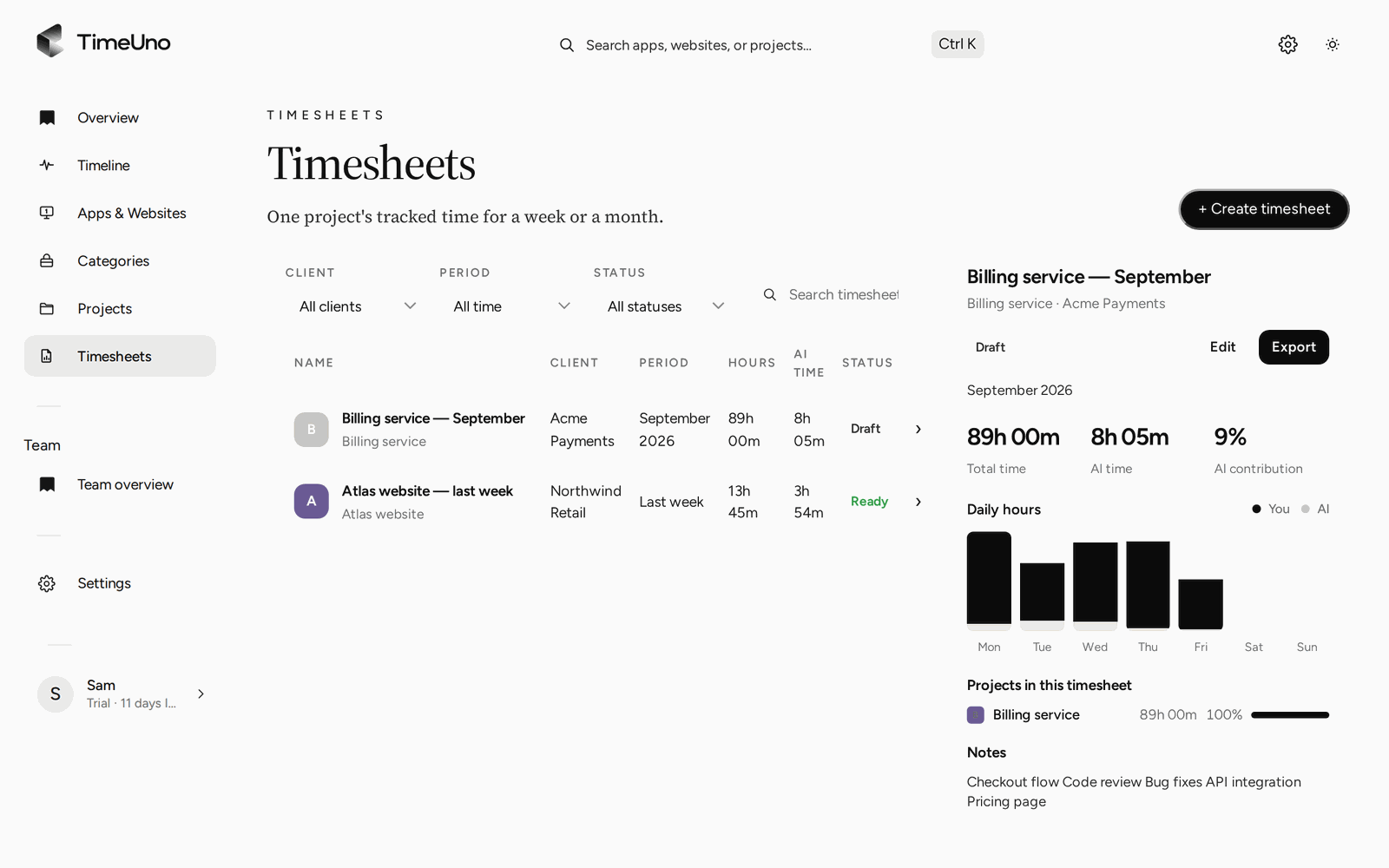
The Timesheets page: filter by client, period and status, and preview each one.
Rates and amounts
Owners and admins set the currency, a default rate and rounding (none, 6, 15 or 30 minutes) in Settings. Rates can be set per client and per project, and per person on a Team plan. A project is billed Hourly, as a Fixed fee or as Non-billable. Timesheets show the amounts, and members only see hours. The Clients list holds each client’s name, contact email and rate.
TimeUno does not create invoices. You take the PDF or CSV to whatever you use for that.
Check the week before it becomes a timesheet
A timesheet is only as good as the time under it. The Projects page shows the week by project, split between your time and AI time. Anything TimeUno cannot place waits under Review unassigned time, so you assign it before the draft goes out.
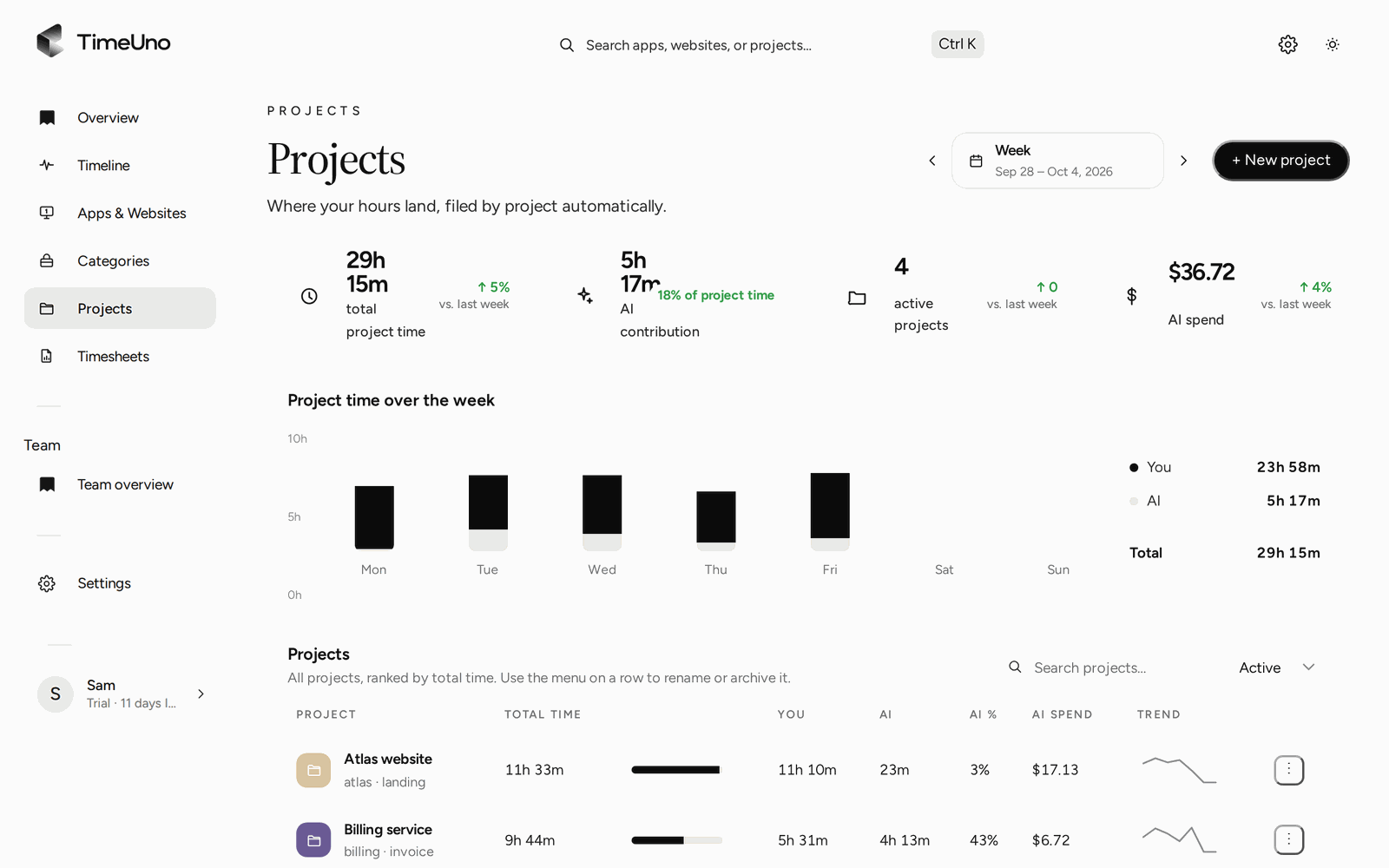
Project time for the week, which the timesheet draws on.
If an AI tool such as Claude Code or Cursor did part of the work, the desktop app sees it as metadata only: session times, working or waiting, model and project folder. Prompts, answers and code stay on your device. The browser extension is different. It sends the site, address, title and up to 4,000 characters of visible page text, and on AI sites that can include prompts and answers.
For the longer walk-through of the product, read the timesheet app page. For how the draft is assembled and what automatic means here, see automatic timesheets. If you are weighing free trackers in general, free time tracker app covers that. For a comparison with another tool, see TimeUno vs Clockify and check their current plans.
Limits
TimeUno has no free plan and no mobile app. It records work on a computer. It has no Excel export, no Clockify or Toggl importer and no accounting integration, and it does not create invoices. It is not a certified time clock and does not make anyone compliant with working time law. Admins on a Team plan see worked time, the productivity score and AI usage per person, never apps, sites, window titles or screenshots.
Updated 28 October 2026
Questions people ask
Is there a free timesheet app from TimeUno?
No. TimeUno has no free plan. Every plan starts with a 14-day trial, a card is added when it starts, and it is charged when the trial ends unless you cancel first. The timesheet template and timesheet calculator are free.
When is a free spreadsheet timesheet enough?
When you have a few clients or one employer, you can write down your hours the same day, and nobody needs more than a total. The sheet then costs you minutes and nothing else.
What does a built timesheet save?
The step of recalling and typing hours. TimeUno builds a draft from time it already tracked, per client and period. You still read and edit it before it goes out.
How do I send a timesheet to a client?
Export it as PDF or CSV, or share a client approval link. The link can have a PIN and an expiry, and the client can approve, reject or request changes.
Can I export a timesheet to Excel?
Not as an Excel file. Timesheets export as CSV, which Excel opens, and as PDF. The PDF carries the company name, address, tax ID and logo from Settings, Company details.