

Free time tracker app A free time tracker app: what free covers and where it stops.
TimeUno is not free. It has a 14-day trial, and the timesheet template and calculator are free. Here is how to pick between a free tracker, those free tools and a paid automatic one.
Start 14-day trial 14-day trial, then $14.99 a month
The honest answer first
If you searched for a free time tracker app, you want to know what your hours cost to record. For TimeUno the answer is a 14-day trial, then $14.99 a month for Individual ($10.49 a month billed yearly) or $19.99 per seat for Team ($13.99 billed yearly). There is no free plan, and a card is added when the trial starts.
What is free is the paperwork around tracking: a timesheet template and a timesheet calculator. They are useful, and they do a different job from a tracker.
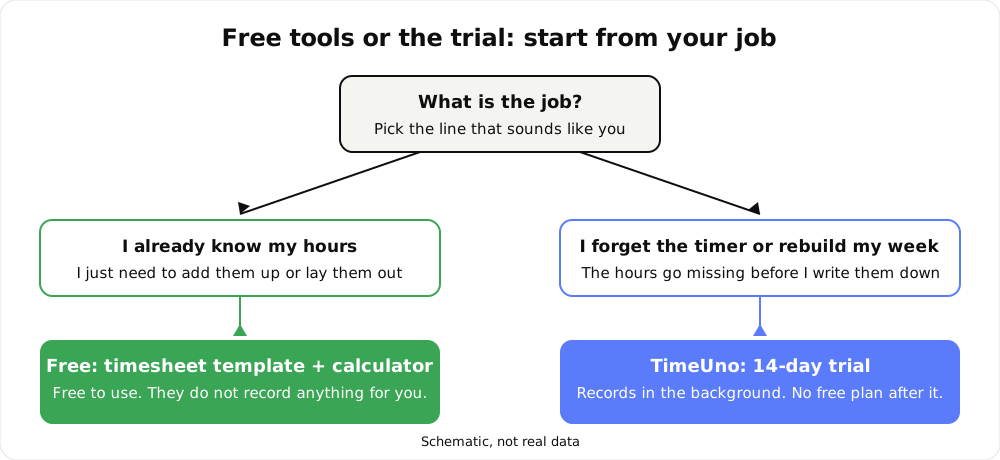
Start from the job, not the price tag.
What is free here
| Free tool | What it does | What it does not do |
|---|---|---|
| Timesheet template | Gives you a sheet to fill in with days, hours and notes | Record anything for you |
| Timesheet calculator | Adds start, end and break times into daily hours, a weekly total and pay | Remember hours you did not enter |
Both start from hours you already have. If you can reliably write down your day, they may be all you need, and you should use them.
What to expect from free time trackers in general
You can judge a free tracker without a feature chart. Ask these questions of any tool, then check its current plan page, because limits change.
- Who starts the clock? Timer tools start with a timer. Anything you forget to start is a gap in your record.
- What is capped? Free plans often limit something: people, projects, history or export. Read the plan before you build a habit on it.
- Can you get the hours out? Your hours should leave as a file you can send or keep.
- Where does the time come from? A tracker that fills itself from computer activity needs very different effort from one that waits for input.
- What happens to your data? Know where it lives and who can see it.
A free timer is a fair choice when you work one task at a time, remember to start it and bill in simple blocks. It stops being enough when your day is many windows, tabs and tools, and the timer is the part that fails.
When an automatic tracker pays off
An automatic tracker costs money but removes the step that goes wrong. TimeUno records the app or site in front of you, adds it up by day and project, and shows idle time apart. You read the hours instead of rebuilding them.
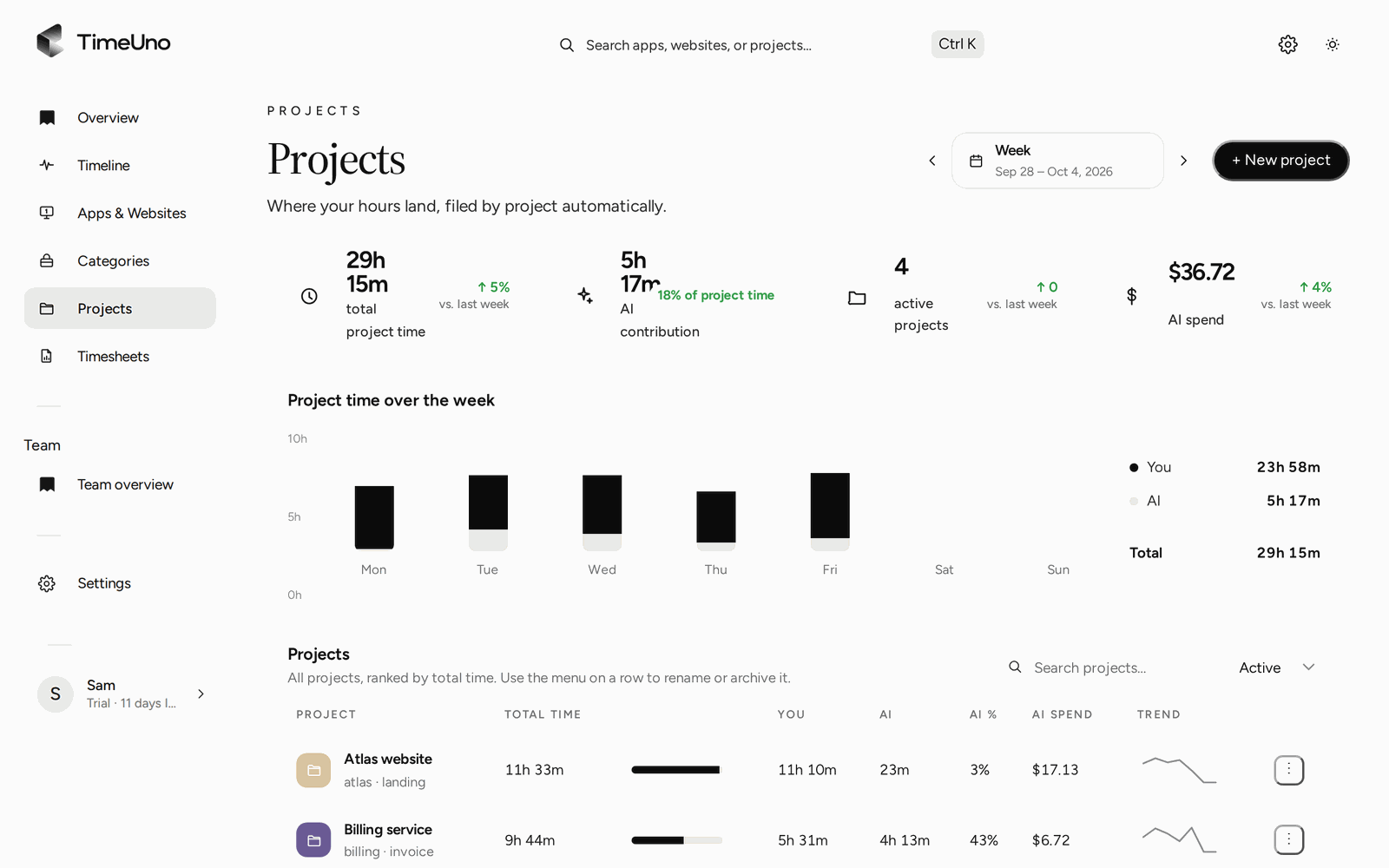
The week by project, built from what was recorded.
Work out your own break-even
You only need three numbers. No statistics are involved.
- Your hourly rate for billable work.
- The billable minutes you lose in a month to forgotten timers or a reconstructed week. Estimate it from your last month: compare what you billed to what you believe you worked.
- The plan price. $14.99 a month, or $10.49 a month billed yearly.
The formula:
Break-even minutes a month = plan price ÷ your hourly rate × 60
If you lose more minutes than that each month, the plan pays for itself in recovered billable time. This table is arithmetic, not a forecast, and the rates are examples to replace with your own.
| Your hourly rate | Break-even at $14.99 a month |
|---|---|
| $30 | about 30 minutes a month |
| $60 | about 15 minutes a month |
| $100 | about 9 minutes a month |
If your own lost time is below the break-even for your rate, a free timer or the free template is the better fit. That outcome is a fair one.
Try it before you pay
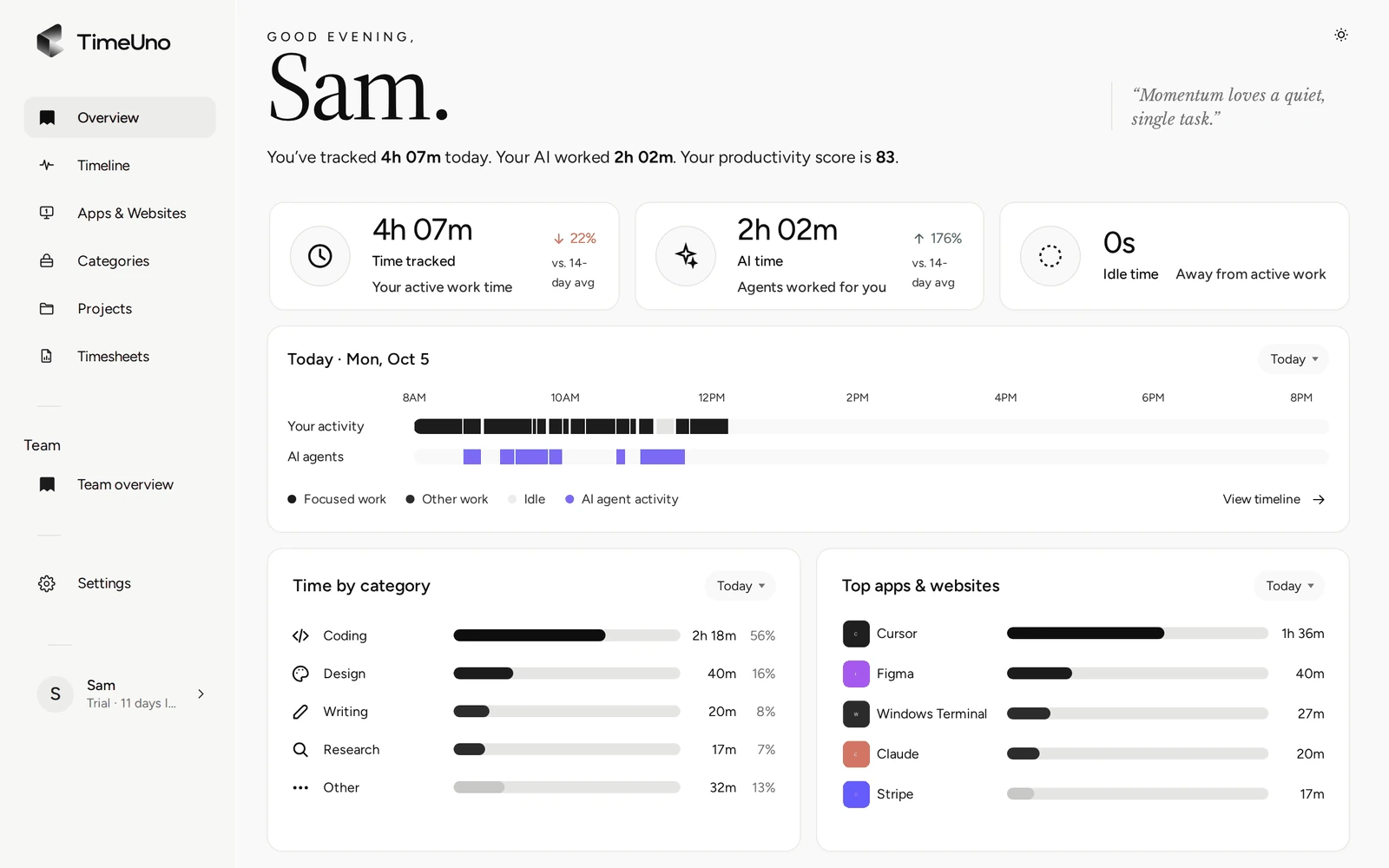
The 14-day trial lets you test the break-even on your real days. The Overview shows tracked time, AI time and idle time, and the day on a strip.
Your day on one page, without starting anything.
When a stretch is placed wrongly, you correct it in two clicks and the correction is remembered as a rule. Time TimeUno cannot place waits under Review unassigned time on the Projects page.
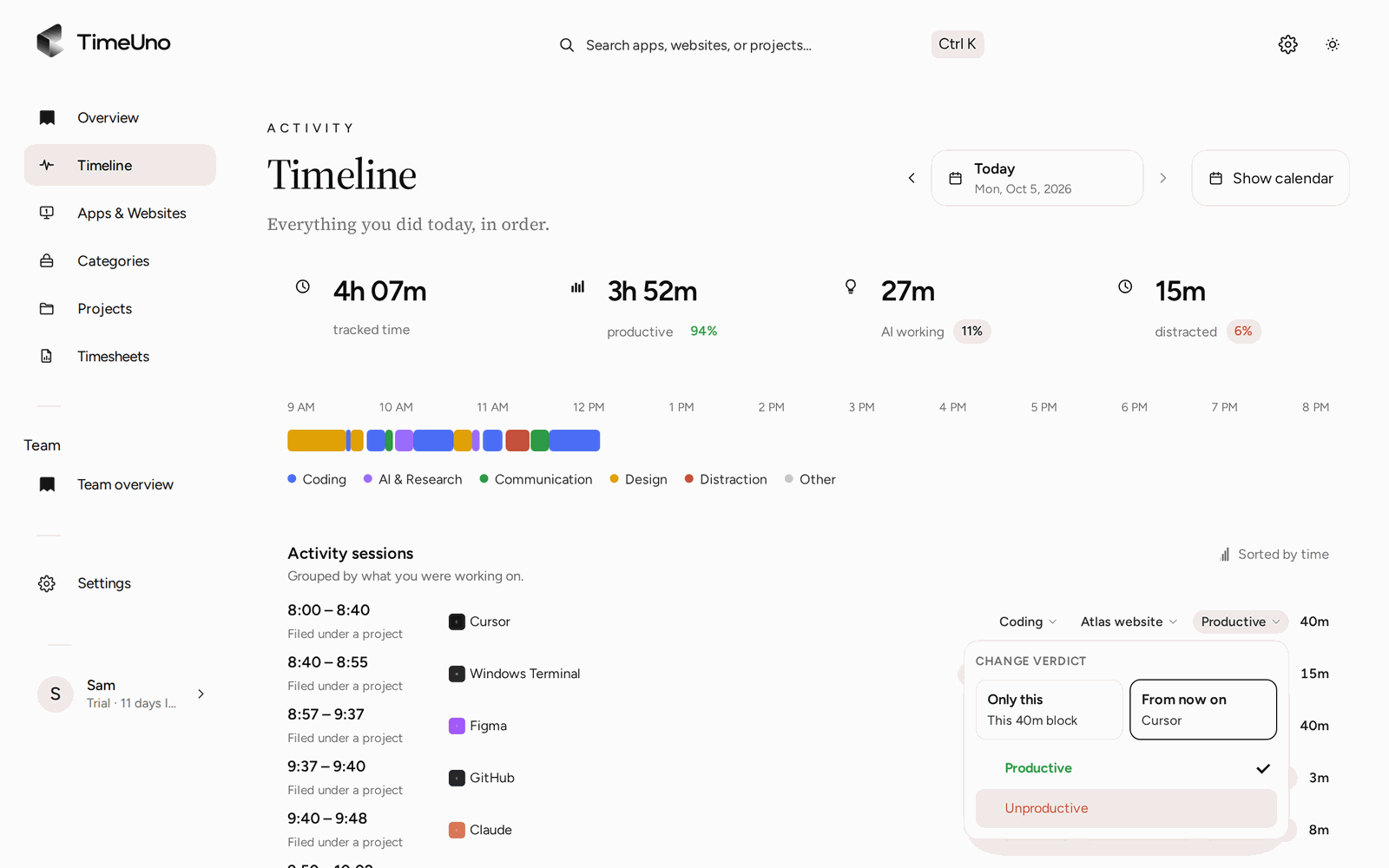
Set a session as Productive or Unproductive for only that stretch or from now on.
From tracked hours to a timesheet
Once hours are tracked, a timesheet is built from them for this week, last week or this month, per client. Set a rate per person, client or project and a billing type (Hourly, Fixed fee or Non-billable). Pick rounding to 6, 15 or 30 minutes if you bill that way. Export as CSV or PDF; the PDF carries your company name, address, tax ID and logo from Settings. There is no Excel export.
Limits
TimeUno has no free plan and no mobile app, and it does not create invoices. It records work on a computer on macOS and Windows (Linux in testing). It is not a certified time clock and does not make anyone compliant with working time law. Check the current plan of any other tool yourself before you compare.
Updated 28 October 2026
Questions people ask
Is TimeUno a free time tracker?
No. There is no free plan. Every plan starts with a 14-day trial. You add a card when you start, and it is charged when the trial ends unless you cancel first.
What is free on this site?
The timesheet template and the timesheet calculator. Neither records your time. They help you lay out and add up hours you already know.
What should I expect from a free time tracker app?
Most free time trackers ask you to start a timer or type hours in by hand. That works while you remember to do it. Check the current plan of any tool you consider for limits on people, projects, history and export.
When is a paid automatic tracker worth it?
When the hours you lose to forgetting or rebuilding cost more than the plan. The worked example on this page shows the arithmetic with your own rate.
Can I cancel during the trial?
Yes. Cancel before the trial ends and the card is not charged. You can export timesheets as CSV or PDF while you try it.
Does TimeUno have a mobile app?
No. The desktop app runs on macOS and Windows (Linux is in testing), and there is a browser extension and a headless agent for servers. It records work on a computer.