

Toggl alternative A Toggl alternative for people who forget to press start.
Toggl Track starts with a timer. TimeUno records what you work on in the background and files it under a project, so a forgotten start button no longer leaves a gap in your week.
Start 14-day trial 14-day trial, then $14.99 a month
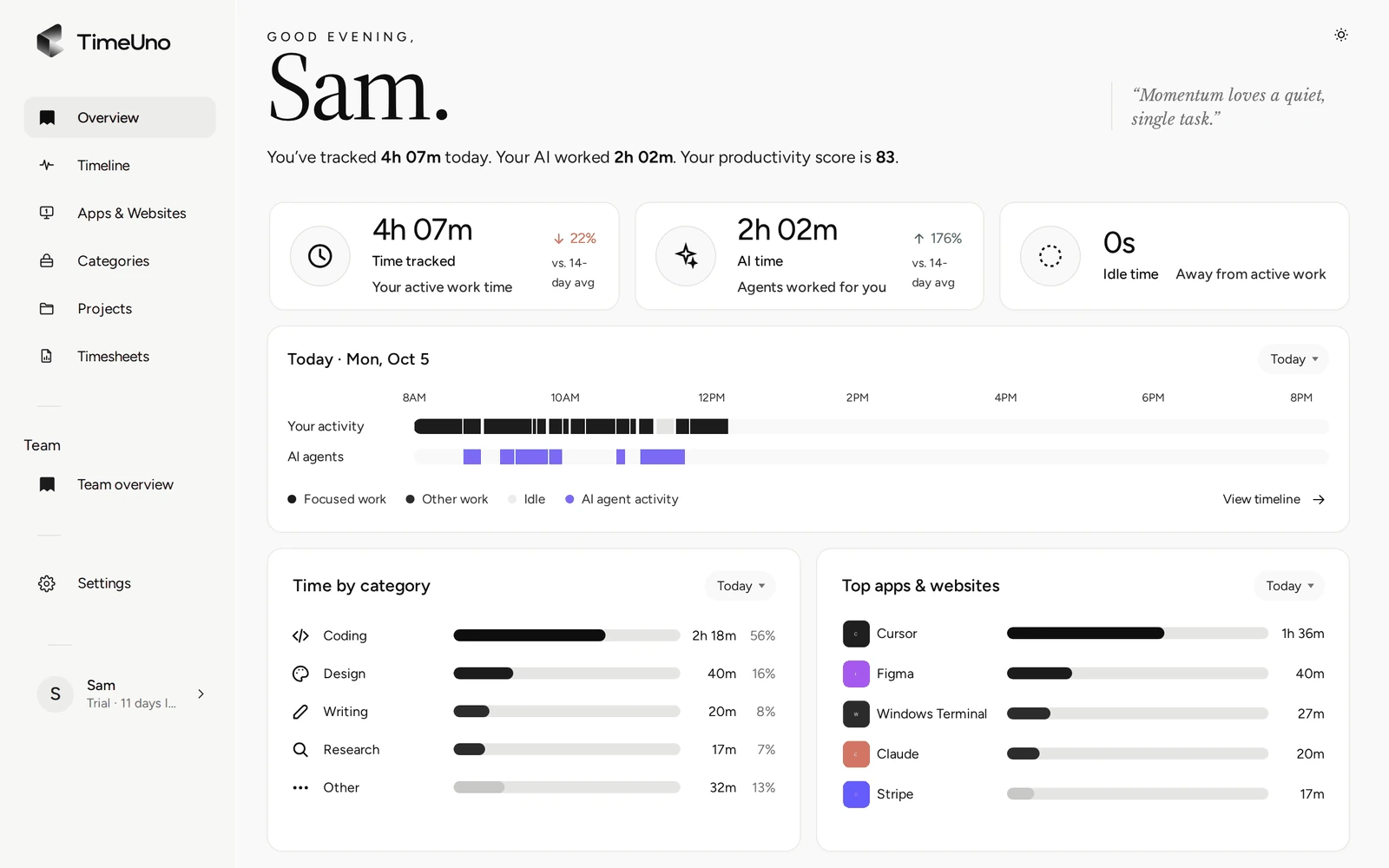
The gap is not Toggl’s fault, it is the timer’s
A timer is accurate when you remember it. The week it fails is the week you jump between a call, a doc and a chat and never press start. The invoice or report is then built on a partial week.
TimeUno removes the step. It records the app or site in front of you and when you stepped away, and writes it down as you work.
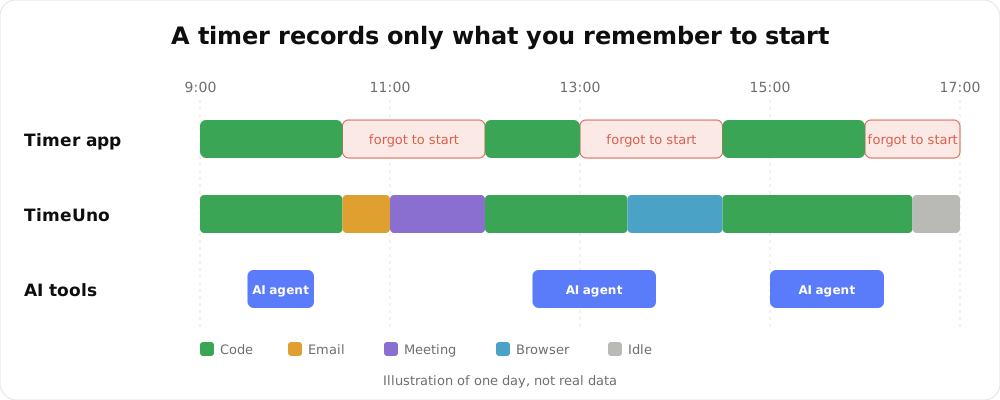
An illustration of one day, not real data.
Where TimeUno differs
| A timer tracker such as Toggl Track | TimeUno | |
|---|---|---|
| How time is recorded | You start and stop a timer | Automatic, in the background |
| Forgotten start | A gap in your day | Nothing to forget |
| Project | You pick it | Filed by keywords, editor project and your rules |
| Time from AI tools | Not tracked | Claude Code, Cursor and others next to your own time |
| Timesheets | Varies | Built from tracked project time, CSV or PDF |
What you give up
Be sure about these before you switch:
- No timer. If you bill by manually timing a call on a phone or a paper task, TimeUno does not see it. It records work on a computer.
- No import. History stays in your old tool.
- No mobile app and no free plan.
- No invoicing and no integrations with accounting tools. You export CSV or PDF.
Moving over
- Export your reports from your old account and keep them.
- Install the desktop app and add the browser extension.
- Add one project per client or job, with a few keywords from your window titles or URLs, and recreate clients under Clients.
- Work a normal week. Once a week open the Projects page and move anything under Review unassigned time.
- Open Timesheets, click + Create timesheet and download it as CSV or PDF.
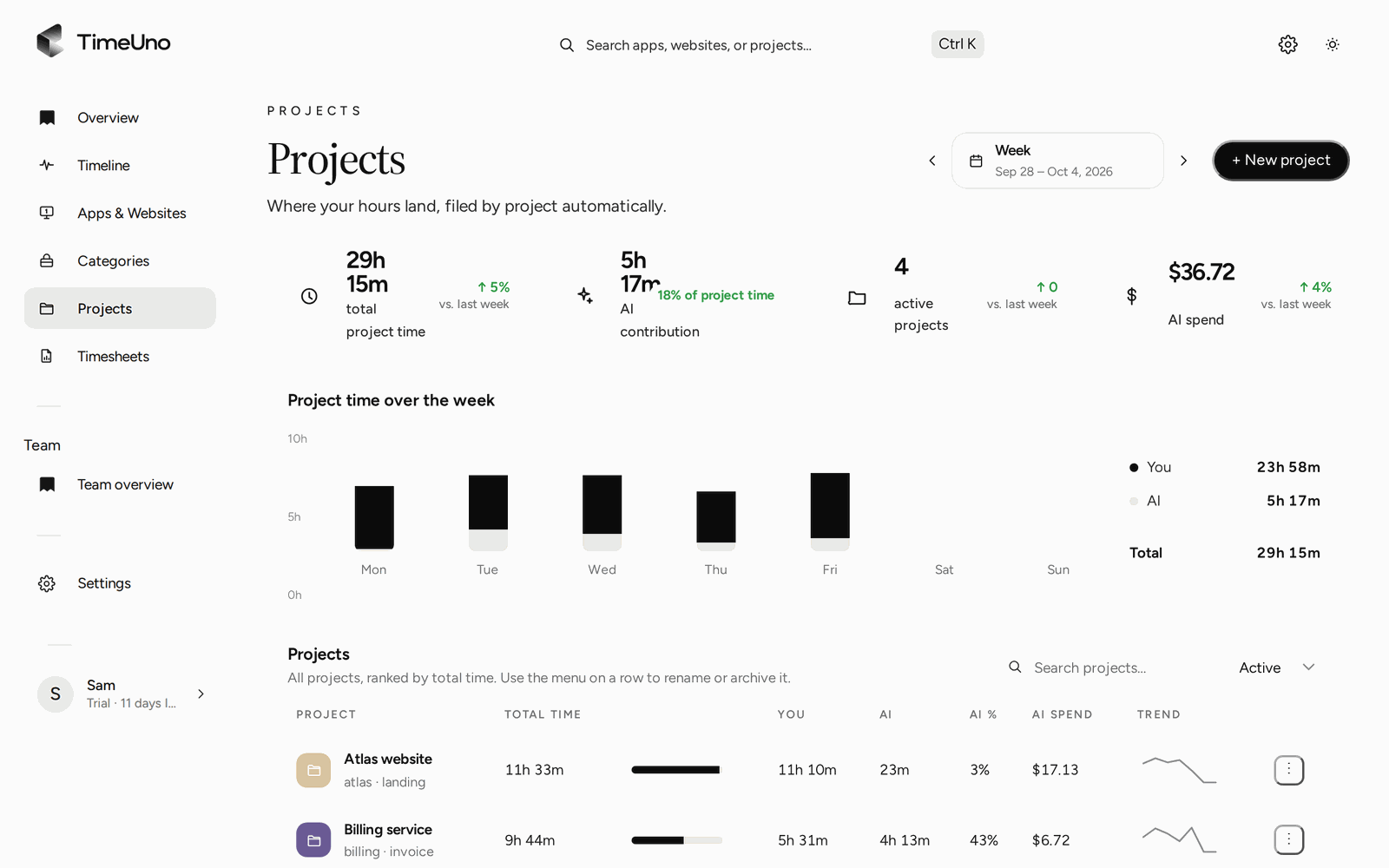
The week split by project, with AI time next to yours.
For teams
Admins see worked time, productivity score and AI usage per person. They never see apps, sites, window titles or screenshots. TimeUno is not employee monitoring software.
For a side by side look, read TimeUno compared with Toggl Track.
Updated 28 October 2026
Questions people ask
What is the main difference from Toggl Track?
Toggl Track starts with a timer you press. TimeUno has no timer: the desktop app and browser extension record the app, site or editor project in front of you in the background.
Can I import my Toggl data?
No. TimeUno has no Toggl import and no CSV import for past entries. Export your Toggl reports before you close that account and keep them for your records.
Do I still choose projects?
TimeUno files time under a project on its own, using keywords, editor projects and rules you set. What it cannot place waits under Review unassigned time on the Projects page until you move it.
Does TimeUno track AI tools?
Yes. It records sessions from tools such as Claude Code, Cursor and Codex CLI on their own row, next to your time. It sends metadata only, never prompts, answers or code.
What about rates, clients and timesheets?
You set rates under Settings, per person, client and project. Timesheets are built from tracked time and export as CSV or PDF. TimeUno does not create invoices.
Is there a free plan or a mobile app?
No to both. There is a 14-day trial, then a paid plan, and the apps run on macOS and Windows (Linux in testing) with a browser extension and an agent for servers.