

Online time tracker An online time tracker: what you do in the browser, and what still needs an app.
Online can mean three different things: a timer on a web page, a dashboard you open in a browser, or a tool that syncs to a server. TimeUno is the second. Here is what you can do from the browser, what needs an install, and what does not exist.
Start 14-day trial 14-day trial, then $14.99 a month
Three meanings of online
When people search for an online time tracker, they usually want one of these.
- A web timer. A page with a start button. You press it when you begin and press it again when you stop.
- A browser dashboard. You open a site, sign in and read or edit your time. Something else decides what to record.
- Synced to a server. The data lives online, so it is the same on every device.
TimeUno is the second and third. It is not the first. A tool that records your work has to run where the work happens, and a web page cannot see the other apps on your computer. So the recording sits in an app, and the browser is where you read and shape the result. If you mainly want to know where the data is stored and for how long, the cloud time tracking page covers that. This page is about what you actually do in the browser.
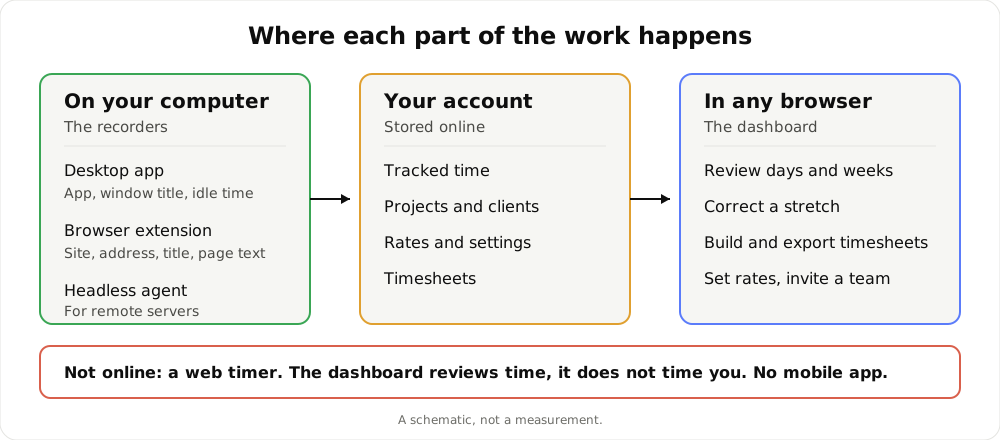
A schematic of where each part happens. It is not a measurement.
What records, and where
Three recorders feed the account, and none of them is a web page you keep open.
- The desktop app (macOS 11+ and Windows; Linux is in testing) runs in the background. It notes the app in front of you, its window title, idle time and the seconds with any keyboard or mouse input. It never records what you type. In an editor it reads the project name.
- The browser extension (Firefox is live) records the sites you work on and AI chats in the browser, including tabs in the background. It works alone or alongside the desktop app. Together they link up, and nothing is counted twice.
- The headless agent covers remote servers.
Without the extension, a browser shows up as just “Firefox” in the desktop app. With it, you see the site. That is the difference between knowing you spent an hour in a browser and knowing which hour went to which site.
What you can do from the browser
Sign in at app.timeuno.io and the sidebar is the product. Everything below works in any browser.
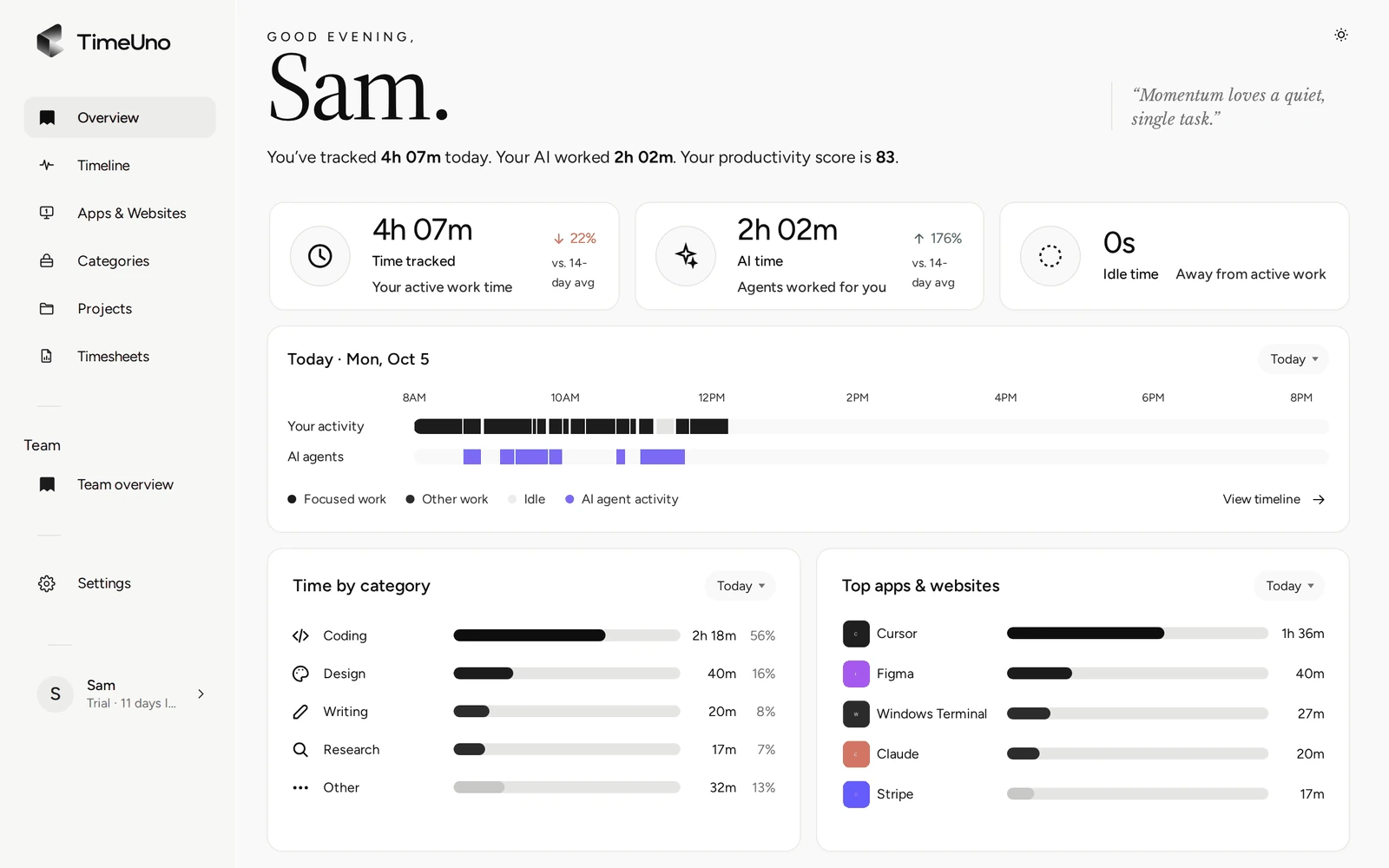
- Review a day, week or month. The Overview shows time tracked, AI time and idle time, a day strip, time by category and top apps, with a productivity score from 0 to 100.
- Read the Timeline. Your day as sessions, each with a verdict of productive or unproductive.
- Correct what is wrong. Change the category, verdict or project of a stretch. The correction is remembered and repeated corrections become rules. TimeUno does not reassign projects on its own after you set a verdict.
- Pause tracking. From the current session card you can pause your desktop app for 15 minutes, 30 minutes, 1 hour or until you resume.
- Manage projects and clients. Time per project, a client list, and a billing type per project: Hourly, Fixed fee or Non-billable.
- Build timesheets. Pick a client and a period and get one line per day or per work block, editable per line, with descriptions the AI drafts and you correct.
- Set rates and rounding. Owners and admins choose the currency, a default rate and rounding (none, 6, 15 or 30 minutes) in Settings.
- Invite a team. On a Team plan, owners and admins add members and see each person’s worked time, productivity score and AI usage.
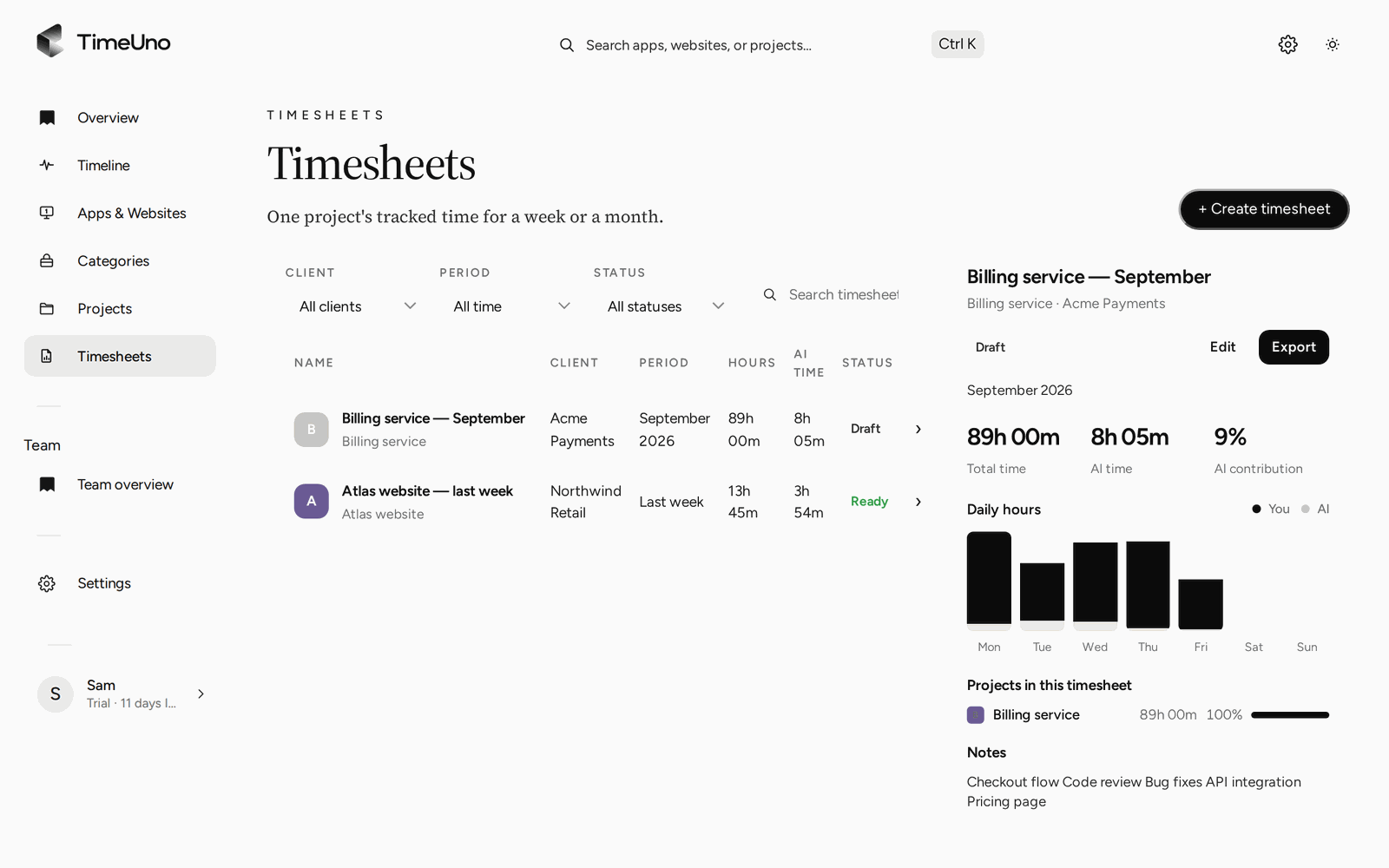
Timesheets are built and exported in the browser from time the recorders already tracked.
Timesheets without leaving the browser
The part most people want from an online tool is the finished record. You choose this week, last week or this month, and a client. TimeUno builds the draft from your tracked project time. You edit the lines, press Mark ready and either export a CSV or a PDF or share a client approval link.
The PDF carries the company name, address, tax ID and logo from Settings, Company details. The approval link can have an optional PIN and an expiry, and the client can approve, reject or request changes. Repeating drafts (weekly, every two weeks or monthly) have the next sheet waiting when the period ends. Members see hours only, never rates.
There is no Excel export, no invoice creation and no accounting integration, so the file leaves TimeUno for the place where you invoice. The automatic timesheets page walks through how a draft is built.
Projects in the browser
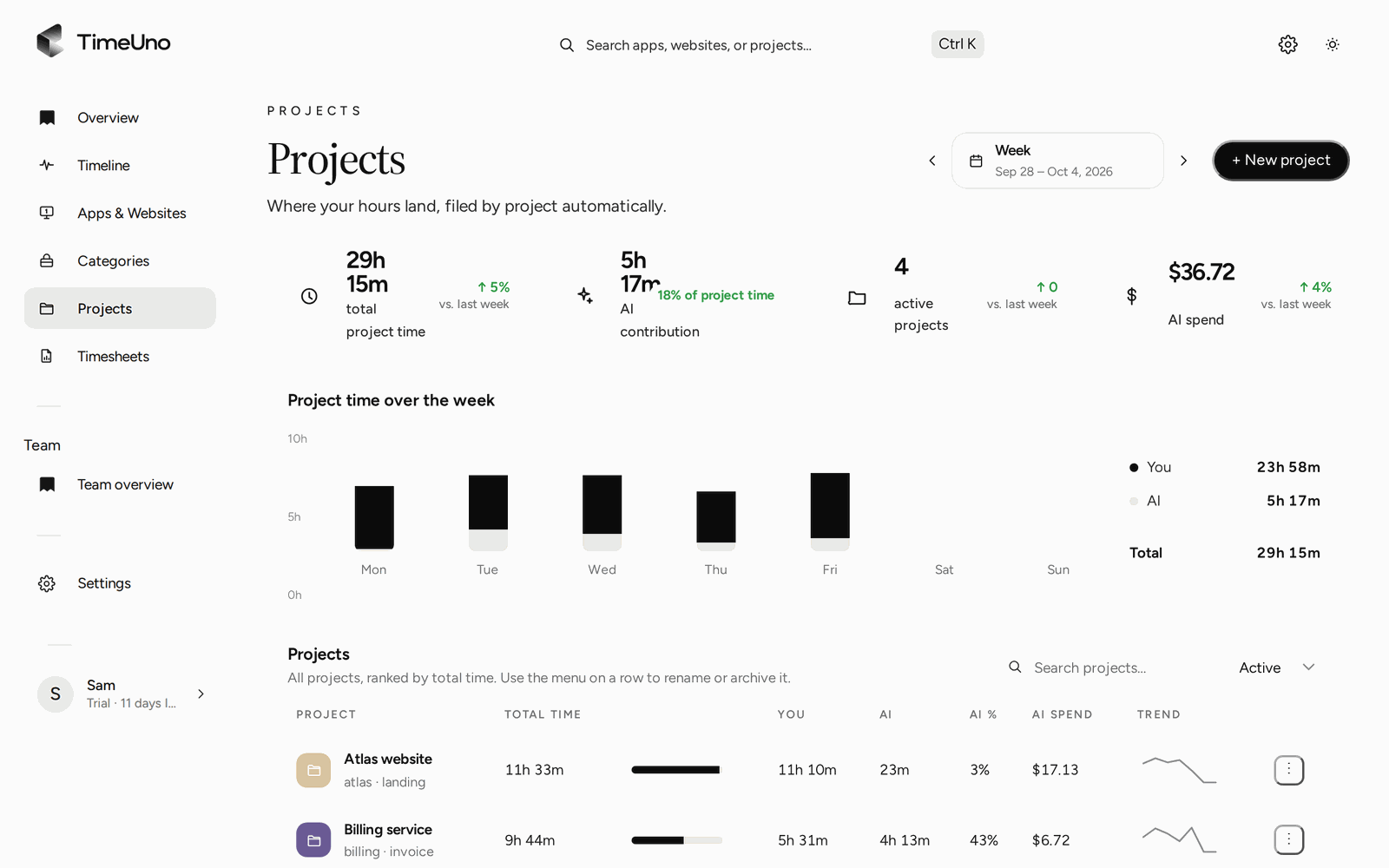
Projects shows time per project for the period, next to how much of it was AI time.
Projects are detected from the editor project name or added by hand with keywords, and you manage them in the dashboard. For how project hours turn into billable lines, see project time tracking.
What is not online
Being direct about the limits saves a wasted trial.
| You might expect | What TimeUno does |
|---|---|
| A timer page to start and stop | None. Recording is automatic; you can pause it |
| A mobile app | None. Time away from a computer is not recorded |
| Nothing to install | You install the desktop app or the extension to record anything |
| Recording from any browser | The extension is live on Firefox only for now |
| A free plan | None. There is a 14-day trial |
If you want a tool that lives entirely in a browser tab, TimeUno is the wrong shape, and a manual web timer will suit you better. If you want the numbers without pressing anything, keep reading.
Privacy, in one pass
Recording is local, and the account stores what the recorders send. The desktop app records app and window title, idle time and input seconds. Reading on-screen text is on by default and can be turned off per computer. The browser extension sends the site, address, title and up to 4,000 characters of visible page text, and on AI sites that may include prompts and answers. For Claude Code, Cursor and other desktop AI tools, only metadata leaves the device.
On a Team plan, admins never see apps, sites, window titles or screenshots, only worked time, the productivity score and AI usage per person. It is not employee monitoring software, so tell your team what is recorded before you start.
Price and a next step
There is no free plan. Every plan starts with a 14-day trial, a card is added at the start and it is charged when the trial ends. Individual is $14.99 a month ($10.49 billed yearly). Team is $19.99 per seat a month ($13.99 billed yearly).
To start, install the desktop app, let it run for a day and then open the Overview in your browser. To compare approaches, read TimeUno vs Toggl Track and check each tool’s current plans. For the broader picture, see the time tracking app page.
Updated 28 October 2026
Questions people ask
Is TimeUno an online time tracker?
Partly. You sign in at app.timeuno.io in any browser to review your time, correct it, build timesheets and manage projects, clients and rates. The recording is done by an app on your computer: the desktop app for macOS and Windows, the browser extension (Firefox is live) or the headless agent for servers.
Is there a web timer I can start in the browser?
No. TimeUno has no timer page. The recorders run on their own and the dashboard shows the result. From the dashboard you can pause tracking on your desktop app for 15 minutes, 30 minutes, 1 hour or until you resume.
Can I track time with only the browser extension?
Yes. On its own, the extension records the sites you work on and AI chats in the browser. It does not see other apps, so you need the desktop app for the rest of your day. The Firefox extension is live.
Is there a mobile app?
No. TimeUno has no mobile app, so time away from a computer is not recorded.
Does the browser extension read what I type?
It never records keystrokes. It does send the site, address, title and up to 4,000 characters of visible page text, which on AI sites can include your prompts and the answers. Reading on-screen text is on by default and can be turned off per computer.