

Cloud based time tracking app A cloud based time tracking app: what lives online and what stays on your computer.
Cloud sounds like one place where everything sits. For a tracker that records your work, it is two places. Here is what TimeUno keeps in your account, what happens on your computer, how long raw data stays and what to ask any cloud tracker.
Start 14-day trial 14-day trial, then $14.99 a month
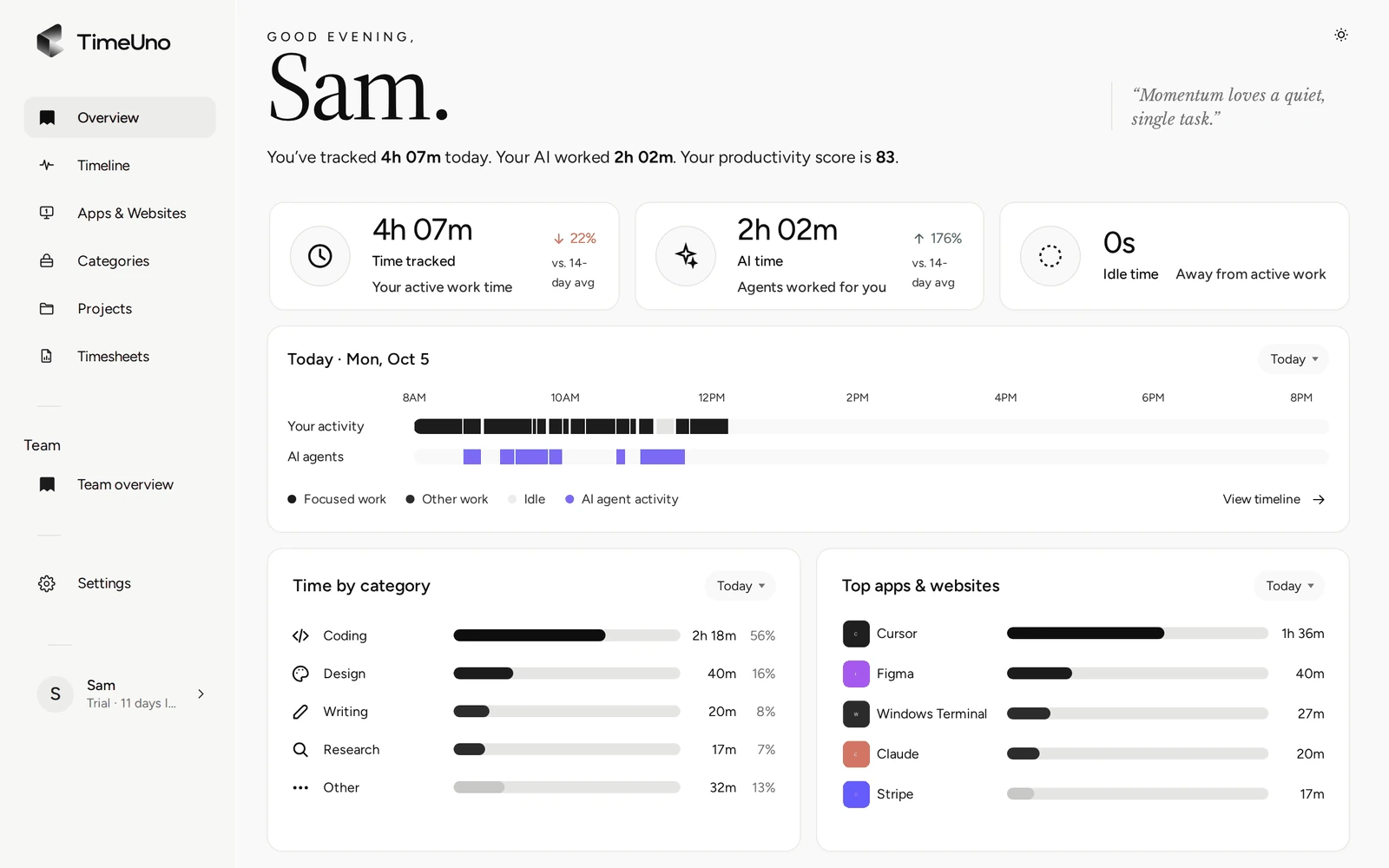
What cloud means for a tracker that records on your computer
For most software, cloud means the work happens on a server and you reach it through a browser. A time tracker is different. It has to see what you are doing, and only your computer can do that. So a cloud based time tracking app is really two parts: a recorder where you work and an account online that stores and presents what the recorder sends.
That split matters when you choose one. The online part decides where your data sits, how long it stays and how you get it out. The local part decides what leaves your computer. For the product tour, read time tracking software and the time tracking app page. This page is about the data.
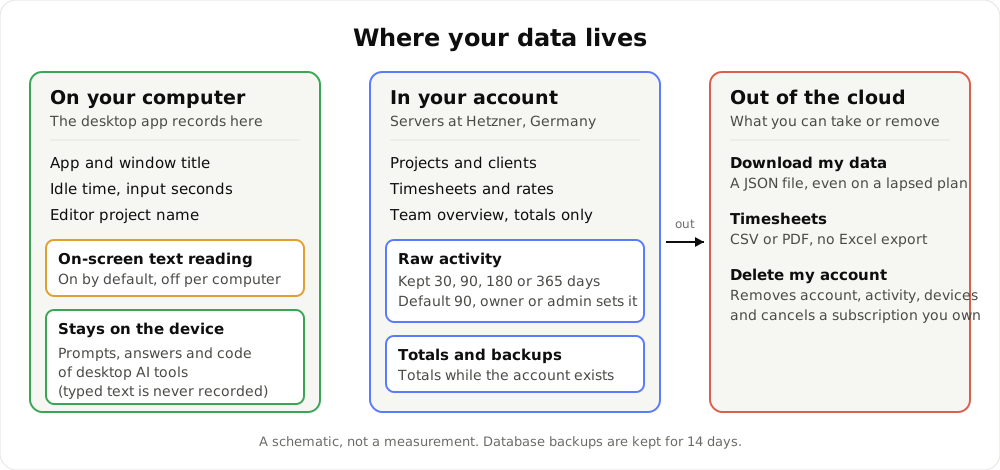
A schematic of where the data lives. It illustrates the split, not a measurement.
What lives in your account
After the recorder sends its data, the rest sits in your TimeUno account on the servers:
- Settings and rates. Company details, currency, default rate and rounding (none, 6, 15 or 30 minutes).
- Time and overview. Time by app, site and project, shown in the Overview, with the productivity score.
- Projects, clients and timesheets. Everything you create and edit in the dashboard.
- Team overview. On the Team plan, per person: worked time, productivity score from 0 to 100, AI usage and a trend.
Because this lives online, you open it in any browser with your login.
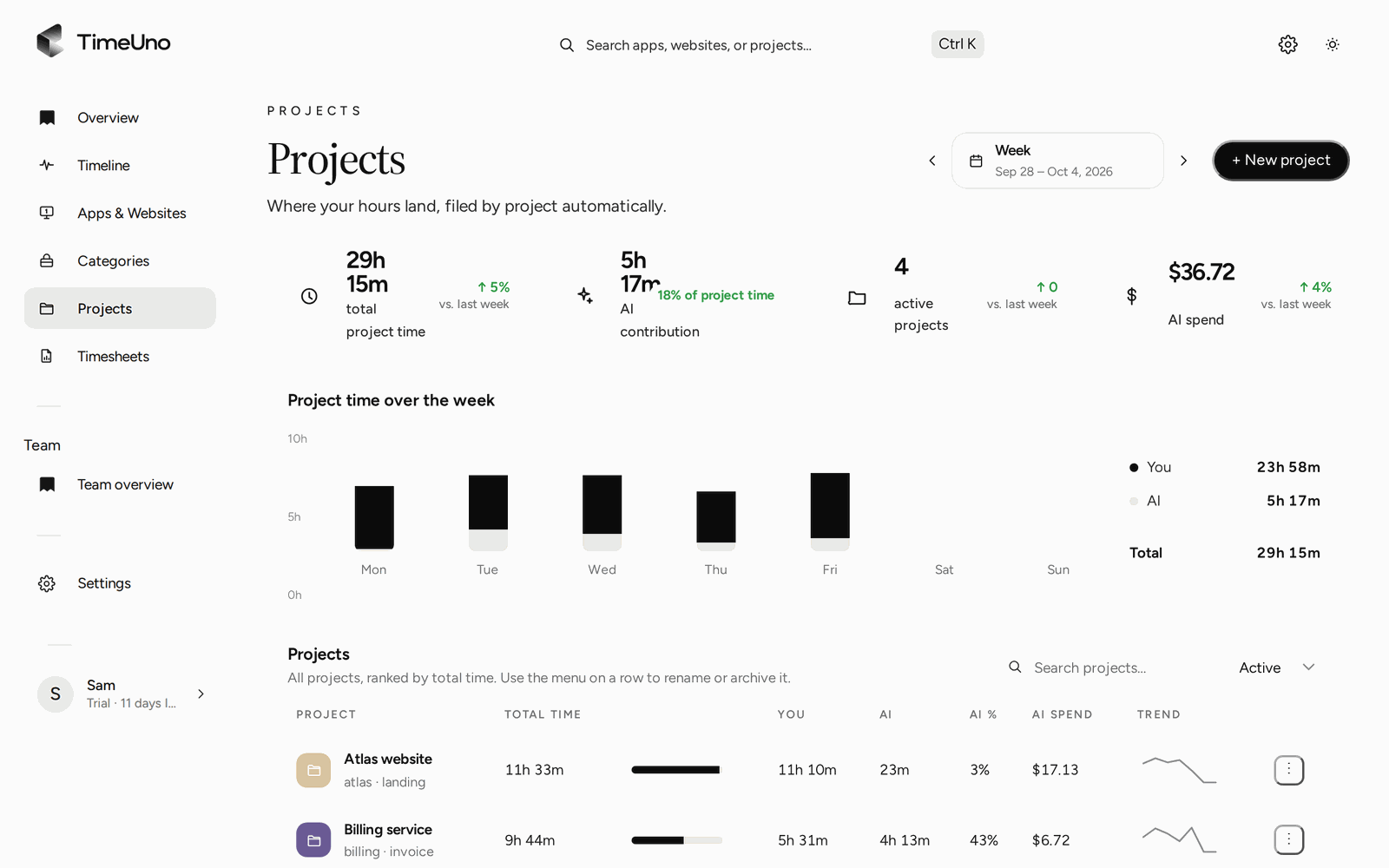
The Projects page is computed in your account from what your computer sent.
What happens on your computer
Recording is local. The desktop app (macOS 11+ and Windows; Linux is in testing) runs in the background and notes the app in front, its window title, idle time and the seconds with any keyboard or mouse input. It never records what you type or where you click. In an editor it reads the project name.
Three details are worth knowing.
- On-screen text. The app reads the text in the active window on your computer. This is on by default. You can turn it off per computer, and an owner or admin can turn it off for everyone. With it off, only app names and window titles are recorded. Password managers and private windows are always skipped.
- Desktop AI tools. For Claude Code, Cursor and similar tools, TimeUno sends metadata only: session times, working or waiting, model, tokens, cost and project folder. Prompts, answers and code stay on your device.
- The browser extension is different. It sends the site, address, title and up to 4,000 characters of visible page text. On AI sites, that text can include your prompts and the answers. It follows the same on-screen text switch.
A headless agent covers remote servers. There is no mobile app, so work away from a computer is not recorded.
How long data is kept
Retention differs by kind of data. This is what the docs state:
| Data | Kept |
|---|---|
| Raw activity: window titles, on-screen text, AI session titles, notes | 90 days by default, or 30, 90, 180 or 365 days |
| Totals: time per category and project | While the account exists |
| Database backups | 14 days |
The workspace owner or an admin sets the raw-data period under Settings → Privacy & capture. Choose 30 days to keep little. Choose 365 to look back further. The totals do not depend on it, so reports over several months still work with a short period.
Taking your data out, or deleting it
A cloud service is only a good home if you can leave. TimeUno has three routes.
- Download everything. Under Plan & settings → Your data, Download my data gives you a JSON file with your activity, time entries, AI sessions, corrections, notes and devices. It works on a lapsed plan too.
- Export timesheets. CSV or PDF. The PDF carries the company name, address, tax ID and logo from Settings, Company details. There is no Excel export, though Excel opens the CSV.
- Delete your account. In the same place. Your account, activity and devices are deleted, and a subscription you own is cancelled. A sole owner of a team with other members first makes someone else an owner or removes the members.
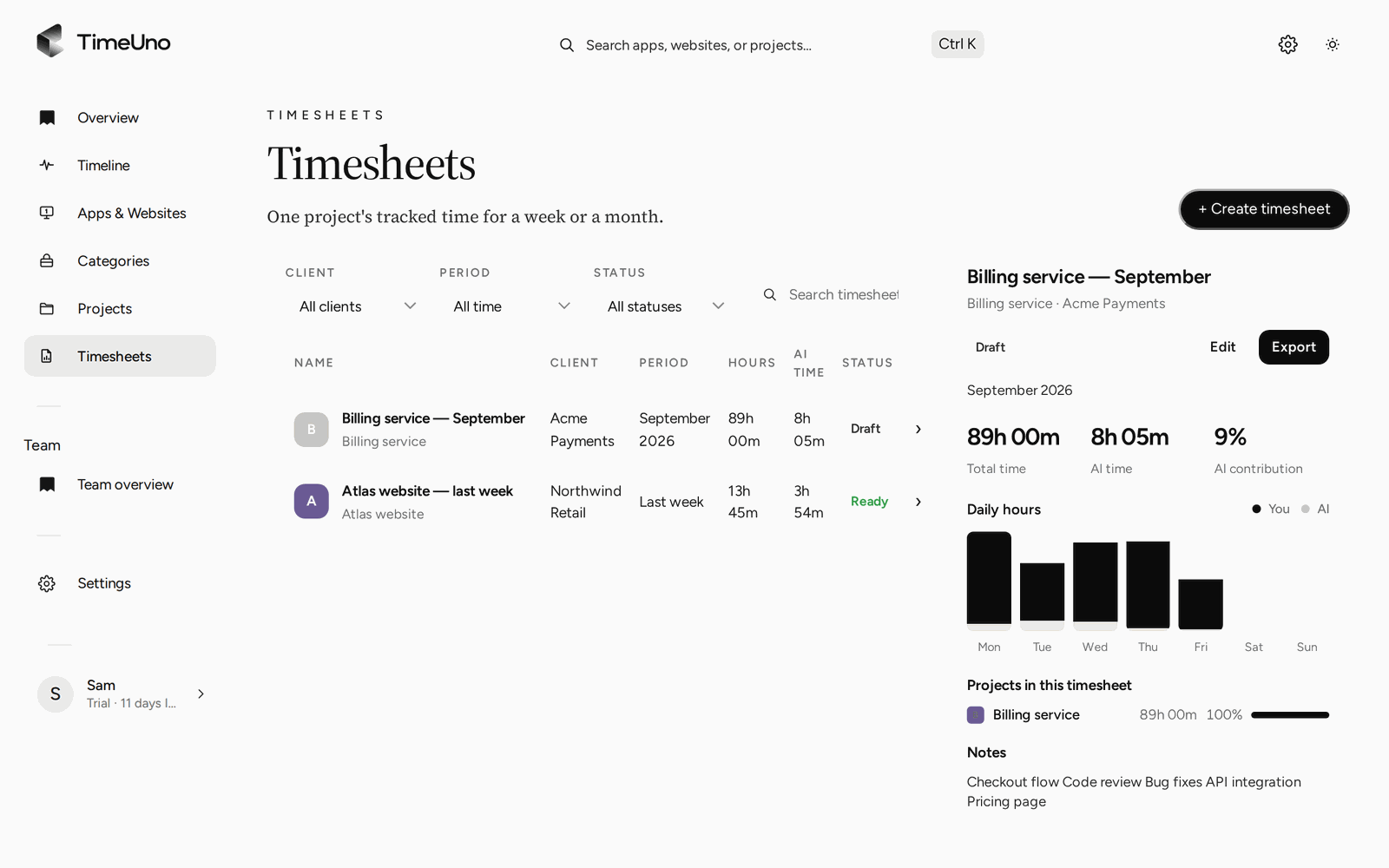
Timesheets are built in the account from tracked project time and leave as CSV or PDF.
TimeUno has no accounting integration and does not create invoices. You take the file to wherever you do that.
What a team admin sees
On the Team plan, owners and admins see worked time, the productivity score and AI usage per person. They never see apps, sites, window titles or screenshots. Members see hours only on timesheets. It is not employee monitoring software, and you should tell your team what is recorded before you start.
A buyer checklist for any cloud tracker
These questions apply to any cloud based time tracking app, including this one. Answers live in the privacy policy, the docs or a message to support. None of this is legal advice.
- What is recorded? Ask for the list, and which parts stay on the device.
- Can I switch parts off? Look for per-computer switches, not just account-wide ones.
- Where are the servers, and who else handles data? For TimeUno, servers are at Hetzner in Germany and other services are named on the privacy page.
- How long is raw data kept, and can I change it?
- How do I export, and does it work after my plan ends?
- How do I delete my account, and how long do backups last?
- Who sees what in a team? Totals only, or window titles too?
- What does it cost after the trial, and is a card needed at the start? For other tools, check their current plans.
For TimeUno, questions about data go to support@timeuno.io. The export and delete doc has the steps.
When TimeUno fits, and when it does not
It fits if you work mostly at a computer, bill by project or client and want to read the numbers from any browser. It fits less if:
- You want a tool that runs only in the browser, with nothing installed.
- You work mostly away from a computer. There is no mobile app.
- You want all data to stay on your machine. The Overview and timesheets live in the account.
- You want a free plan. There is none. Every plan starts with a 14-day trial, a card is added at the start and charged when the trial ends. Individual is $14.99 a month ($10.49 billed yearly). Team is $19.99 per seat ($13.99 billed yearly).
TimeUno is not a certified time clock and makes no claim about legal requirements, so check your local rules. For an overview of automatic trackers, read best automatic time trackers in 2026 and check each tool’s current plans. To see how a draft is built from tracked time, read automatic timesheets.
A next step
Let the desktop app run for a week, then open Plan & settings → Your data and download the JSON once. You will see what is stored about you before the trial ends.
Updated 28 October 2026
Questions people ask
Is TimeUno a cloud based time tracking app?
Partly. Your account, projects, clients, timesheets and Team overview are online, and you open them in a browser. The recording itself is done by an app on your computer: the desktop app for macOS and Windows, the browser extension (Firefox is live) or the agent for servers. It is not a browser-only tool.
Where are the servers?
At Hetzner, in Germany. Other services that handle data, such as Creem for payments, are listed on the privacy page. Tracked activity is not sold and not shared.
How long does TimeUno keep raw data?
Raw activity (window titles, on-screen text, AI session titles and notes) is deleted after 90 days by default. The workspace owner or an admin can choose 30, 90, 180 or 365 days under Settings, Privacy and capture. The totals built from it stay while your account exists. Database backups are kept for 14 days.
Can I take my data with me or delete it?
Yes. Under Plan and settings, Your data, Download my data gives you a JSON file, even on a lapsed plan. Delete my account removes your account, activity and devices and cancels a subscription you own. Timesheets export as CSV or PDF; there is no Excel export.
Can I turn off reading on-screen text?
Yes. It is on by default and can be turned off per computer in the app. An owner or admin can also turn it off for everyone in the dashboard, and then TimeUno stores none of it. With it off, only app names and window titles are recorded.