

Simple time tracking app Simple time tracking: nothing to start, nothing to rebuild.
A simple time tracker is one you can forget after setup. TimeUno records your work at the computer in the background and builds timesheets from it. Here is what simple should mean, how to set it up in about five minutes and what we leave out on purpose.
Start 14-day trial 14-day trial, then $14.99 a month
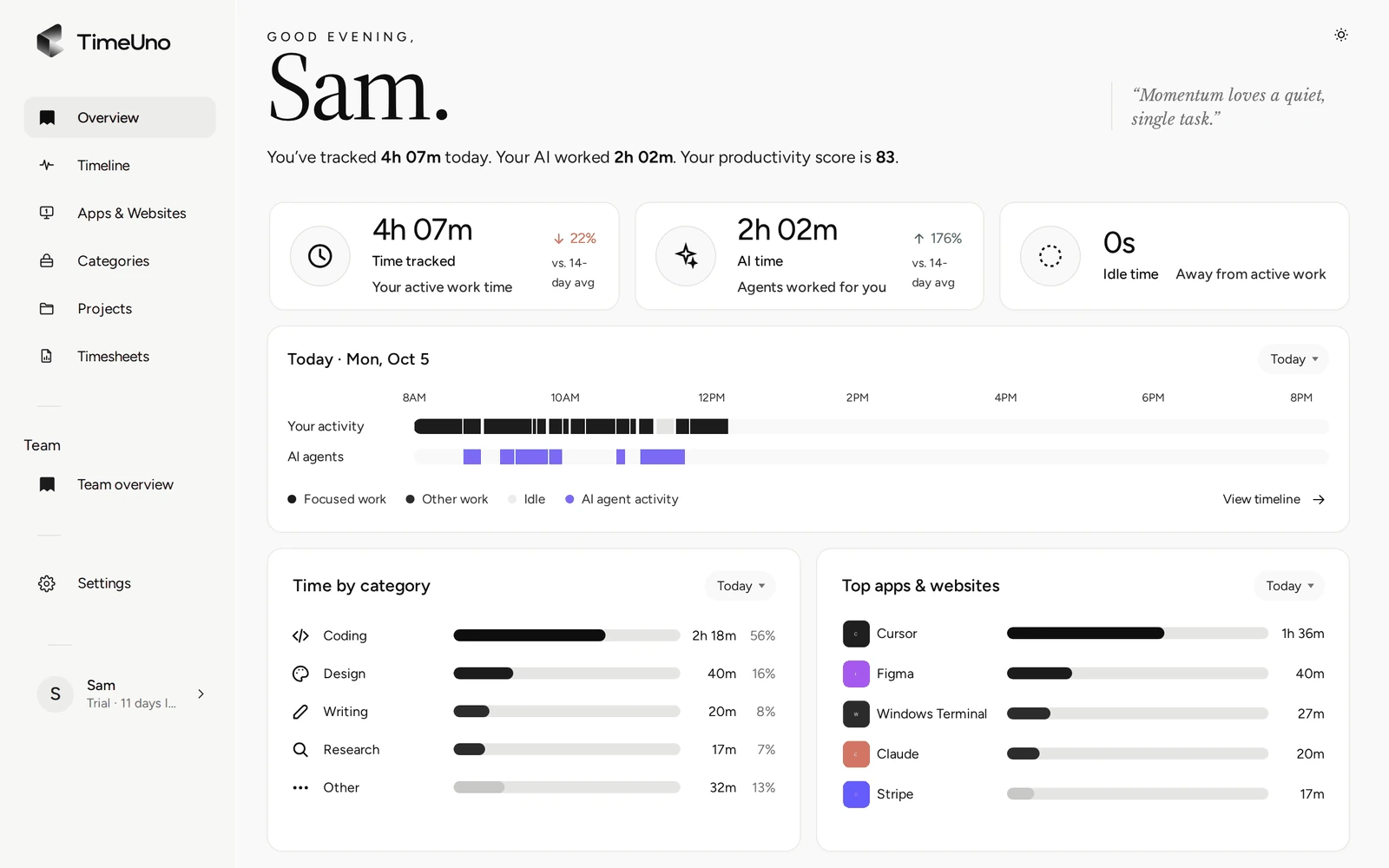
What simple should mean
Many apps call themselves simple because the timer is big and the start button is green. You still have to remember to press it, name the task and stop it again. Miss it once and you rebuild that hour from memory later.
We use a stricter test. Three things decide whether a time tracker is simple:
- No timers. You do not start or stop anything per task. The desktop app records which app and window is in front of you and files the time under a project.
- Few settings. You need an account, the app and a few projects. Rates, rounding and clients are optional and can wait until you need them.
- One review habit. Once a week you look over what was recorded, fix what is off and build the timesheet. That is the whole routine.
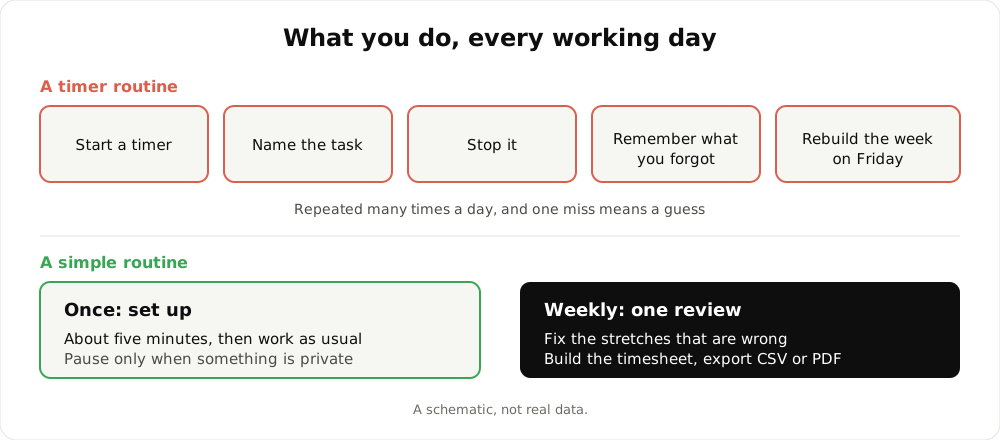
A schematic of the two routines. It is not real data.
This applies to work at a computer. If most of your day is away from a screen, a timer or a punch card suits you better. How the automatic approach works in detail is covered on the automatic time tracking page, and the time tracker page covers the no-start-button idea in full. This page is about keeping the whole thing small.
A five-minute setup
- Create an account. Sign up on the website with an email and password, or with Google.
- Choose a workspace and a plan. Pick whether it is for you alone or for a company, and start the 14-day trial. A card is added at the start and charged when the trial ends.
- Install the desktop app. It is available for macOS 11+ and Windows. Linux is in testing.
- Connect it. In the app, click Sign in with your browser, approve the connection and click Start tracking. Tracking does not start before that click.
- Add the extension (optional). Without it a browser shows up as just the browser. With it TimeUno also sees the site. The Firefox extension is live.
That is the setup. The dashboard fills as you work. The longer walkthrough is in the quick start.
A normal day
You work as usual. The Overview shows the current session and the timeline of your day. If you want a private stretch left out, pause tracking for 15 minutes, 30 minutes, 1 hour or until you resume.
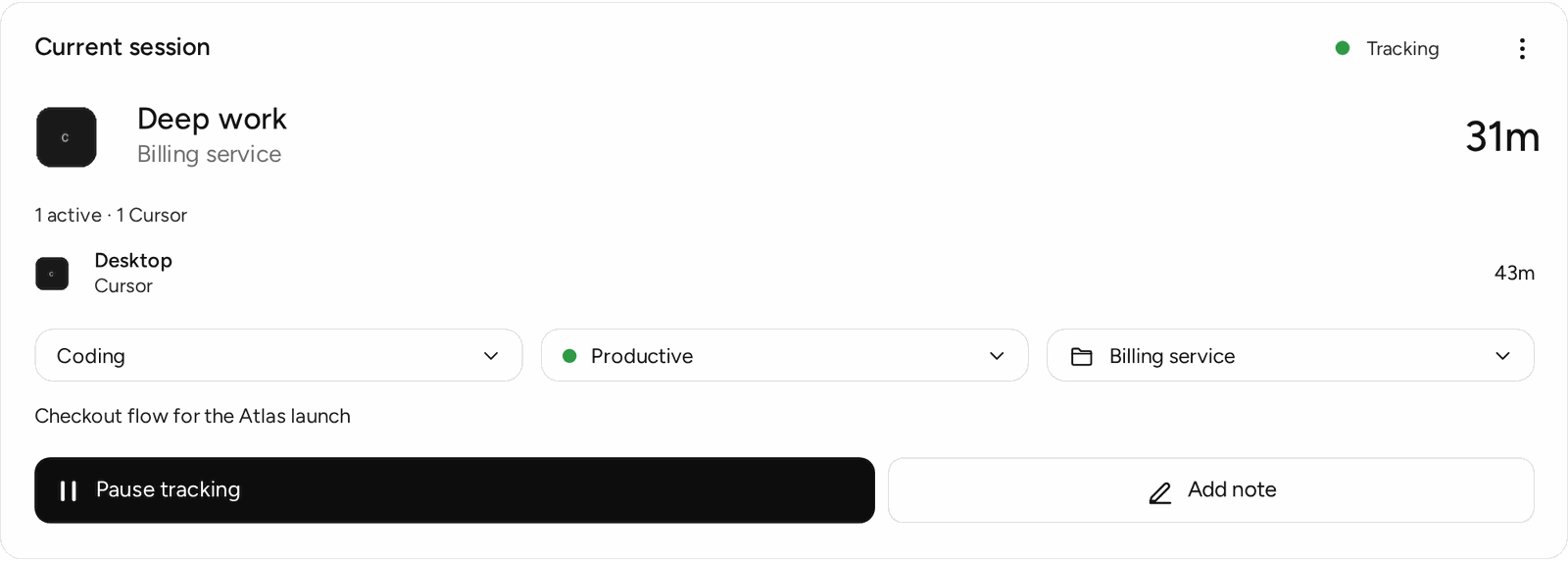
The current session. Nothing to start, and a Pause button when you need one.
If a stretch ended up under the wrong project or category, correct it on the Timeline. You can also set the session verdict, Productive or Unproductive. TimeUno remembers corrections and applies them to the same app or site next time. It does not reassign projects on its own, so a wrong stretch stays wrong until you fix it. Most days there is nothing to fix.
The weekly review
This is the one habit. Pick a day, open the Timeline, scan the week and fix the odd stretch. Then build the timesheet.
Choose this week, last week or this month and a client. You get one line per day or per work block, with hours and a description. You can edit each line, drop a day, or have the AI draft descriptions with Write descriptions and then correct them. Mark ready records your sign-off.
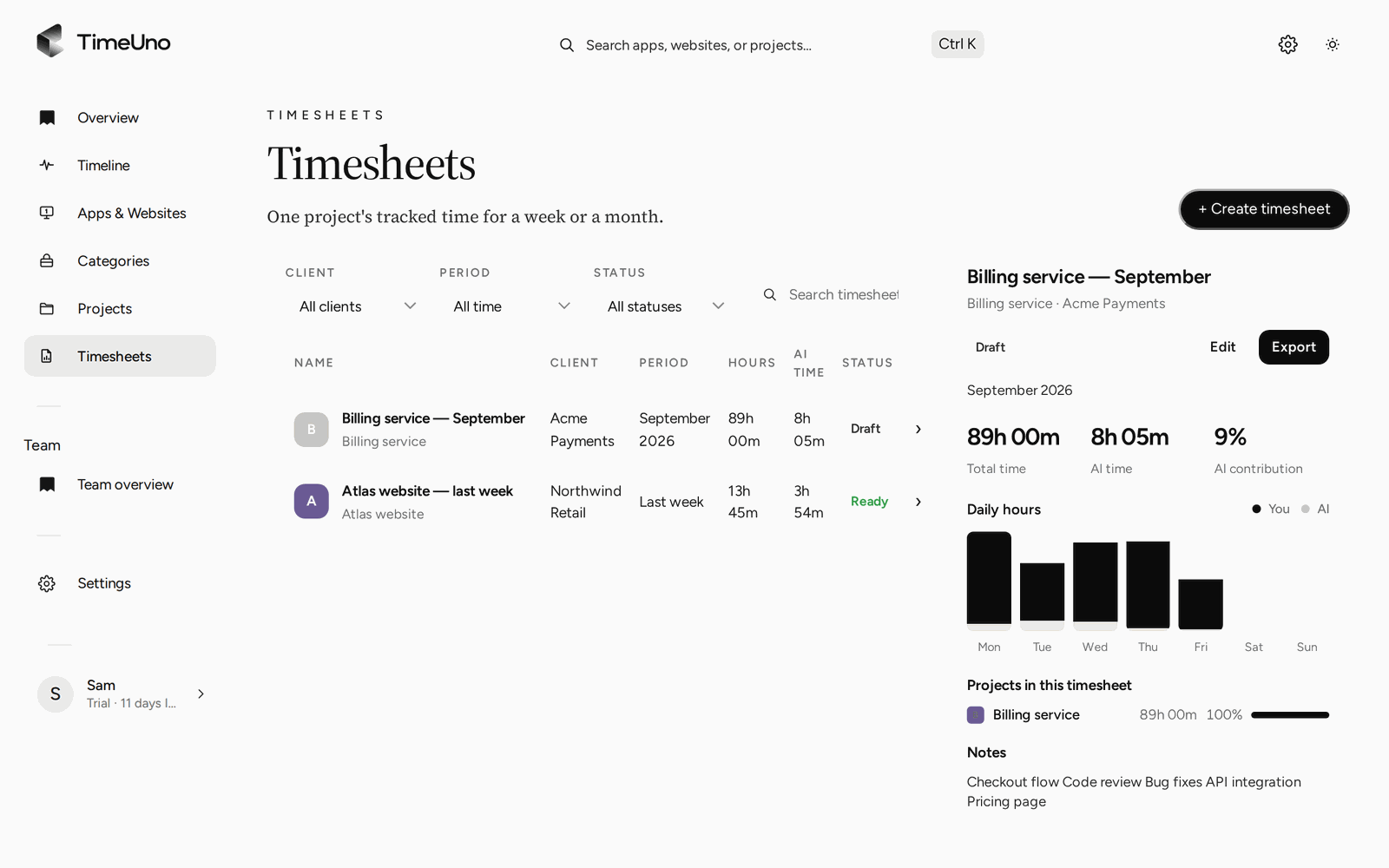
The timesheet as a preview before you export it.
Export it as CSV or PDF. The PDF carries the company name, address, tax ID and logo from Settings, Company details. If you bill the same client every week or month, a repeating draft (weekly, every two weeks or monthly) has the next sheet waiting. Open the CSV in any spreadsheet if you need the numbers elsewhere. More on this is on the automatic timesheets page.
The settings you can leave alone
Simple does not mean the options are missing. It means you can skip them until they matter.
- Rates. Owners and admins set the currency and a default rate in Settings. Rates can also be set per client and per project, and per person on a Team plan.
- Rounding. Choose none, 6, 15 or 30 minutes in Settings.
- Billing type. A project is Hourly, a Fixed fee or Non-billable.
- Clients. A client list that projects and timesheets attach to. You can add a client approval link with an optional PIN and expiry, and the client can approve, reject or request changes.
If you never touch these, you still get a working timesheet in hours.
What is deliberately missing
Fewer features is part of the design. Here is what you will not find, so you can decide before the trial:
- No mobile app. TimeUno records work at a computer.
- No invoices. You get the timesheet, and you write the invoice elsewhere. There is no accounting integration and no importers.
- No Excel export. CSV and PDF only. A CSV opens in Excel, Numbers or Google Sheets.
- No free plan. There is a 14-day trial, nothing more.
- No certified time clock. TimeUno is not a punch clock and makes no legal claims. If you must keep clock-in records, check your local rules.
What it records, and what it does not
A background tracker raises a fair question: what does it see? The desktop app records the app and window title in front of you, idle time, the seconds with any keyboard or mouse input (never what you type) and the project name in your editor. Reading on-screen text is on by default and can be turned off per computer. The browser extension sends the site, address, title and up to 4,000 characters of visible page text. On AI sites that text may include prompts and answers. From desktop AI tools, only metadata leaves your device.
On a team plan, owners and admins see worked time, the productivity score and AI usage per person. They never see anyone’s apps, sites, window titles or screenshots.
Who it suits
TimeUno suits freelancers, developers, agencies and small teams who work at a computer and bill by client or project. If you want the app on its own terms, read time tracking app for Mac and Windows.
Pricing
There is no free plan. Every plan starts with a 14-day trial, a card is added at the start and it is charged when the trial ends. Individual is $14.99 a month ($10.49 billed yearly). Team is $19.99 per seat a month ($13.99 billed yearly). To see how automatic trackers compare in general, read best automatic time trackers in 2026 and check each tool’s current plans.
Updated 28 October 2026
Questions people ask
How long does it take to set up TimeUno?
About five minutes. Create an account, pick a plan and start the 14-day trial, install the desktop app, sign in with your browser and click Start tracking. The browser extension is optional.
Do I have to start a timer or enter hours?
No. The desktop app records in the background what you do at the computer. You can pause it for a private stretch and fix a wrong stretch on the Timeline. That is all the daily upkeep there is.
Is there a simple time tracking app for my phone?
No. TimeUno has no mobile app. It runs as a desktop app for macOS 11+ and Windows (Linux is in testing), as a Firefox extension and as a headless agent for remote servers. It tracks work at a computer.
Is there a free plan?
No. Every plan starts with a 14-day trial. A card is added at the start and charged when the trial ends. After that Individual is $14.99 a month, or $10.49 billed yearly. The timesheet template and calculator are free.
Does TimeUno create invoices?
No. It builds a timesheet from tracked time, with amounts if you set rates, and exports it as CSV or PDF. You write the invoice in your own invoicing tool. There is no accounting integration.