

Printable timesheet A printable timesheet: when paper still makes sense and what goes on it.
Most timesheets never need a printer. Some do: a signature, a client folder, a site office. Here is when to print, how to lay the page out, and how to print a PDF that TimeUno builds from the time you already tracked.
Start 14-day trial 14-day trial, then $14.99 a month
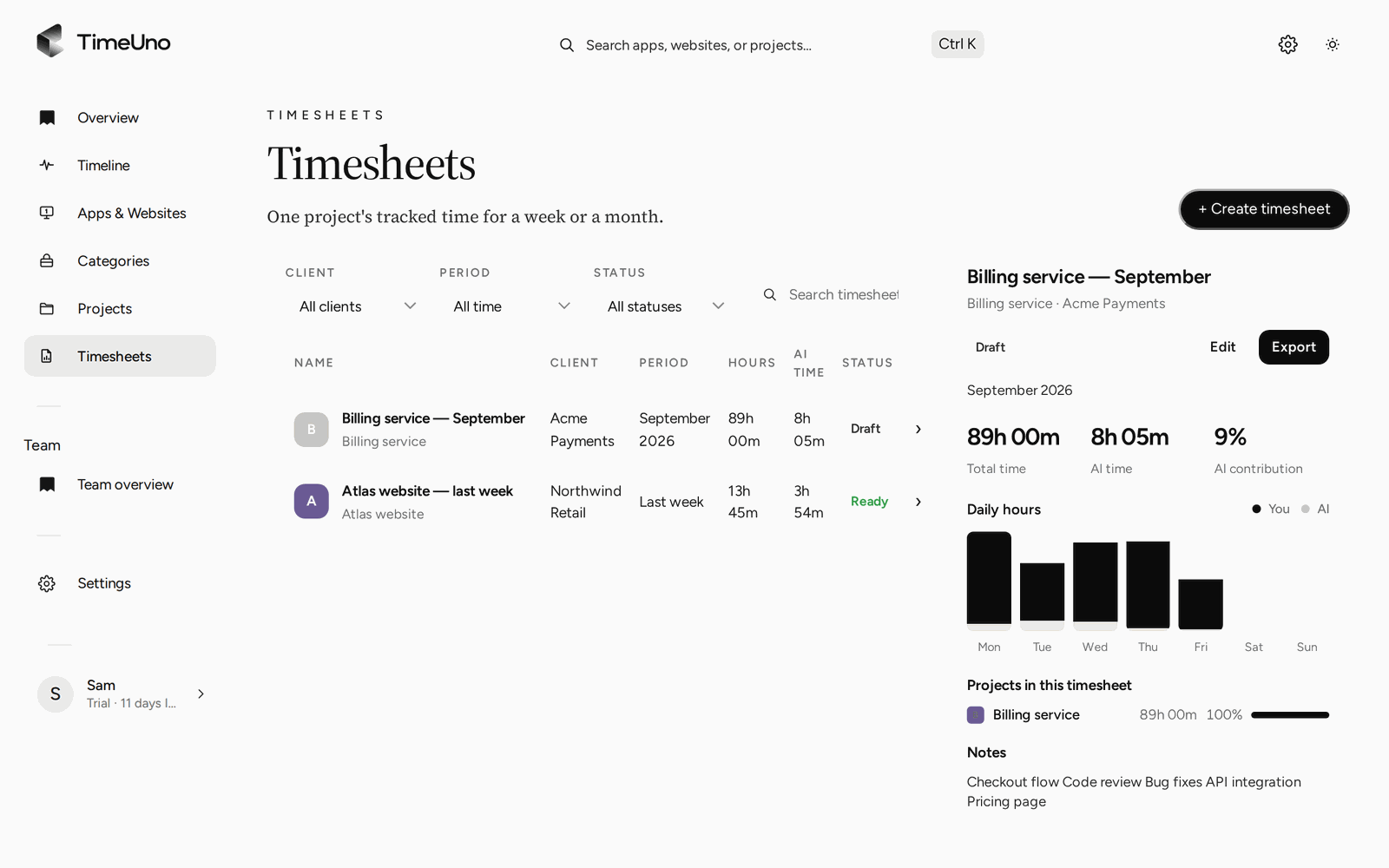
When printing still makes sense
Paper has a bad reputation, but it solves a few real problems.
- A wet signature. A client or manager wants ink on the page, and that is their process, not yours.
- A folder or a file drawer. Some jobs keep a physical record per project or per person.
- A shared site. One sheet on a clipboard works where nobody has a login.
- A meeting. Six people can read one printed page without passing a laptop around.
- A record you can hold. A dated, signed page is easy to point at later.
It makes less sense when the printed page is the only copy, when someone retypes it into a spreadsheet every week, or when the numbers are filled in from memory on Friday. A printout is a good output. It is a weak place to start recording.
The layout of a good printable timesheet
The best printable sheets are boring. Every field is there because someone will ask for it.
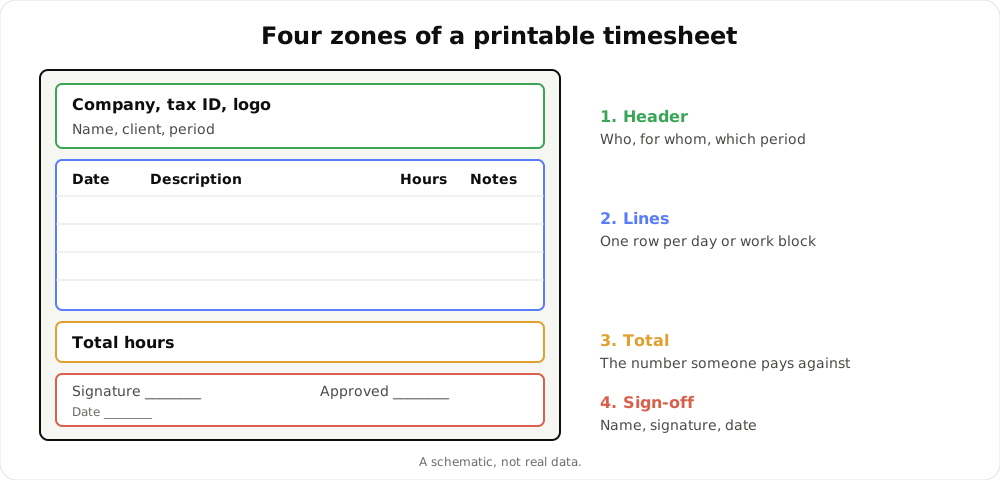
A schematic of the zones. It is not real data.
- Header. Your name, the client or project, and the period. Add company details if the sheet leaves your hands.
- Lines. One row per day, or per work block if a day has several jobs. Hours, and a short description of what the time was for.
- Total. One number at the bottom, clearly separated from the lines.
- Sign-off. A name, a signature and a date, once for you and once for whoever approves.
Here is the same layout as a table, with made-up values:
| Date | Description | Hours | Notes |
|---|---|---|---|
| Mon 5 Oct | Landing page copy | 6.5 | |
| Tue 6 Oct | Revisions after review | 4.0 | Call 30 min |
| Wed 7 Oct | Landing page build | 7.0 | |
| Total | 17.5 |
Signed: ____________ Approved: ____________ Date: ________
A few habits keep the page readable.
- Use decimal hours. 6.5 is easier to add than 6:30, and invoices and payroll usually want decimals.
- State the rounding. If hours are rounded, say to what. Rounding changes totals.
- Keep descriptions short. One line that a client can read without asking.
- Leave a notes column. A correction with a reason beats an unexplained crossing out.
- Print in portrait, one page per period. If it spills onto a second page, shorten the period.
Print a blank sheet by hand
If you only need a page to fill in, the free timesheet templates page has a printable weekly timesheet with columns for day, start, end, break and hours, plus a name, the week and a total line. In the print dialog you can choose Save as PDF instead of a printer. The same page offers weekly, monthly and project spreadsheets. To work out hours from start and end times, the timesheet calculator does the subtraction.
A blank sheet is the right answer for an occasional need. It gets tiring when you do it every week, because you are rebuilding from memory what happened days ago.
Print from the PDF TimeUno generates
TimeUno records work on your computer and files it under projects and clients. The desktop app (macOS 11+ and Windows; Linux is in testing) captures the app and window title in front of you, idle time and the seconds with any keyboard or mouse input. It never records what you type. A browser extension for Firefox adds the site, address and title.
When the period ends, you build the timesheet instead of writing it. Pick this week, last week or this month, and a client. You get one line per day or per work block, with hours and a description.
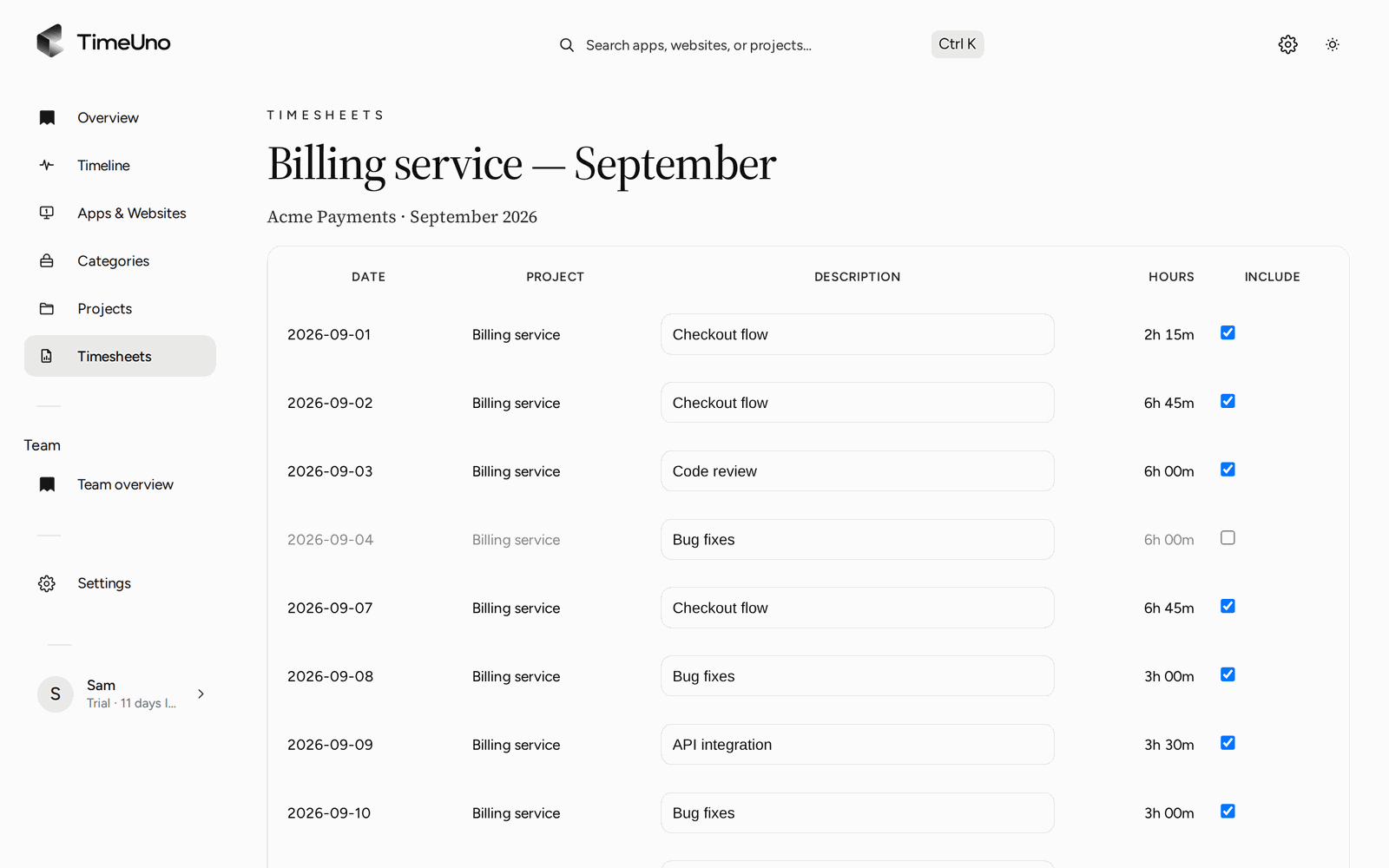
The editor: one line per day, hours and a description you can change.
Every line can be edited. The Write descriptions button asks the AI to draft the descriptions, and you correct them. When the lines are right, Mark ready.
Then export the timesheet as a PDF and print it. The PDF carries the company name, address, tax ID and logo from Settings, Company details, so it arrives looking like a document from your business, not a screenshot of an app. Set those details once and every export uses them.
The PDF also shows amounts when rates are set. Owners and admins choose the currency, the default rate and rounding (none, 6, 15 or 30 minutes) in Settings. Rates can be set per client and per project, and per person on a Team plan. A project is billed Hourly, as a Fixed fee or as Non-billable. Members see hours only.
If you need to change the layout, export the CSV instead and open it in a spreadsheet. TimeUno does not export to Word or Excel.
Printing and approval
A signature on paper is one way to approve a timesheet. TimeUno has another. You can share a client approval link, with an optional PIN and expiry, and the client approves, rejects or requests changes. You can use one, the other, or both: send the link, then print the approved PDF for the file.
Repeating drafts (weekly, every two weeks or monthly) mean the next timesheet is waiting when the period ends, so printing is a two-minute task and not a Friday evening one. For the whole flow, read about timesheets built from tracked time.
Teams and printed records
On a Team plan, owners and admins invite members and see worked time, the productivity score and AI usage per person. They never see anyone’s apps, sites, window titles or screenshots. A printed timesheet only shows what you put on it: lines, hours and descriptions.
Limits to know
- TimeUno has no mobile app, so it will not replace a clipboard for people who do not work at a computer.
- It is not a certified time clock. If your place needs clock-in records in a set form, check your local rules.
- It does not create invoices or connect to accounting software. The PDF is a timesheet, not an invoice.
Pricing
There is no free plan. Every plan starts with a 14-day trial, a card is added at the start and it is charged when the trial ends. Individual is $14.99 a month ($10.49 billed yearly). Team is $19.99 per seat a month ($13.99 billed yearly). The printable template and the calculator are free.
To see how automatic trackers compare in general, read best automatic time trackers in 2026 and check each tool’s current plans.
Updated 28 October 2026
Questions people ask
What should a printable timesheet include?
A name, the client or project, the period, one row per day with hours, a total and a place for a signature and date. Breaks and notes are useful when someone has to check the sum later.
Can TimeUno make a printable timesheet?
Yes. Build a timesheet from tracked time for this week, last week or this month, export it as a PDF and print that file. The PDF carries the company name, address, tax ID and logo from Settings, Company details.
Does TimeUno export to Word or Excel?
No. Timesheets export as CSV or PDF. Open the CSV in a spreadsheet if you want to change the layout, or print the PDF as it is.
Is a printed timesheet a legal record?
TimeUno is not a certified time clock and makes no claim about legal requirements. Rules on keeping working time records differ by country and role, so check your local rules.
Where can I get a blank printable timesheet?
The free timesheet template page has a weekly sheet you can print or save as a PDF, plus weekly, monthly and project spreadsheets. Fill it in by hand.