

Upwork time tracker An Upwork time tracker of your own: one record across every client.
TimeUno does not connect to Upwork and does not feed its tracker. It keeps a separate log of your working hours, so you can compare, and bill your direct clients from the same record.
Start 14-day trial 14-day trial, then $14.99 a month
What this page is, and is not
If you searched for an Upwork time tracker, one thing first. TimeUno has no Upwork integration. It does not feed Upwork’s tracker, does not import contracts from it and does not write hours into it. This page does not describe any Upwork feature, policy or fee, and you should check the platform’s current rules for those.
What TimeUno does is keep a record that belongs to you. It runs on your Mac or Windows computer, notes what you work in, and builds a timesheet from it. That is useful when a platform has its own tracker, because the platform’s numbers are only one view of your week.
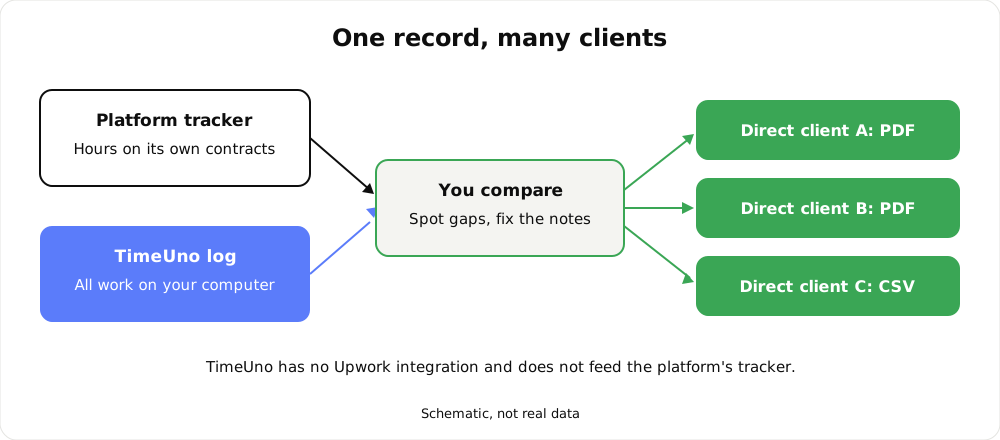
The platform’s tracker stays as it is. Your own log sits next to it.
Why keep an independent log
A platform tracker counts the hours on its contracts. It does not know about the rest of your week. Four reasons a second record earns its place:
- Your hours across all clients in one place. Freelancers rarely have a single source of work. Contracts on a platform, a few direct clients and your own projects all land in the same week. A log on your own computer shows the total.
- A way to notice gaps. If the platform shows fewer hours than you remember, you can look at what you did in that stretch instead of arguing from memory.
- A record you keep. Your log is yours. If you change platform, lose access to a contract or finish a long engagement, the history of your hours is still on your side.
- Material for your direct clients. Clients you bill outside any platform expect a timesheet. You need a source for it.
None of this makes the platform’s tracker wrong. It is a second view, and a calm check on your own bookkeeping.
How an automatic log works
TimeUno does not ask you to start a timer. The desktop app records the app in front of you, the window title, idle time and the seconds with any keyboard or mouse input. It never records what you type. In an editor it also notes the project name. Everything is sorted into categories and into projects, detected from your editor project or added by hand with keywords.
Two details worth knowing. On-screen text reading is on by default and can be turned off per computer. If you install the browser extension (Firefox is live), it also sends the site, address, title and up to 4,000 characters of visible page text; on AI sites that can include prompts and answers.
The Projects page shows the week by project, with your time next to AI time, and a table you can read like a ledger.
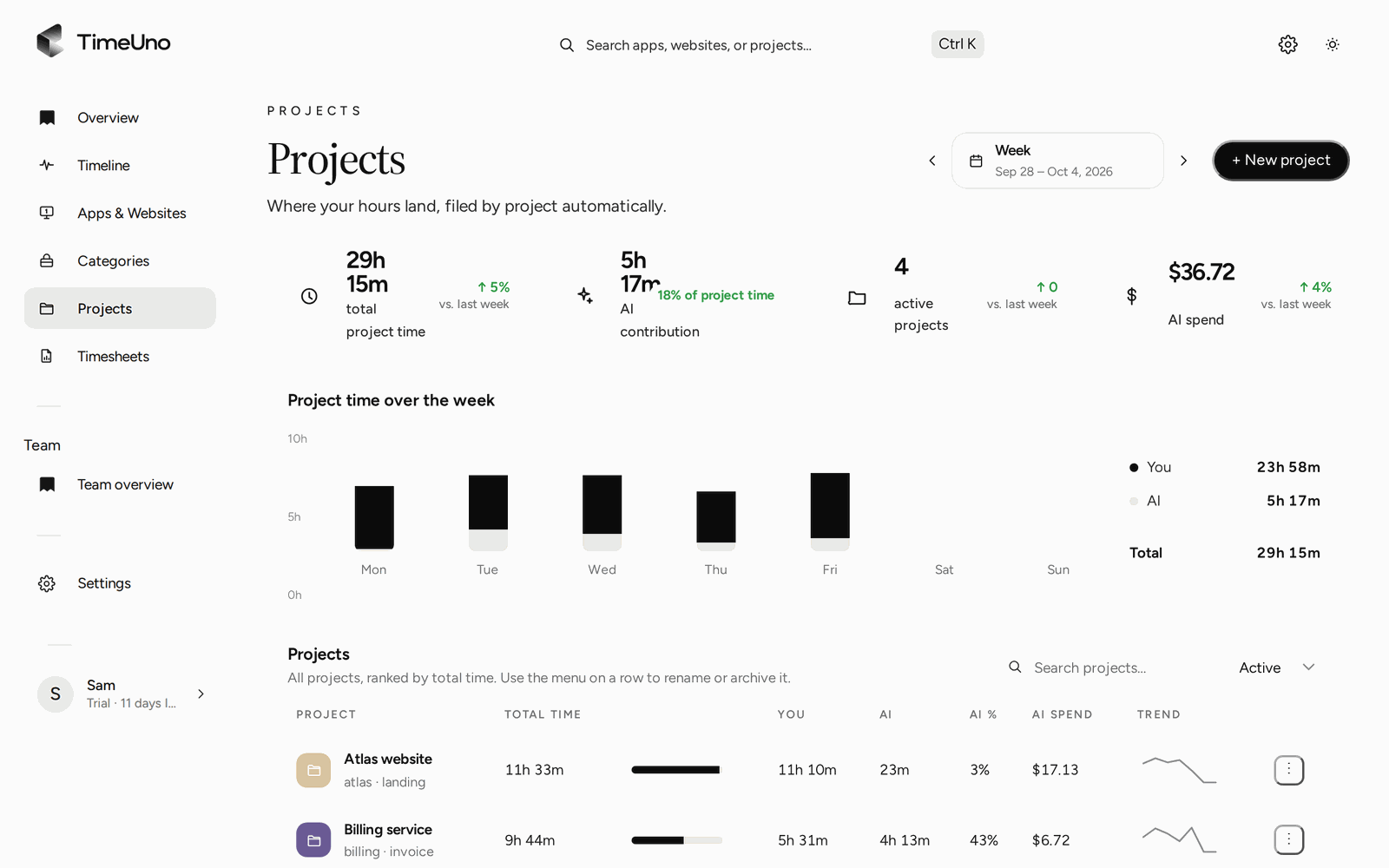
The week by project, built from what was recorded.
Compare against the platform
Once a week, or at the end of a contract period, put the two numbers side by side.
- Open the project in TimeUno that matches the contract and read the hours for the period.
- Compare them with what the platform shows for the same days.
- If they differ, open the day on the Timeline and see what filled the gap: a call, research in the browser, time with the editor open and no input.
- Decide what to do. That decision, and any conversation with a client or the platform, is yours. TimeUno only gives you the facts from your own computer.
Hours will not always match, and that is not a fault. Different tools count different things. The point is to know why, with your own record in hand.
Correct what was placed wrongly
A stretch sometimes lands in the wrong project. Open the session on the Timeline and set its verdict, Productive or Unproductive, for only that stretch or from now on. Corrections are remembered and become rules, and you can edit them under Settings, Productivity. Time TimeUno cannot place waits under Review unassigned time on the Projects page, so nothing is silently dropped.
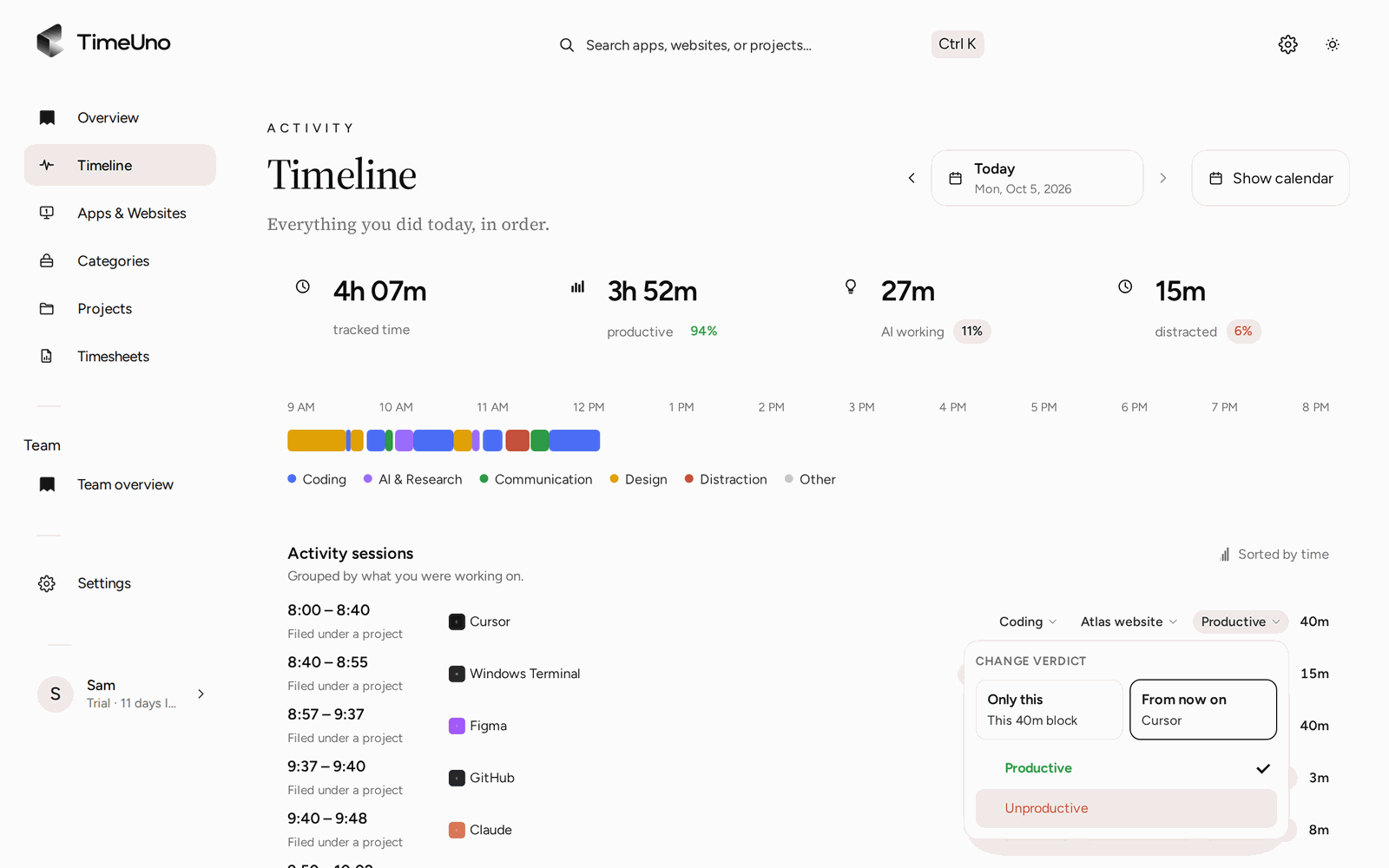
Set a session as Productive or Unproductive for only that stretch or from now on.
One PDF per direct client
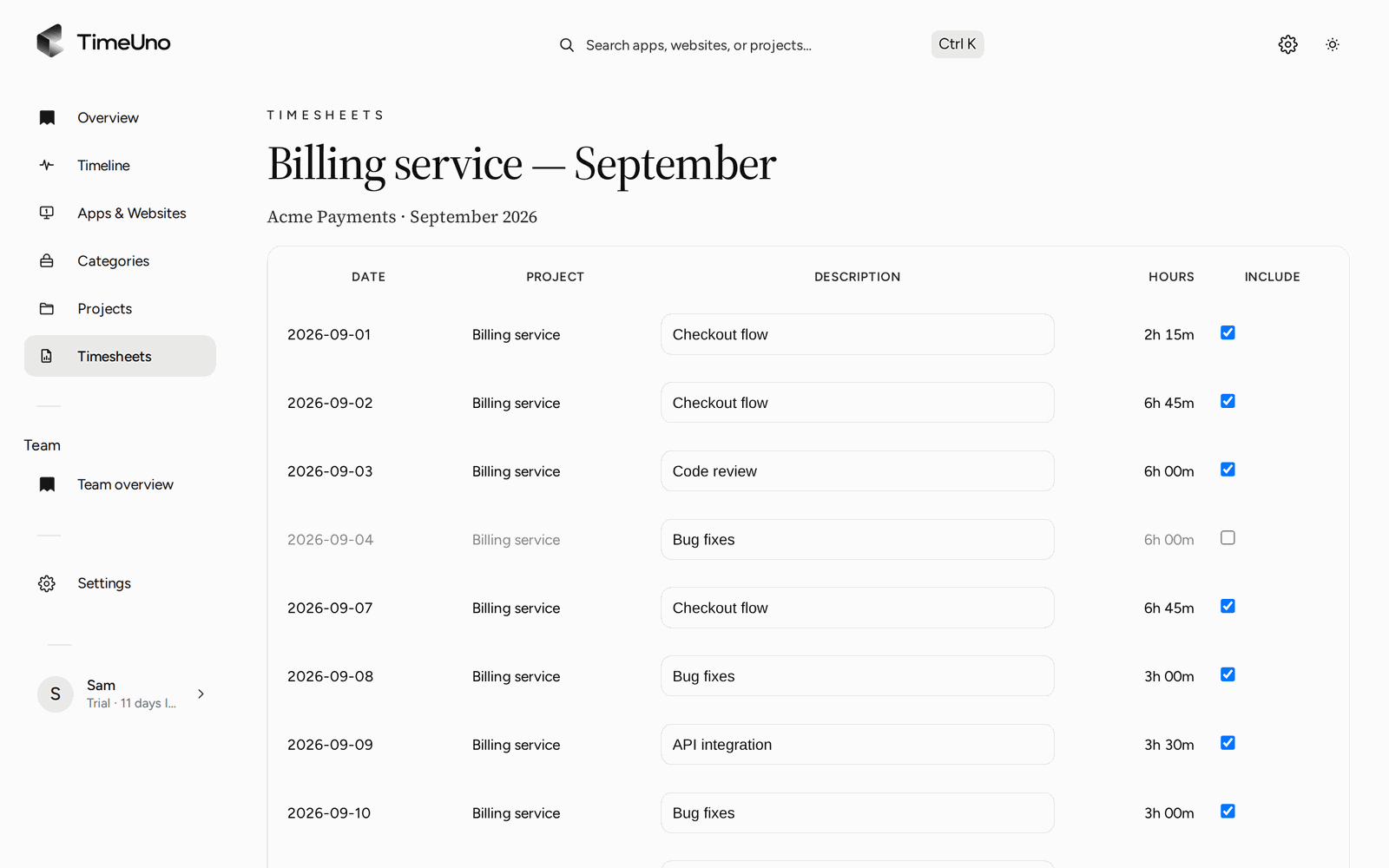
For clients you bill yourself, the timesheet is the deliverable. TimeUno builds it from tracked project time for this week, last week or this month, per client. One line per day or per work block, each editable, and AI-written descriptions through ✦ Write descriptions if you do not want to write them yourself.
Set up the money side once. Owners and admins set the currency, a default rate and rounding (none, 6, 15 or 30 minutes) under Settings. Rates can be set per client and per project, and each project is Hourly, Fixed fee or Non-billable. The timesheet shows amounts.
Then export:
- PDF, carrying your company name, address, tax ID and logo from Settings, Company details.
- CSV, if you want the lines in another tool.
There is no Excel export, and TimeUno does not create invoices. You take the timesheet into your own invoicing. For clients who want to sign off, a shareable approval link with an optional PIN and expiry lets them approve, reject or request changes. Repeating drafts (weekly, every two weeks, monthly) are prepared for you, and you press Mark ready when a sheet is final.
A weekly routine for a mixed client list
You do not need a system. This takes about ten minutes on a Friday:
- Look at the Projects page for the week.
- Clear Review unassigned time so no hours are floating.
- Compare the platform’s figure with your own for each contract.
- Open the draft timesheet for each direct client and adjust descriptions.
- Export the PDF and send it with your invoice.
If you work alone, the Individual plan covers this. If you share work with others, there is a Team plan at $19.99 per seat a month ($13.99 billed yearly), where admins see worked time, the productivity score and AI usage per person, and never anyone’s apps, sites, window titles or screenshots.
Limits to know before you start
- No integration with Upwork or any other platform, and no import from other trackers.
- It records work on a computer. There is no mobile app. The desktop app runs on macOS 11 or later and on Windows; Linux is in testing.
- No free plan. There is a 14-day trial, with a card added at the start.
- Not a certified time clock, and it does not make anyone compliant with working time law.
- No invoice creation and no accounting integration.
If those limits fit how you work, start the trial and run it beside the platform for two weeks. Then compare the numbers. You will know what a second record is worth to you. For a wider look at the category, read time tracking for freelancers, or see how automatic timesheets are built.
Updated 28 October 2026
Questions people ask
Does TimeUno integrate with Upwork?
No. TimeUno has no Upwork integration and does not send hours to the Upwork tracker. It keeps its own record of your time on your computer, which you can compare with the platform's numbers.
Can I use TimeUno instead of the tracker my platform requires?
TimeUno cannot replace a tracker that a platform asks you to use for its own contracts. Check the platform's current rules. TimeUno is the second record, the one you own and can export.
What do I send to clients I bill directly?
A timesheet built from your tracked project time, per client, as a PDF or CSV. The PDF carries the company name, address, tax ID and logo from Settings, Company details. TimeUno does not create invoices.
Do I have to start a timer?
No. The desktop app records the app or site in front of you, idle time and input activity in the background. You read the hours afterwards and correct anything placed wrongly.
Is there a free plan?
No. Every plan starts with a 14-day trial. A card is added at the start and charged when the trial ends unless you cancel first. Individual is $14.99 a month, or $10.49 billed yearly.