

QuickBooks time tracking Get the hours for your QuickBooks invoices without logging them by hand.
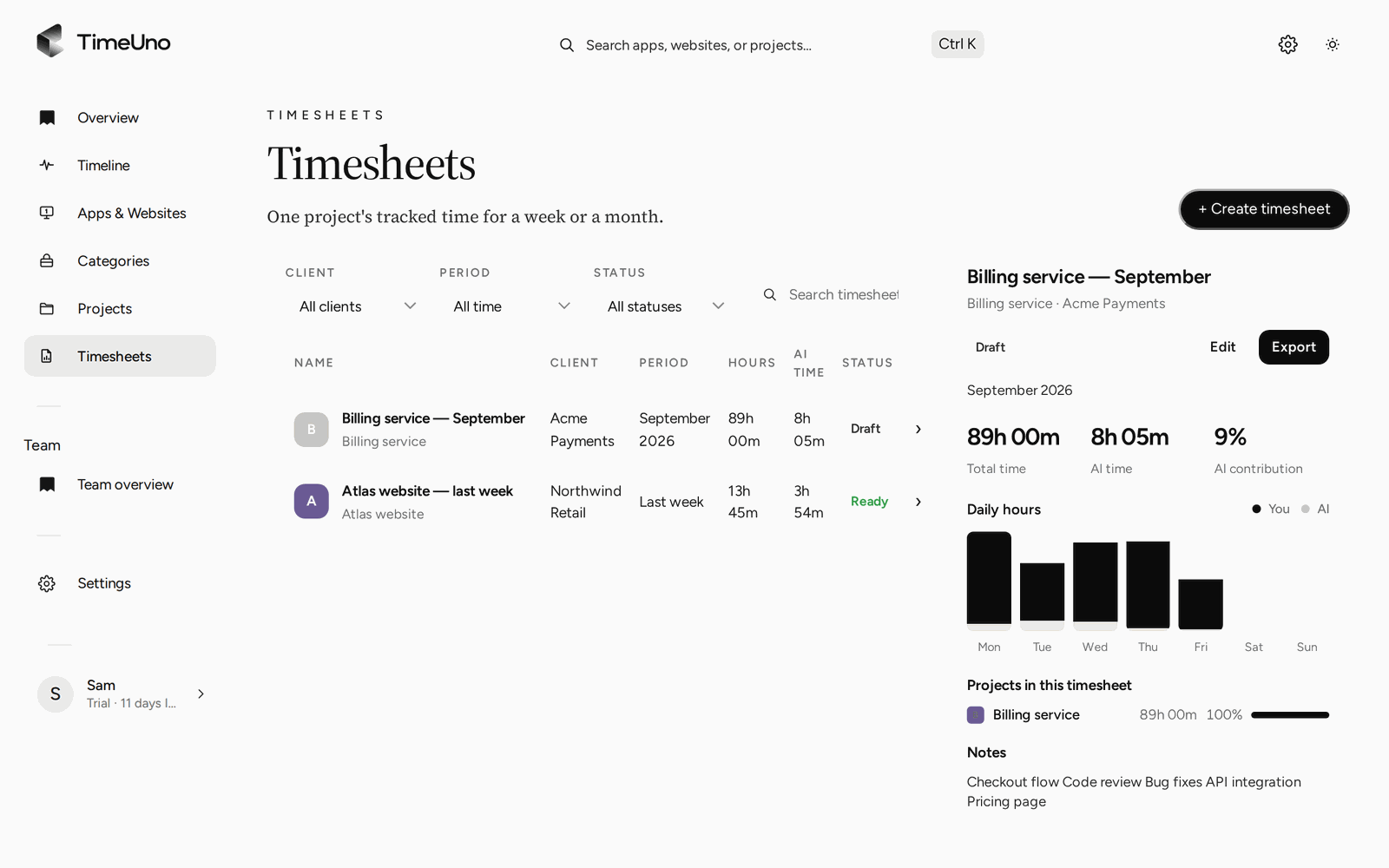
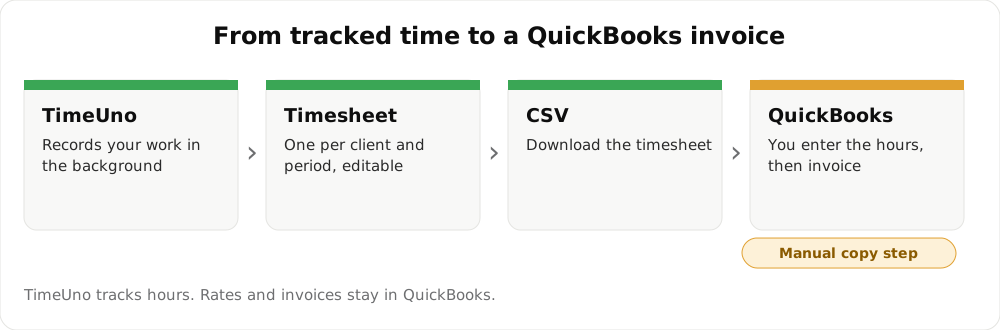
TimeUno records your work on its own and builds a timesheet per client. You then enter the hours in QuickBooks or on an invoice. It does not connect to QuickBooks and cannot push time or invoices into it.
Try automatic time tracking 14-day trial, then $14.99 a month
The usual problem with billing hours
Invoicing from memory loses hours. Timers lose them too, the day one is not started. What you need before an invoice is a complete list of hours per client for the period.
What TimeUno does for it
- It records your work on your computer and in your browser as you go.
- It files the time under projects, which you can attach to a client from your Clients list.
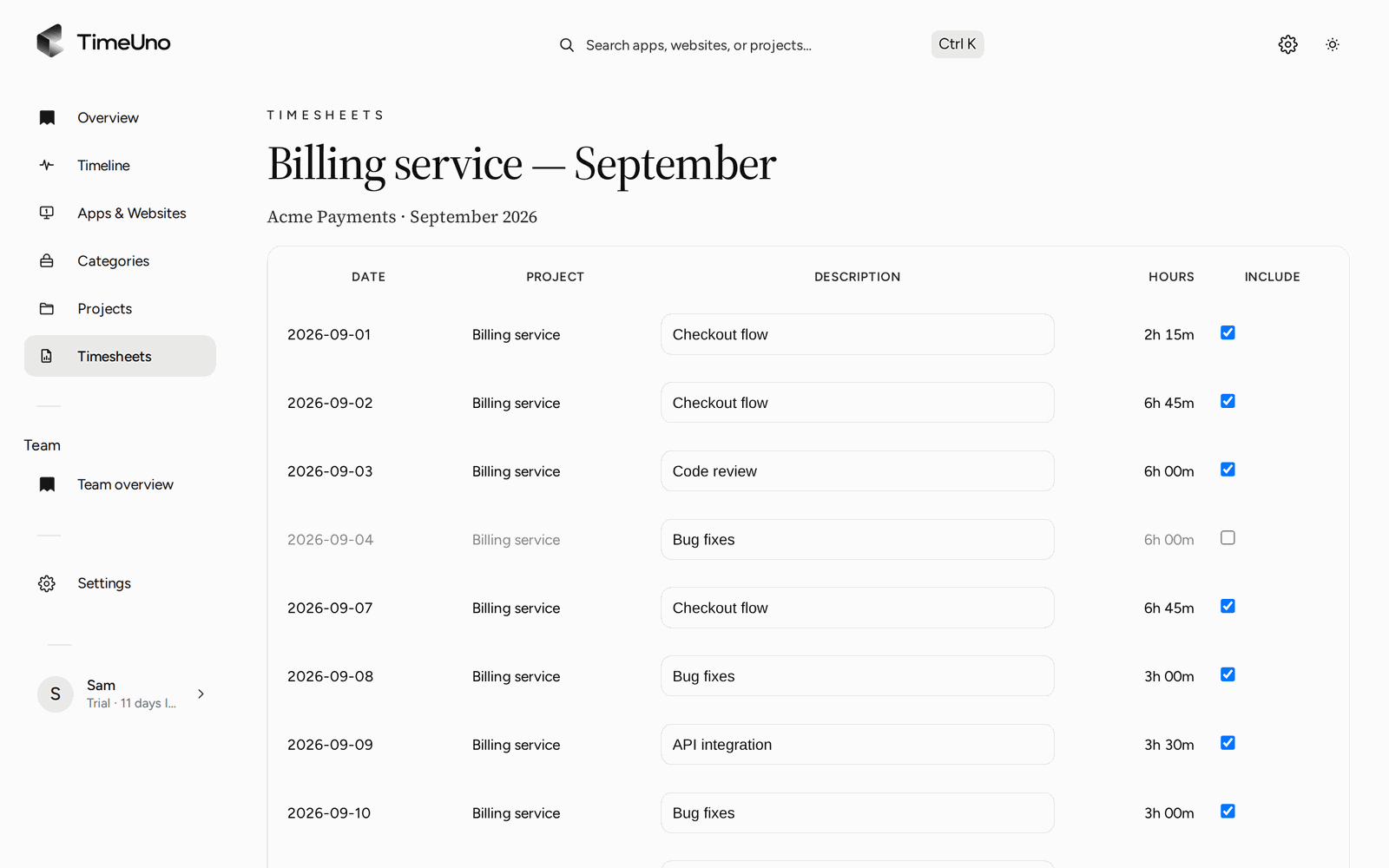
- At the end of the week or month, you create a timesheet for that client and period, and edit the lines that are off.
- You download the timesheet as CSV or PDF.
What it does not do
| You may expect | TimeUno |
|---|---|
| Push time into QuickBooks | No. There is no integration. |
| Create invoices | No. Use QuickBooks for invoices. |
| Excel timesheet | No. Timesheets export as CSV and PDF. |
How the hours reach QuickBooks
Open the CSV or PDF, read the total per client, and enter the hours or amount as a line on your invoice or time entry in QuickBooks. For a quick sum with your hourly rate, the free timesheet calculator does the multiplication.
A month-end routine
- Open Timesheets and create one for the client and the month.
- Untick days that should not be billed and fix descriptions.
- Download the CSV or PDF and open it.
- Read the total, then enter the hours in QuickBooks.
- Keep the file with your records so the invoice can be traced back to it.
If you bill AI work
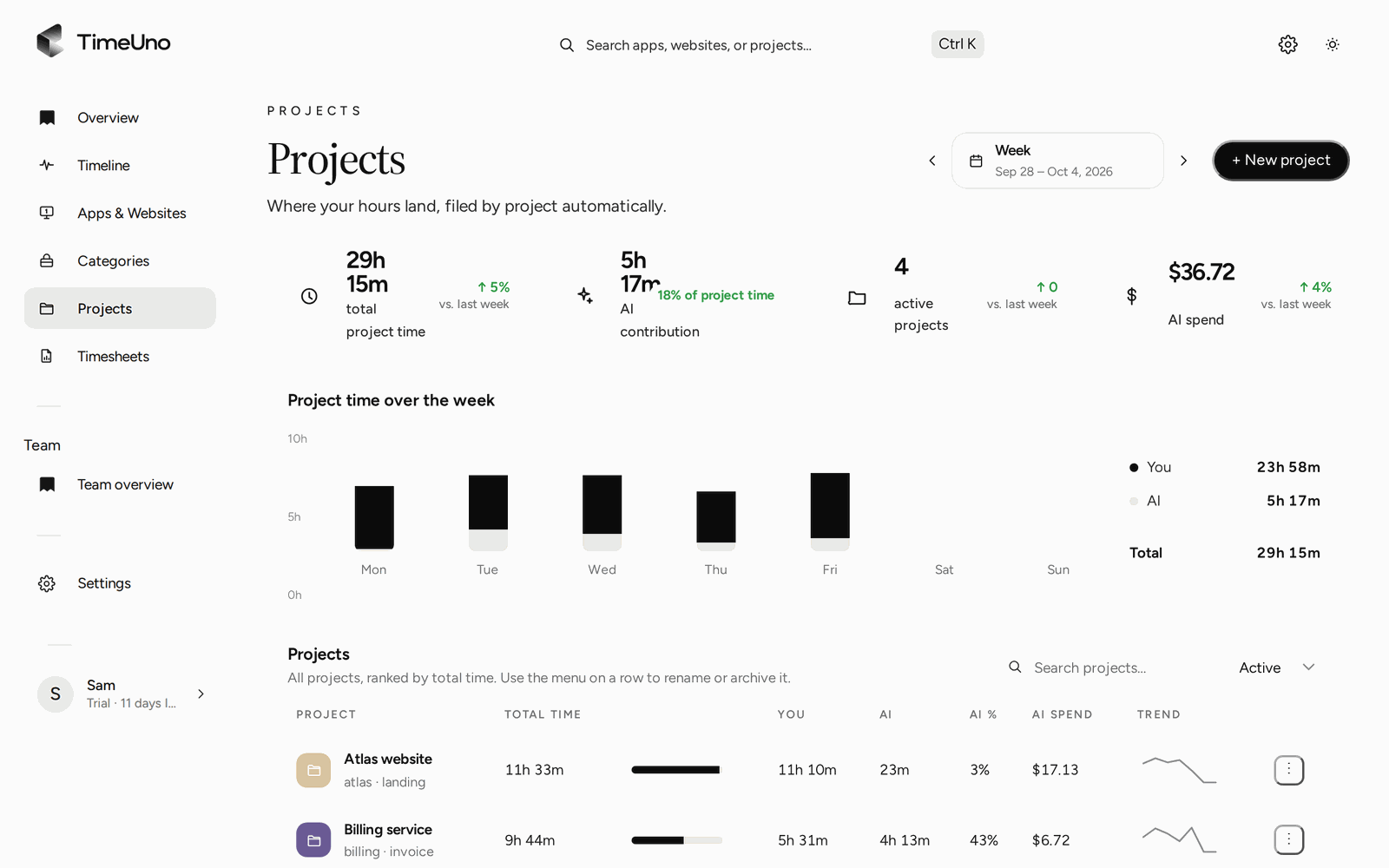
Time your AI tools spend on a project is shown next to yours, so you can decide how to bill it. See billing AI agent work to clients.
Updated 28 October 2026
Questions people ask
Does TimeUno sync with QuickBooks?
No. TimeUno has no QuickBooks connection. You download the timesheet as CSV or PDF and copy the hours into QuickBooks yourself.
Can I export a timesheet?
Yes, as CSV or PDF. There is no Excel export. Open the CSV in a spreadsheet to check it, or to copy hours into an invoice. The PDF carries your company details and suits sending to a client.
Does TimeUno store hourly rates or create invoices?
It stores rates, but it does not create invoices. Owners and admins set a currency and default rate under Settings, plus rates per person, client or project, and timesheets show amounts. Create the invoice in QuickBooks.
How do I get hours per client?
Add your clients under Clients and attach projects to them. Time on pages, files and windows that match a project's keywords is filed under that project, and a timesheet is built for one client and period.
If I need time to flow into QuickBooks automatically, what should I use?
A time tracker with a QuickBooks integration. TimeUno is the better fit when you want the hours recorded without effort, and you do not mind a copy step.